Nano Banana Pro API - Kie.ai vs AI Gallery
In the clash of Nano Banana Pro API - Kie.ai vs AI Gallery, which AI Image Generation tool emerges victorious? We assess reviews, pricing, alternatives, features, upvotes, and more.
If you had to choose between Nano Banana Pro API - Kie.ai and AI Gallery, which one would you go for?
Let's take a closer look at Nano Banana Pro API - Kie.ai and AI Gallery, both of which are AI-driven image generation tools, and see what sets them apart. The upvote count reveals a draw, with both tools earning the same number of upvotes. You can help us determine the winner by casting your vote and tipping the scales in favor of one of the tools.
Don't agree with the result? Cast your vote and be a part of the decision-making process!
Nano Banana Pro API - Kie.ai

What is Nano Banana Pro API - Kie.ai?
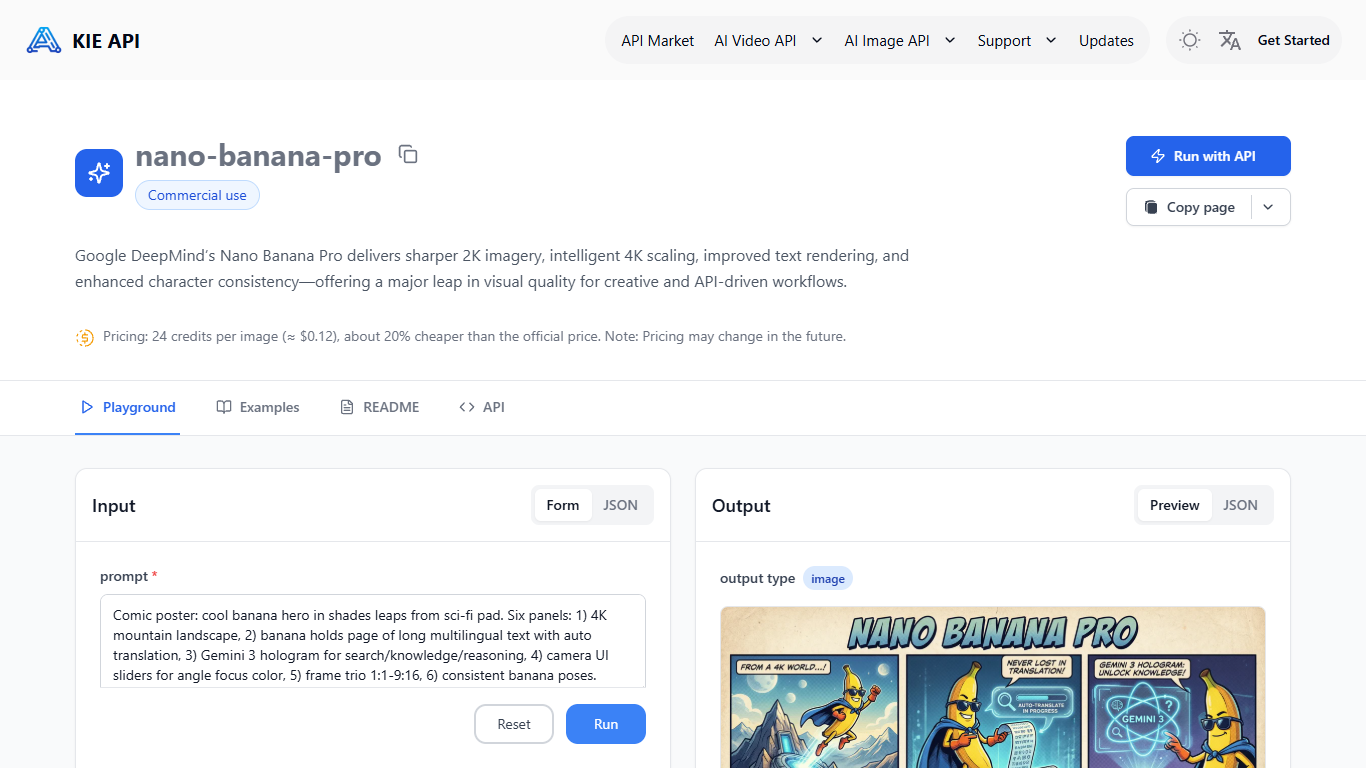
Nano Banana Pro API on Kie.ai gives developers API access to Google DeepMind's Nano Banana Pro image model (Gemini 3.0 Pro Image) for text-to-image and image-to-image workflows. Kie.ai hosts the model behind a developer dashboard with a playground, API keys, usage logs, and documentation so teams can test prompts and ship integrations without running their own GPU stack.
The model targets sharper 2K output with intelligent 4K scaling, stronger text rendering inside images, and more stable character consistency than the earlier Nano Banana generation. Kie.ai positions the endpoint for production pipelines that need predictable visual quality across marketing assets, storyboards, product shots, and localized creative variants.
Developers call the API with a text prompt and optional reference images (up to eight JPEG, PNG, or WEBP files at 30MB each), then choose aspect ratio, resolution (1K, 2K, or 4K), and output format (PNG or JPG). A built-in playground mirrors runtime behavior before you wire REST or SDK calls into your app.
Kie.ai runs on a pay-as-you-go credit balance with per-image rates published on the product page, plus request logs, quota monitoring, and 24/7 support for production deployments.
AI Gallery
What is AI Gallery?
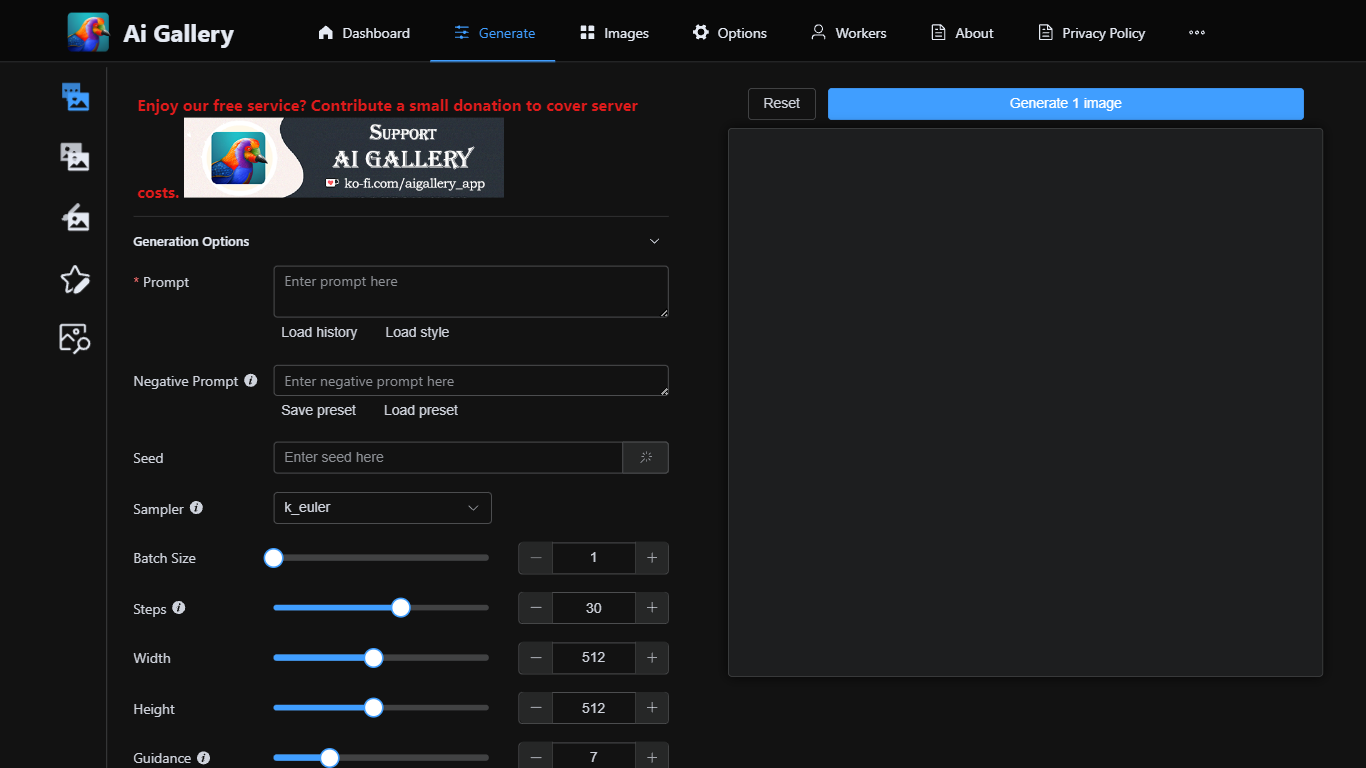
AI Gallery lets you generate images in the browser without installing software or owning a GPU. You write a prompt, pick from 158 live models routed through a community network of volunteer GPU workers, then review and save results to a local gallery on your device.
Unlike closed apps that run everything on the vendor's servers, AI Gallery acts as a connector to an external generation network. Independent workers process your queue, model availability updates in real time, and your prompts and gallery data stay in browser storage by default.
The site currently charges no AI Gallery access fee, though paid plans may arrive later. Creators, hobbyists, and designers who want Stable Diffusion-style workflows without hardware setup are the target audience, with text-to-image, image-to-image, inpainting, and ControlNet modes available from the Studio.
Nano Banana Pro API - Kie.ai Upvotes
AI Gallery Upvotes
Nano Banana Pro API - Kie.ai Top Features
Ship text-to-image or image-to-image calls with up to eight reference uploads
Pick 1K, 2K, or 4K output plus aspect ratios from square to ultrawide
Test prompts in a playground that matches live API behavior
Get sharper in-image text and steadier character consistency vs the first Nano Banana API
Pay per image with published credit rates lower than several rival API hosts
AI Gallery Top Features
158 AI models with 225 active community workers and 99.2K MPS average performance
No GPU or installation required; runs entirely in the browser
Text-to-image, image-to-image, inpainting, and ControlNet generation modes
Local-first gallery stores prompts and outputs in your browser by default
No AI Gallery signup or access fee today, with live worker availability shown
Nano Banana Pro API - Kie.ai Category
- Image Generation
AI Gallery Category
- Image Generation
Nano Banana Pro API - Kie.ai Pricing Type
- Paid
AI Gallery Pricing Type
- Free