NMKD Stable Diffusion GUI vs Lexica
Dive into the comparison of NMKD Stable Diffusion GUI vs Lexica and discover which AI Image Generation Model tool stands out. We examine alternatives, upvotes, features, reviews, pricing, and beyond.
In a comparison between NMKD Stable Diffusion GUI and Lexica, which one comes out on top?
When we compare NMKD Stable Diffusion GUI and Lexica, two exceptional image generation model tools powered by artificial intelligence, and place them side by side, several key similarities and differences come to light. Neither tool takes the lead, as they both have the same upvote count. Join the aitools.fyi users in deciding the winner by casting your vote.
Think we got it wrong? Cast your vote and show us who's boss!
NMKD Stable Diffusion GUI
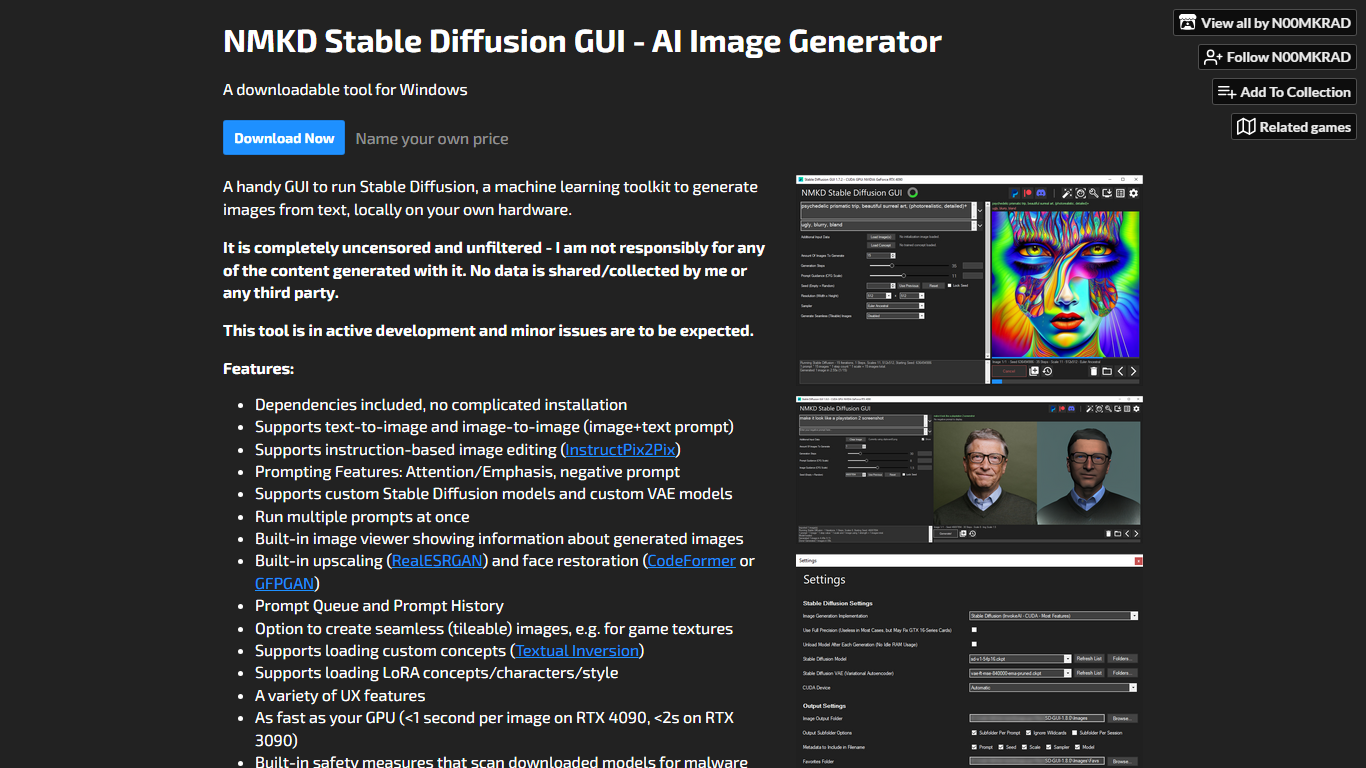

What is NMKD Stable Diffusion GUI?
NMKD Stable Diffusion GUI runs text-to-image and image-to-image generation locally on your Windows PC using your own GPU. The itch.io download bundles dependencies so you skip manual Python setup, and version 1.11.0 ships with a Stable Diffusion 1.5 model in a 3.3 GB package or a 1.5 GB build if you bring your own checkpoints.
Unlike browser-based generators that queue jobs on remote servers, NMKD keeps everything on your hardware with no data collection. It adds LoRA training on 8 GB GPUs, InstructPix2Pix editing, RealESRGAN upscaling, and CodeFormer or GFPGAN face restoration in one desktop app. The author reports sub-2-second generations on an RTX 3090 and under one second on an RTX 4090.
Windows hobbyists, game texture artists, and creators who want uncensored local control are the main audience. Built-in prompt queues, tileable output for game assets, custom VAE and checkpoint loading, and a malware scan on downloaded models make it a full workstation tool rather than a quick online demo.
Lexica
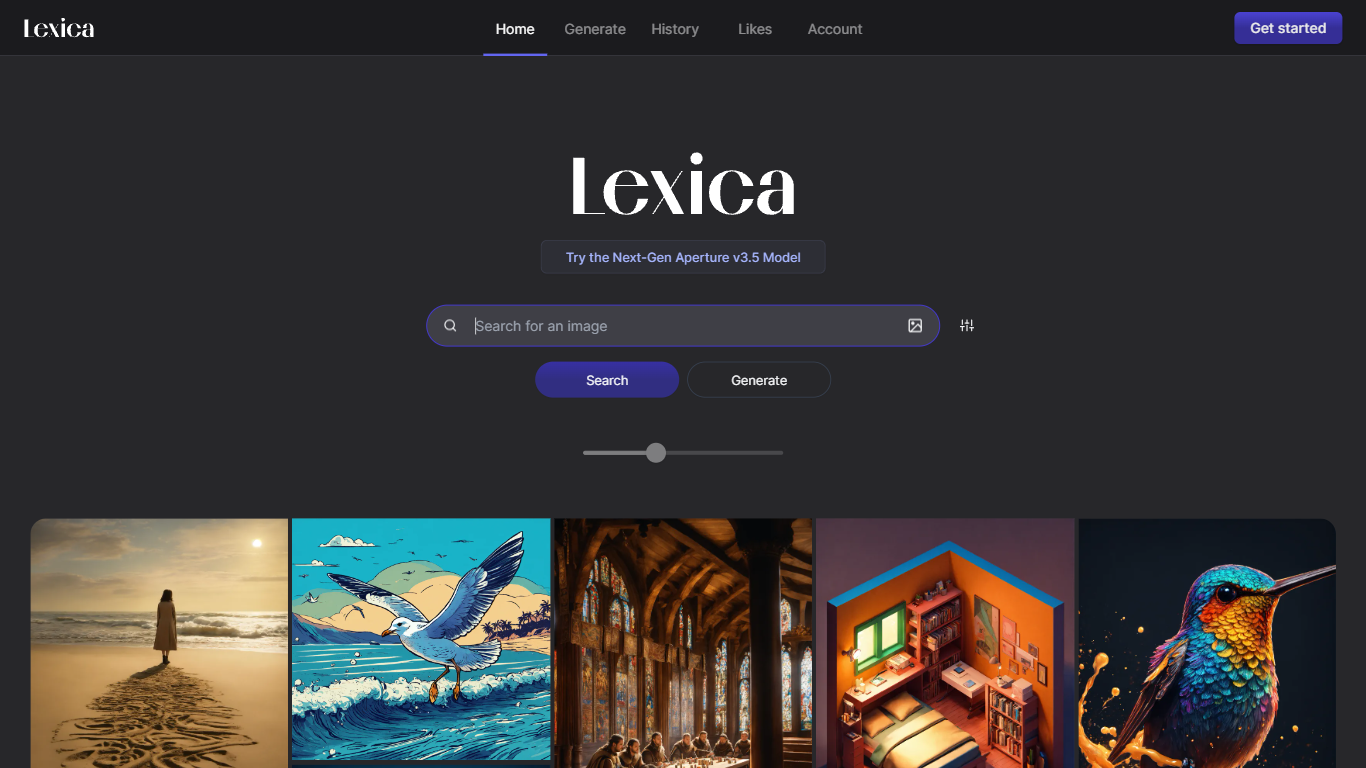
What is Lexica?
Lexica lets you search a massive gallery of AI-generated art, inspect the prompts behind each image, and create new visuals with its Lexica Aperture model. The Generate workspace defaults to 960 by 1440 output, and every prompt submission spends four image credits before results appear.
Unlike general chat tools that bolt on image buttons, Lexica built its reputation as a prompt search engine first. You can reverse-engineer styles from existing images, then move into Aperture generation with fast and slow queues, custom aspect ratios, and optional image uploads. Starter and Pro images stay public in search; only the Max plan keeps generations private by default.
Artists, designers, marketers, and hobbyists use Lexica to explore visual ideas and produce commercial-ready assets under plan-specific licenses. Paid plans are required to generate images because Lexica does not offer a free tier, though subscribers can buy extra fast generations at $0.05 each when monthly limits run out.
NMKD Stable Diffusion GUI Upvotes
Lexica Upvotes
NMKD Stable Diffusion GUI Top Features
Generates images in under 1 second on an RTX 4090 and under 2 seconds on an RTX 3090
Version 1.11.0 download is 3.3 GB with SD 1.5 included or 1.5 GB without model files
LoRA training GUI works on 8 GB GPUs and replaces the older Dreambooth workflow
Built-in RealESRGAN upscaling plus CodeFormer or GFPGAN face restoration
Supports InstructPix2Pix instruction-based editing alongside text-to-image and image-to-image
Dependencies bundled with no complicated installation required on Windows
Lexica Top Features
Lexica Aperture generates images at a default 960 by 1440 resolution
Each prompt submission uses 4 image generation credits across all plans
Starter plan includes 1,000 fast generations per month for $8 billed annually
Pro plan adds 3,000 fast generations, unlimited slow queue access, and full commercial license for $24 per month
Max plan provides 7,000 fast generations and private images that stay out of Lexica search
Buy extra fast generations at $0.05 each without expiration while your subscription stays active
Search engine lets you browse public images and study the prompts that created them
NMKD Stable Diffusion GUI Category
- Image Generation Model
Lexica Category
- Image Generation Model
NMKD Stable Diffusion GUI Pricing Type
- Freemium
Lexica Pricing Type
- Paid