Pixelgen vs Fontjoy
Dive into the comparison of Pixelgen vs Fontjoy and discover which AI Design tool stands out. We examine alternatives, upvotes, features, reviews, pricing, and beyond.
In a comparison between Pixelgen and Fontjoy, which one comes out on top?
When we compare Pixelgen and Fontjoy, two exceptional design tools powered by artificial intelligence, and place them side by side, several key similarities and differences come to light. Interestingly, both tools have managed to secure the same number of upvotes. Be a part of the decision-making process. Your vote could determine the winner.
Think we got it wrong? Cast your vote and show us who's boss!
Pixelgen


What is Pixelgen?
Pixelgen is a forward-thinking platform that enables users to craft and manipulate pixel-based images with ease. With a focus on simplicity and user experience, Pixelgen presents a set of intuitive tools designed for both novices and professionals seeking to create, edit, or enhance their digital graphics.
The software features a user-friendly interface that simplifies the process of generating pixel art, providing an array of functionalities from basic editing to more advanced features for detailed and intricate designs.
Whether you're a game developer needing sprites for your game, a digital artist exploring the pixel art style, or a hobbyist looking to express creativity, Pixelgen offers the perfect blend of accessibility and power to bring your pixel creations to life.
Fontjoy
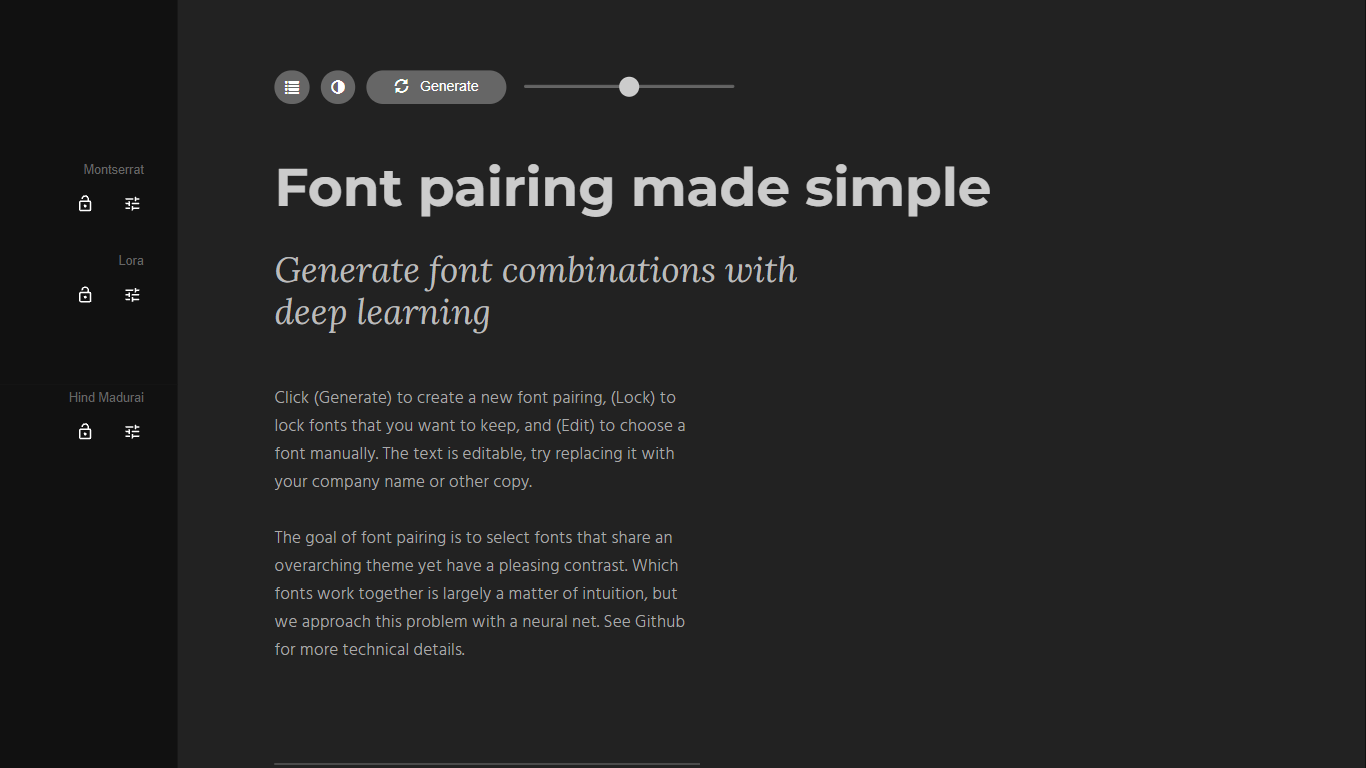
What is Fontjoy?
Fontjoy is a font pairing generator that suggests complementary Google Fonts combinations with a single click. It maps fonts across multiple dimensions like weight, obliqueness, and serif style, then uses a deep neural network to find pairs that share a theme but contrast enough to look intentional on screen.
Most font pairing tools rely on designer intuition or static lists. Fontjoy automates the search by treating each font as a vector of learned features and picking pairs that sit far apart on axes where contrast matters while staying aligned on axes where harmony matters. The trade-off is that it only covers Google Fonts, so proprietary or self-hosted typefaces are out of scope.
Designers, developers, and brand builders use Fontjoy when they need a headline and body font that work together without spending an hour scrolling type catalogs. The editable preview text, lock button, and manual font picker make it practical for quick mockups and client presentations.
Pixelgen Upvotes
Fontjoy Upvotes
Pixelgen Top Features
Intuitive Design: A user-friendly interface that caters to both beginners and professionals.
Pixel Art Creation: Allows for the crafting of pixel-based imagery, perfect for game developers and artists.
Advanced Editing Tools: Offers a variety of editing options for creating detailed and intricate designs.
Accessibility: Designed to be accessible to users with different skill levels.
Versatility: Suitable for various creative projects, including game design and digital art.
Fontjoy Top Features
One-click Generate button creates a new font pairing from hundreds of Google Fonts instantly
Lock individual fonts in a pairing while regenerating the rest to keep what you like
Editable preview text lets you test pairings with your own copy or company name
Deep neural network maps fonts across weight, obliqueness, serif style, and more dimensions
Manual Edit mode to pick any Google Font from the full catalog by name
Font visualizer projector page for exploring high-dimensional font embeddings
Open-source algorithm documented on GitHub at Jack000/fontjoy
Pixelgen Category
- Design
Fontjoy Category
- Design
Pixelgen Pricing Type
- Freemium
Fontjoy Pricing Type
- Free