
Last updated 08-14-2026
Category:
Reviews:
Join thousands of AI enthusiasts in the World of AI!
Fontjoy
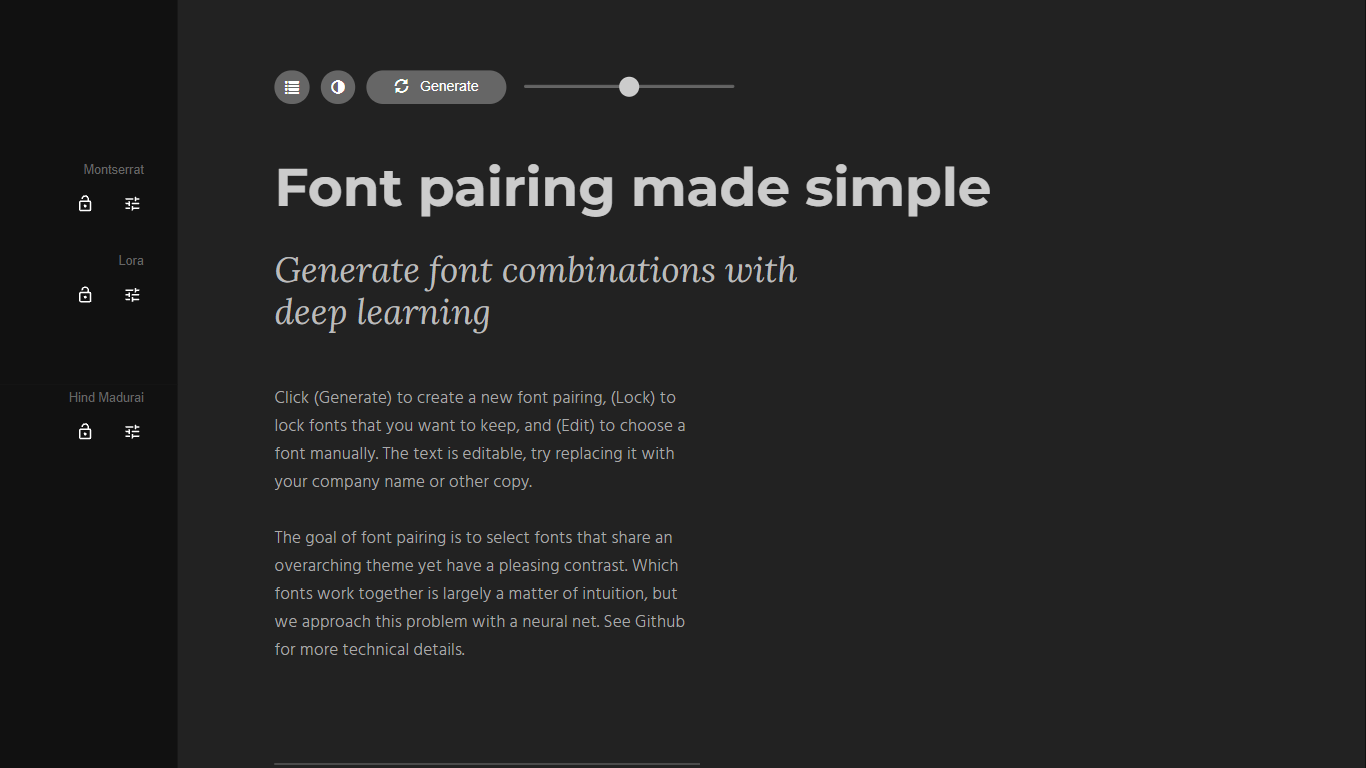
Fontjoy is a font pairing generator that suggests complementary Google Fonts combinations with a single click. It maps fonts across multiple dimensions like weight, obliqueness, and serif style, then uses a deep neural network to find pairs that share a theme but contrast enough to look intentional on screen.
Most font pairing tools rely on designer intuition or static lists. Fontjoy automates the search by treating each font as a vector of learned features and picking pairs that sit far apart on axes where contrast matters while staying aligned on axes where harmony matters. The trade-off is that it only covers Google Fonts, so proprietary or self-hosted typefaces are out of scope.
Designers, developers, and brand builders use Fontjoy when they need a headline and body font that work together without spending an hour scrolling type catalogs. The editable preview text, lock button, and manual font picker make it practical for quick mockups and client presentations.
One-click Generate button creates a new font pairing from hundreds of Google Fonts instantly
Lock individual fonts in a pairing while regenerating the rest to keep what you like
Editable preview text lets you test pairings with your own copy or company name
Deep neural network maps fonts across weight, obliqueness, serif style, and more dimensions
Manual Edit mode to pick any Google Font from the full catalog by name
Font visualizer projector page for exploring high-dimensional font embeddings
Open-source algorithm documented on GitHub at Jack000/fontjoy
Generates font pairings in one click instead of manual trial and error.
Uses deep learning to find contrast pairs across multiple typographic dimensions.
Lock button lets you keep one font while exploring alternatives for the rest.
Completely free with no signup and access to the full Google Fonts catalog.
Open-source algorithm on GitHub for transparency and community contributions.
Limited to Google Fonts with no support for Adobe Fonts or self-hosted typefaces.
No export or download feature for pairing results beyond copying font names manually.
Browser-only tool with no mobile app or desktop application.
Is Fontjoy free to use?
Yes, Fontjoy is completely free with no signup required. You can generate, lock, edit, and preview font pairings on fontjoy.com at no cost.
How does Fontjoy pick font pairings?
Fontjoy uses a deep neural network to map Google Fonts into a multi-dimensional feature space. It selects pairs that contrast on key axes like weight or obliqueness while sharing similarities on others, such as serif style.
What fonts does Fontjoy support?
Fontjoy works with the Google Fonts library, which includes hundreds of typefaces across serif, sans-serif, display, and monospace families. You can manually select any Google Font through the Edit menu.
Can I lock one font in Fontjoy?
Yes. Fontjoy has a Lock button that keeps your chosen font fixed while the Generate button finds new pairings for the remaining slots in the combination.
Who created Fontjoy?
Fontjoy was built by Jack Qiao, who also created Brandmark.io. The font pairing algorithm is open source and available on GitHub under the repository Jack000/fontjoy.
Does Fontjoy work for web and print design?
Fontjoy previews pairings in the browser and all fonts come from Google Fonts, which are free for web and print use. You can test your copy directly in the editable preview before downloading or embedding fonts.