Magic Brush AI vs Fontjoy
In the clash of Magic Brush AI vs Fontjoy, which AI Design tool emerges victorious? We assess reviews, pricing, alternatives, features, upvotes, and more.
When we put Magic Brush AI and Fontjoy head to head, which one emerges as the victor?
Let's take a closer look at Magic Brush AI and Fontjoy, both of which are AI-driven design tools, and see what sets them apart. There's no clear winner in terms of upvotes, as both tools have received the same number. Your vote matters! Help us decide the winner among aitools.fyi users by casting your vote.
Does the result make you go "hmm"? Cast your vote and turn that frown upside down!
Magic Brush AI


What is Magic Brush AI?
Magic Brush AI introduces an innovative AI-powered plugin specifically designed for Figma users who wish to enhance their design process. The Magic Brush AI plugin seamlessly integrates with Figma, allowing designers to generate and edit images directly within the application. If you're looking to speed up your design workflow and leverage artificial intelligence in your projects, Magic Brush AI offers a simple yet powerful solution. With easy installation and a user-friendly interface, Magic Brush expands creative possibilities without ever leaving your favorite design platform. Additionally, the community aspect is emphasized with an invitation to join their Discord, suggesting a focus on user engagement and support. Designed by Elie Toubiana from sunshine-filled Los Angeles, CA, Magic Brush AI is poised to transform how creatives interact with Figma and image editing.
Fontjoy
What is Fontjoy?
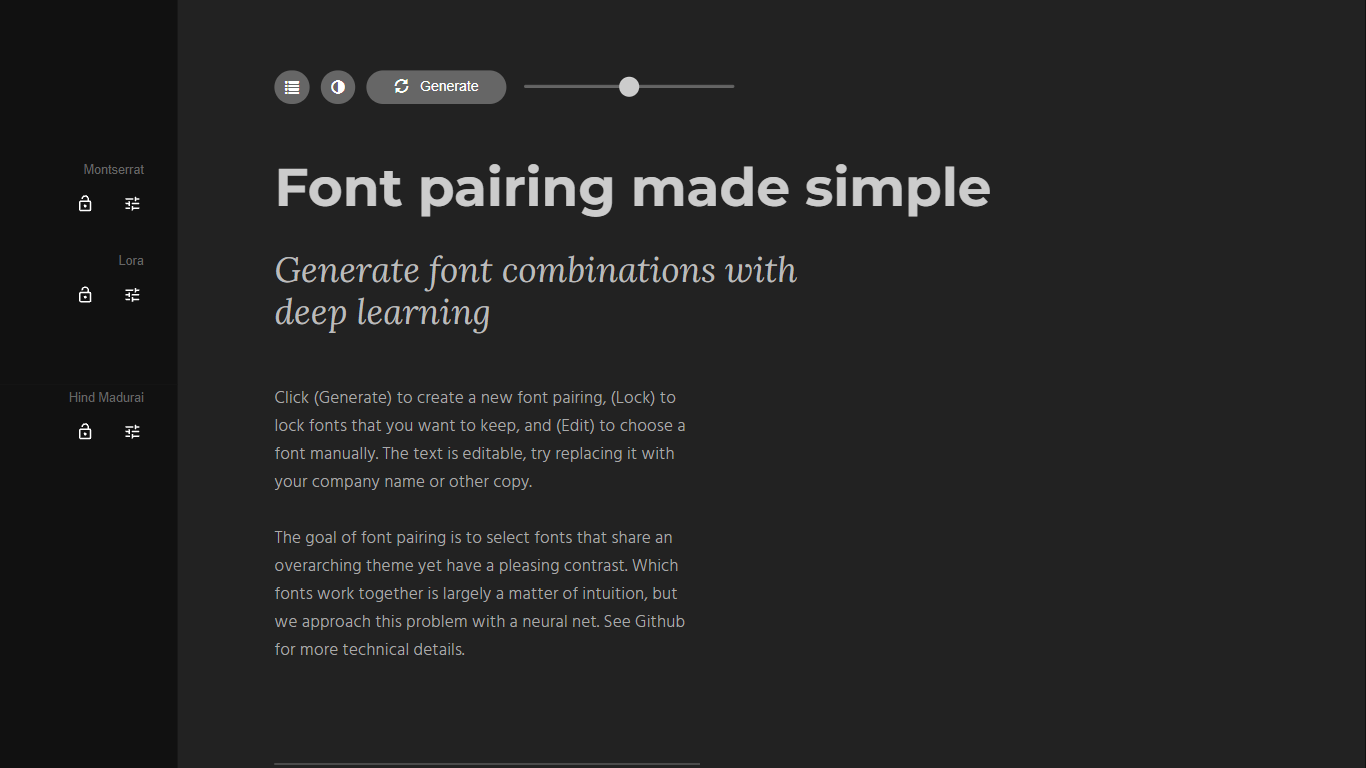
Fontjoy is a font pairing generator that suggests complementary Google Fonts combinations with a single click. It maps fonts across multiple dimensions like weight, obliqueness, and serif style, then uses a deep neural network to find pairs that share a theme but contrast enough to look intentional on screen.
Most font pairing tools rely on designer intuition or static lists. Fontjoy automates the search by treating each font as a vector of learned features and picking pairs that sit far apart on axes where contrast matters while staying aligned on axes where harmony matters. The trade-off is that it only covers Google Fonts, so proprietary or self-hosted typefaces are out of scope.
Designers, developers, and brand builders use Fontjoy when they need a headline and body font that work together without spending an hour scrolling type catalogs. The editable preview text, lock button, and manual font picker make it practical for quick mockups and client presentations.
Magic Brush AI Upvotes
Fontjoy Upvotes
Magic Brush AI Top Features
AI Powered Plugin: A convenient Figma plugin that utilizes AI for image generation and editing.
Seamless Integration: Integrates with Figma for a streamlined design workflow.
Easy Installation: Simple process to install the plugin directly on Figma.
Community Support: Access to a Discord community for networking and support.
Frequent Updates: Continual improvements and feature additions to enhance user experience.
Fontjoy Top Features
One-click Generate button creates a new font pairing from hundreds of Google Fonts instantly
Lock individual fonts in a pairing while regenerating the rest to keep what you like
Editable preview text lets you test pairings with your own copy or company name
Deep neural network maps fonts across weight, obliqueness, serif style, and more dimensions
Manual Edit mode to pick any Google Font from the full catalog by name
Font visualizer projector page for exploring high-dimensional font embeddings
Open-source algorithm documented on GitHub at Jack000/fontjoy
Magic Brush AI Category
- Design
Fontjoy Category
- Design
Magic Brush AI Pricing Type
- Freemium
Fontjoy Pricing Type
- Free