Pixelgen vs PromptFolder
When comparing Pixelgen vs PromptFolder, which AI Design tool shines brighter? We look at pricing, alternatives, upvotes, features, reviews, and more.
In a comparison between Pixelgen and PromptFolder, which one comes out on top?
When we put Pixelgen and PromptFolder side by side, both being AI-powered design tools, With more upvotes, PromptFolder is the preferred choice. The number of upvotes for PromptFolder stands at 10, and for Pixelgen it's 6.
Want to flip the script? Upvote your favorite tool and change the game!
Pixelgen


What is Pixelgen?
Pixelgen is a forward-thinking platform that enables users to craft and manipulate pixel-based images with ease. With a focus on simplicity and user experience, Pixelgen presents a set of intuitive tools designed for both novices and professionals seeking to create, edit, or enhance their digital graphics.
The software features a user-friendly interface that simplifies the process of generating pixel art, providing an array of functionalities from basic editing to more advanced features for detailed and intricate designs.
Whether you're a game developer needing sprites for your game, a digital artist exploring the pixel art style, or a hobbyist looking to express creativity, Pixelgen offers the perfect blend of accessibility and power to bring your pixel creations to life.
PromptFolder
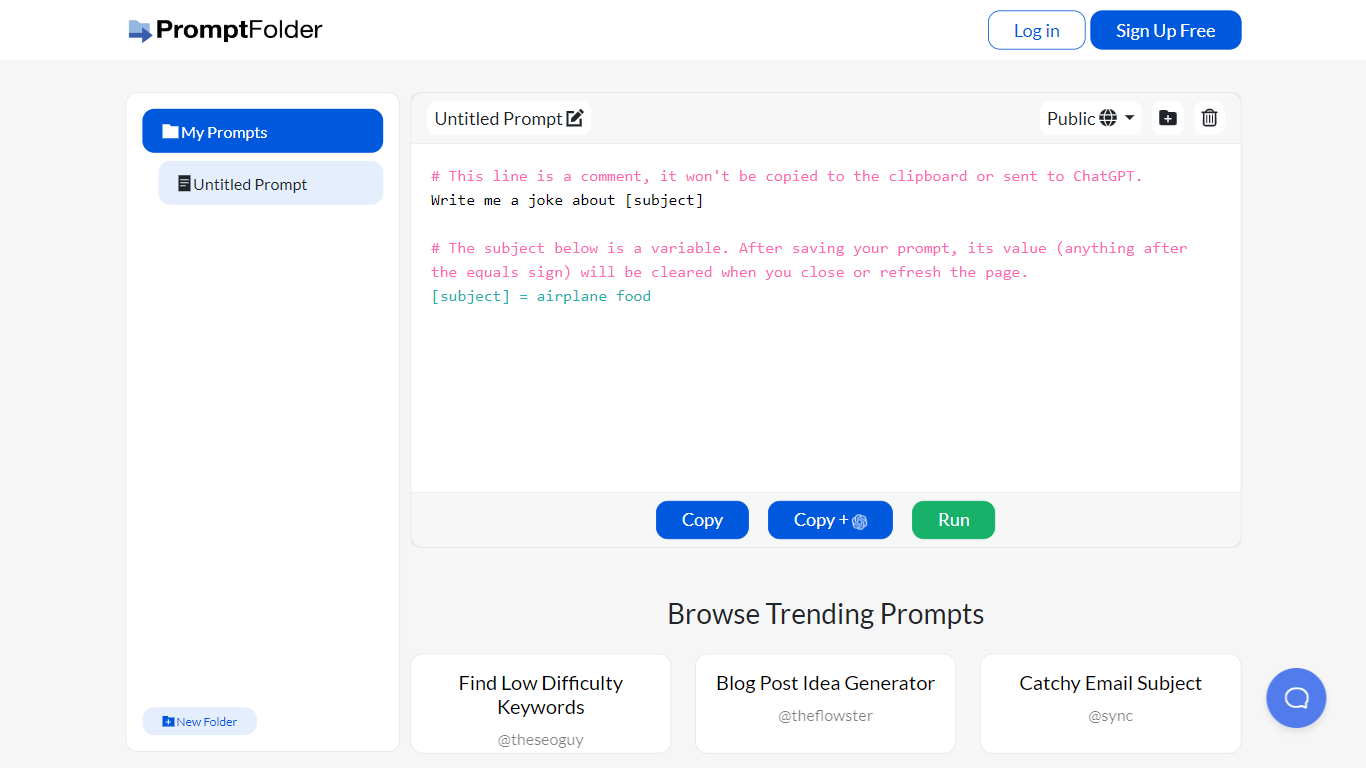
What is PromptFolder?
PromptFolder is a web prompt manager for ChatGPT, Midjourney, and other AI tools. You draft prompts with bracket placeholders like [subject], file them in folders, and launch them from the built-in editor. Free signup unlocks your personal library, and the homepage highlights trending prompts other users have shared.
Generic note apps store plain text. PromptFolder treats each entry as a reusable template with editable variables, an Advanced Editor that sets tone (Casual through Humorous) and length in Words or Sentences, and a Run button that sends the draft to ChatGPT. A Chrome extension mirrors the library inside ChatGPT so you stop copying the same blocks by hand.
Repeat ChatGPT workflows benefit most. Founder Cole South built it for his e-commerce store after retyping prompts daily, and the trending feed leans toward SEO titles, blog ideas, and keyword prompts. Midjourney users get a dedicated helper with aspect ratios, version picks up to v6 and niji, plus chaos, stylize, and seed fields laid out as form controls instead of memorized flags.
Pixelgen Upvotes
PromptFolder Upvotes
Pixelgen Top Features
Intuitive Design: A user-friendly interface that caters to both beginners and professionals.
Pixel Art Creation: Allows for the crafting of pixel-based imagery, perfect for game developers and artists.
Advanced Editing Tools: Offers a variety of editing options for creating detailed and intricate designs.
Accessibility: Designed to be accessible to users with different skill levels.
Versatility: Suitable for various creative projects, including game design and digital art.
PromptFolder Top Features
Bracket variables like [subject] stay editable inside saved prompts so one template covers many topics
Chrome Web Store extension (pcollgbgdjbfmjkgkooifpbakhiaedmn) opens PromptFolder inside ChatGPT
Midjourney Prompt Helper lists aspect ratios from 1:1 through 16:9, versions 1 through 6 plus niji, and sliders for chaos and stylize
Advanced Editor sets tone across Casual, Professional, Serious, and Humorous with length counted in Words or Sentences
Browse Trending Prompts surfaces public saves such as SEO Meta Title Writer and Blog Post Idea Generator
Free on-site tools include a Midjourney Prompt Generator, ChatGPT Detector, and AI YouTube Summarizer
Pixelgen Category
- Design
PromptFolder Category
- Design
Pixelgen Pricing Type
- Freemium
PromptFolder Pricing Type
- Free