Pixelgen vs QR Code AI Art Generator - Hugging Face
When comparing Pixelgen vs QR Code AI Art Generator - Hugging Face, which AI Design tool shines brighter? We look at pricing, alternatives, upvotes, features, reviews, and more.
In a comparison between Pixelgen and QR Code AI Art Generator - Hugging Face, which one comes out on top?
When we put Pixelgen and QR Code AI Art Generator - Hugging Face side by side, both being AI-powered design tools, There's no clear winner in terms of upvotes, as both tools have received the same number. Be a part of the decision-making process. Your vote could determine the winner.
Not your cup of tea? Upvote your preferred tool and stir things up!
Pixelgen


What is Pixelgen?
Pixelgen is a forward-thinking platform that enables users to craft and manipulate pixel-based images with ease. With a focus on simplicity and user experience, Pixelgen presents a set of intuitive tools designed for both novices and professionals seeking to create, edit, or enhance their digital graphics.
The software features a user-friendly interface that simplifies the process of generating pixel art, providing an array of functionalities from basic editing to more advanced features for detailed and intricate designs.
Whether you're a game developer needing sprites for your game, a digital artist exploring the pixel art style, or a hobbyist looking to express creativity, Pixelgen offers the perfect blend of accessibility and power to bring your pixel creations to life.
QR Code AI Art Generator - Hugging Face
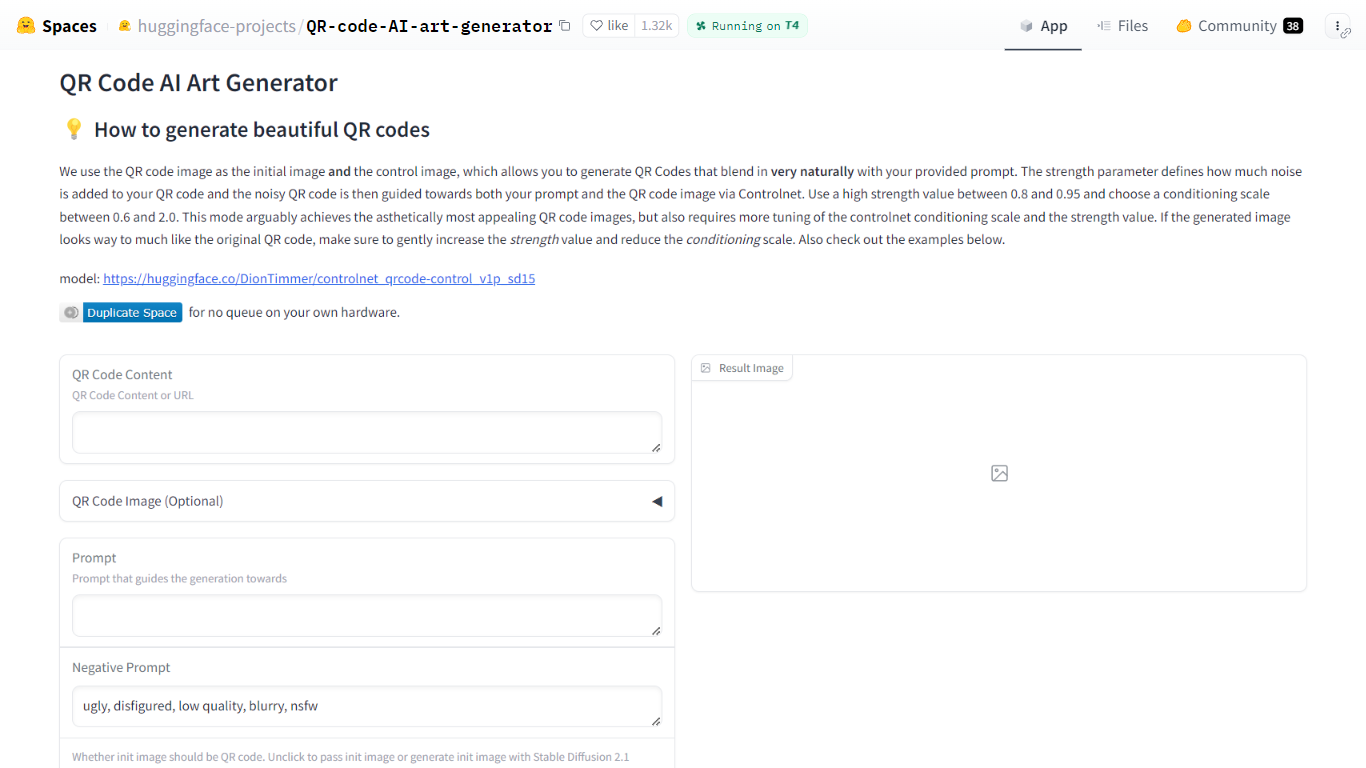
What is QR Code AI Art Generator - Hugging Face?
QR Code AI Art Generator is a free Hugging Face Space that turns scannable QR codes into styled artwork. You enter a URL or other QR payload, add a text prompt, and the Gradio app returns an image that still scans while matching your visual theme. It sits in the design and image generation category for anyone who needs branded codes rather than plain black-and-white squares.
Most QR stylizers treat the code as a loose overlay. This Space feeds the QR image as both the starting canvas and the ControlNet control image, so structure and style are guided together. Hugging Face recommends strength between 0.8 and 0.95 and a ControlNet conditioning scale between 0.6 and 2.0, which is more tuning than one-click generators but usually yields codes that blend into photos, illustrations, or posters.
It fits marketers, event teams, and designers who want campaign-ready QR art without running Stable Diffusion locally. The interface also accepts an uploaded QR image, optional init images, negative prompts, sampler choice, and seed control, with example presets on the page for quick starting points.
Pixelgen Upvotes
QR Code AI Art Generator - Hugging Face Upvotes
Pixelgen Top Features
Intuitive Design: A user-friendly interface that caters to both beginners and professionals.
Pixel Art Creation: Allows for the crafting of pixel-based imagery, perfect for game developers and artists.
Advanced Editing Tools: Offers a variety of editing options for creating detailed and intricate designs.
Accessibility: Designed to be accessible to users with different skill levels.
Versatility: Suitable for various creative projects, including game design and digital art.
QR Code AI Art Generator - Hugging Face Top Features
Uses DionTimmer/controlnet_qrcode-control_v1p_sd15 ControlNet model for SD 1.5
QR image serves as both init image and ControlNet control for tighter structure
Recommended strength range 0.8 to 0.95 with conditioning scale 0.6 to 2.0
Accepts URL or text payload, or upload your own QR code image
Built-in example table with guidance scale, strength, seed, and sampler presets
Duplicate the Space to run without the public queue on your own hardware
Pixelgen Category
- Design
QR Code AI Art Generator - Hugging Face Category
- Design
Pixelgen Pricing Type
- Freemium
QR Code AI Art Generator - Hugging Face Pricing Type
- Free