Pixelgen vs Visily
Dive into the comparison of Pixelgen vs Visily and discover which AI Design tool stands out. We examine alternatives, upvotes, features, reviews, pricing, and beyond.
In a comparison between Pixelgen and Visily, which one comes out on top?
When we compare Pixelgen and Visily, two exceptional design tools powered by artificial intelligence, and place them side by side, several key similarities and differences come to light. Interestingly, both tools have managed to secure the same number of upvotes. Every vote counts! Cast yours and contribute to the decision of the winner.
Not your cup of tea? Upvote your preferred tool and stir things up!
Pixelgen


What is Pixelgen?
Pixelgen is a forward-thinking platform that enables users to craft and manipulate pixel-based images with ease. With a focus on simplicity and user experience, Pixelgen presents a set of intuitive tools designed for both novices and professionals seeking to create, edit, or enhance their digital graphics.
The software features a user-friendly interface that simplifies the process of generating pixel art, providing an array of functionalities from basic editing to more advanced features for detailed and intricate designs.
Whether you're a game developer needing sprites for your game, a digital artist exploring the pixel art style, or a hobbyist looking to express creativity, Pixelgen offers the perfect blend of accessibility and power to bring your pixel creations to life.
Visily
What is Visily?
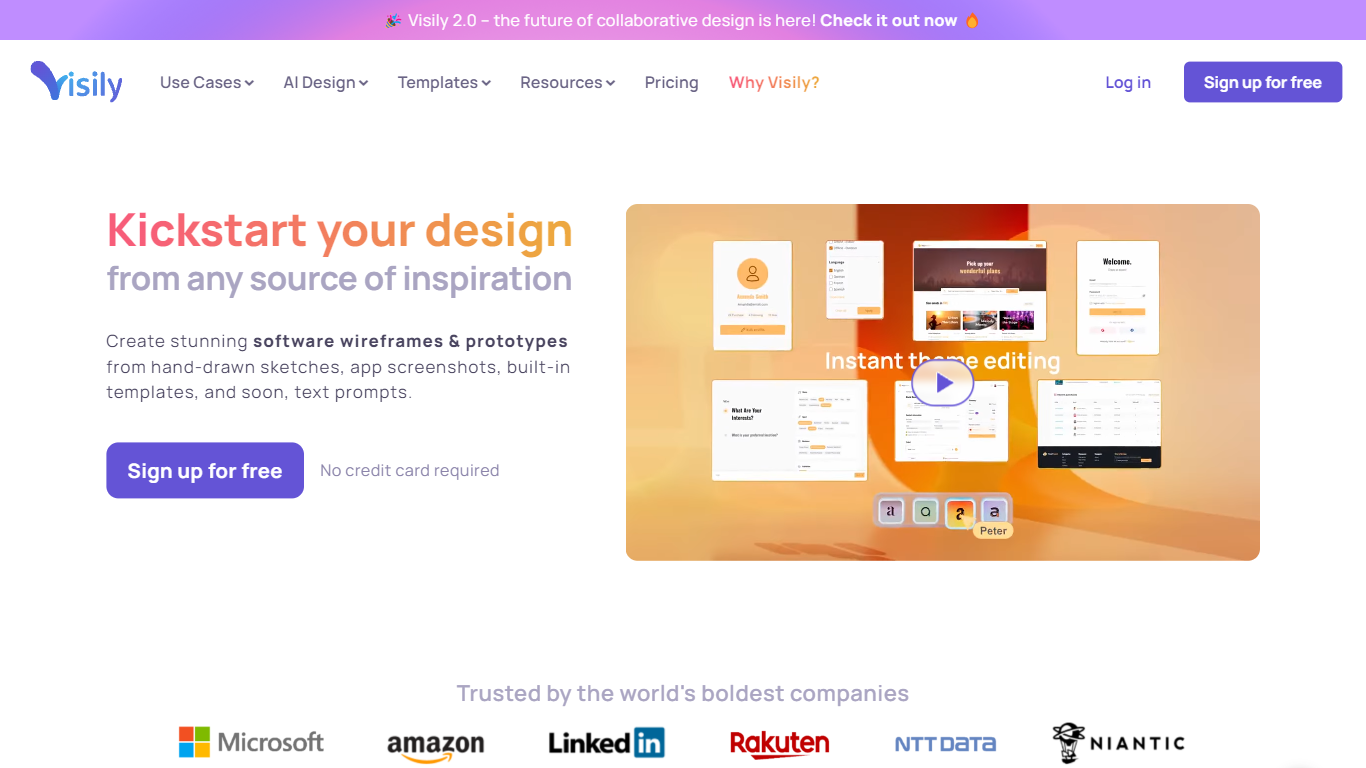
Visily turns text prompts, screenshots, diagrams, and templates into editable wireframes, mockups, and prototypes inside your browser. Drag-and-drop components, Smart Components, and Auto-Prototyping sit on a shared canvas so product teams can sketch mobile and web concepts without opening a full design suite.
Compared with full design suites like Figma, Visily narrows the scope to fast concept work for product teams. The Starter plan is free forever with the same high-fidelity templates and AI models as paid tiers, while Pro and Business add Figma import/export, code export, and the Visily MCP server. That trade-off favors product managers and founders who need stakeholder-ready visuals without a steep learning curve.
Product managers, startup founders, business analysts, and cross-functional teams use Visily to wireframe mobile and web apps, run brainstorming sessions, and share interactive prototypes. Collaboration features include real-time comments, cursor chat, follower mode, and shared asset libraries.
Pixelgen Upvotes
Visily Upvotes
Pixelgen Top Features
Intuitive Design: A user-friendly interface that caters to both beginners and professionals.
Pixel Art Creation: Allows for the crafting of pixel-based imagery, perfect for game developers and artists.
Advanced Editing Tools: Offers a variety of editing options for creating detailed and intricate designs.
Accessibility: Designed to be accessible to users with different skill levels.
Versatility: Suitable for various creative projects, including game design and digital art.
Visily Top Features
Starter plan is free with 300 AI credits per month and 2 editable boards
Generate wireframes from text prompts, screenshots, diagrams, or templates
Pro plan costs $11 per editor per month billed annually with 3,000 AI credits
Auto-Prototyping and Smart Components turn layouts into interactive prototypes
Figma export, import, and code export unlock on Pro and Business plans
Pixelgen Category
- Design
Visily Category
- Design
Pixelgen Pricing Type
- Freemium
Visily Pricing Type
- Freemium