Pomo.rhythm vs Noise Eraser
Dive into the comparison of Pomo.rhythm vs Noise Eraser and discover which AI Audio Generation tool stands out. We examine alternatives, upvotes, features, reviews, pricing, and beyond.
When comparing Pomo.rhythm and Noise Eraser, which one rises above the other?
When we compare Pomo.rhythm and Noise Eraser, two exceptional audio generation tools powered by artificial intelligence, and place them side by side, several key similarities and differences come to light. In the race for upvotes, Noise Eraser takes the trophy. Noise Eraser has 7 upvotes, and Pomo.rhythm has 6 upvotes.
Want to flip the script? Upvote your favorite tool and change the game!
Pomo.rhythm


What is Pomo.rhythm?
Elevate your productivity with Pomo.rhythm, where the power of the Pomodoro Technique meets the energizing influence of music. Crafted for those who seek a harmonious blend of focus and motivation, Pomo.rhythm introduces a seamless, rhythmic backdrop to your work sessions. By dividing your tasks into efficient, timed intervals accompanied by music specifically chosen to keep you in the zone, Pomo.rhythm offers a unique solution to managing time and enhancing concentration. Experience the synchronous dance of time management and auditory stimulation with Pomo.rhythm – your ally in achieving a balanced and effective work rhythm.
Noise Eraser
What is Noise Eraser?
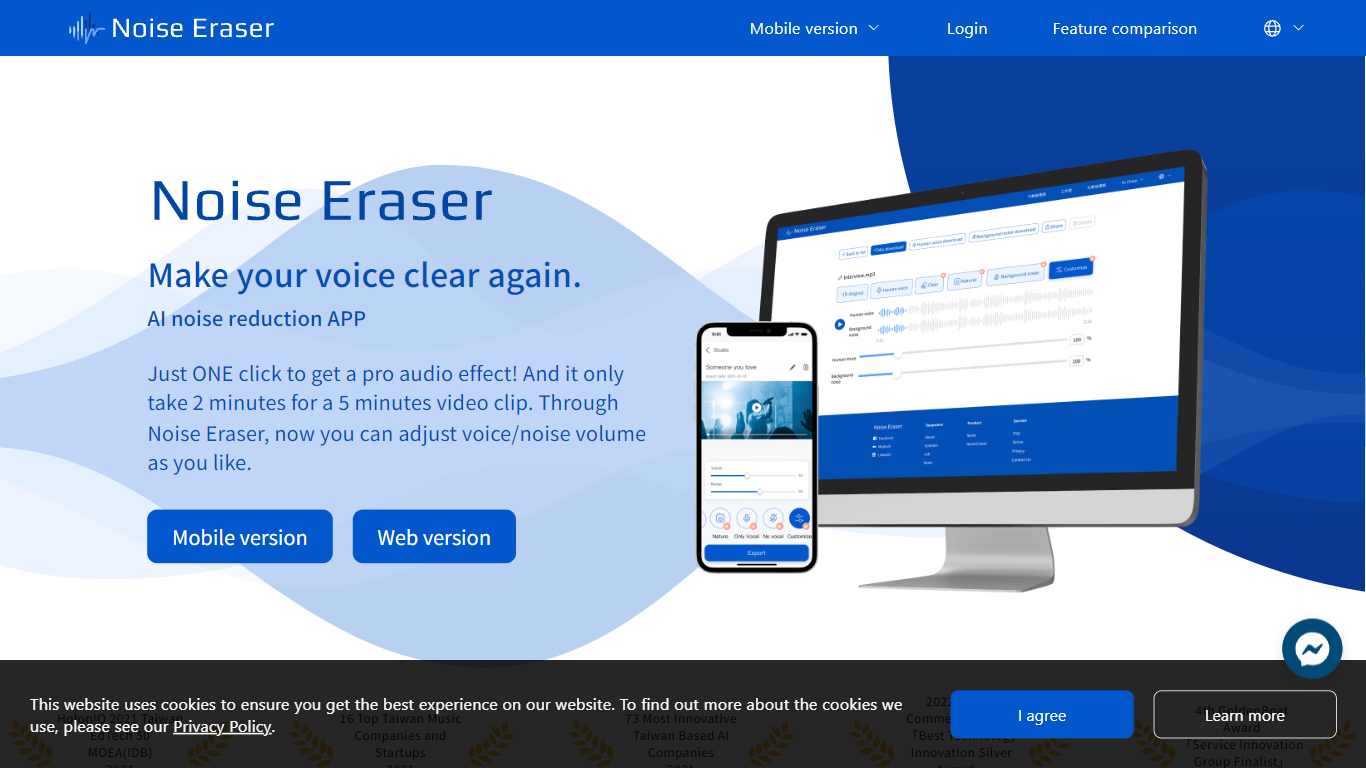
Noise Eraser pulls apart vocals, wind, traffic, music, and air conditioning noise so you can keep the sounds you want and drop the rest. Upload an audio or video file, pick a separation target, and fine-tune the mix with sliders. DeepWave offers it as a browser studio and a mobile app for creators who need cleaner speech without rebuilding the track in a full DAW.
Most denoisers apply one blanket filter across the whole clip. Noise Eraser splits individual sound types so you can keep the voice while dropping wind, or mute traffic without touching the music bed. The free tier handles vocal separation only; paid plans unlock up to five separation models with stereo output on Pro+.
Podcasters, vloggers, and social media editors use it to salvage clips recorded outdoors, in cars, or near HVAC units. The mobile app supports full video files end to end, which matters when you are fixing audio straight from a phone recording rather than exporting stems first.
Pomo.rhythm Upvotes
Noise Eraser Upvotes
Pomo.rhythm Top Features
Enhanced Focus: Utilizes the Pomodoro Technique to maximize concentration.
Musical Motivation: Incorporates music to stimulate productivity during work sessions.
Time Management: Helps to efficiently divide and manage work intervals.
Concentration Boost: Uses rhythmic sounds to maintain attention and reduce distractions.
Balanced Work Sessions: Provides a rhythmic backdrop for a more enjoyable and effective task management experience.
Noise Eraser Top Features
Free tier includes 5 minutes per file and 20 minutes of processing per month for vocal separation only
Pro+ subscribers can choose from 5 sound models to split vocals, wind, music, traffic, or AC noise
Mobile app processes full video and audio files; the web studio accepts audio files only
Upload MP3 or WAV files up to 2GB per the published file size limit
Adjustable noise-ratio sliders let you balance isolated sound against the background mix
7-day trial unlocks Pro+ features including stereo support and priority processing
Pomo.rhythm Category
- Audio Generation
Noise Eraser Category
- Audio Generation
Pomo.rhythm Pricing Type
- Freemium
Noise Eraser Pricing Type
- Freemium