PUMPG - MidJourney Prompt Generator vs Drag Your GAN
Compare PUMPG - MidJourney Prompt Generator vs Drag Your GAN and see which AI Image Generation Model tool is better when we compare features, reviews, pricing, alternatives, upvotes, etc.
Which one is better? PUMPG - MidJourney Prompt Generator or Drag Your GAN?
When we compare PUMPG - MidJourney Prompt Generator with Drag Your GAN, which are both AI-powered image generation model tools, In the race for upvotes, Drag Your GAN takes the trophy. Drag Your GAN has received 8 upvotes from aitools.fyi users, while PUMPG - MidJourney Prompt Generator has received 7 upvotes.
You don't agree with the result? Cast your vote to help us decide!
PUMPG - MidJourney Prompt Generator

What is PUMPG - MidJourney Prompt Generator?
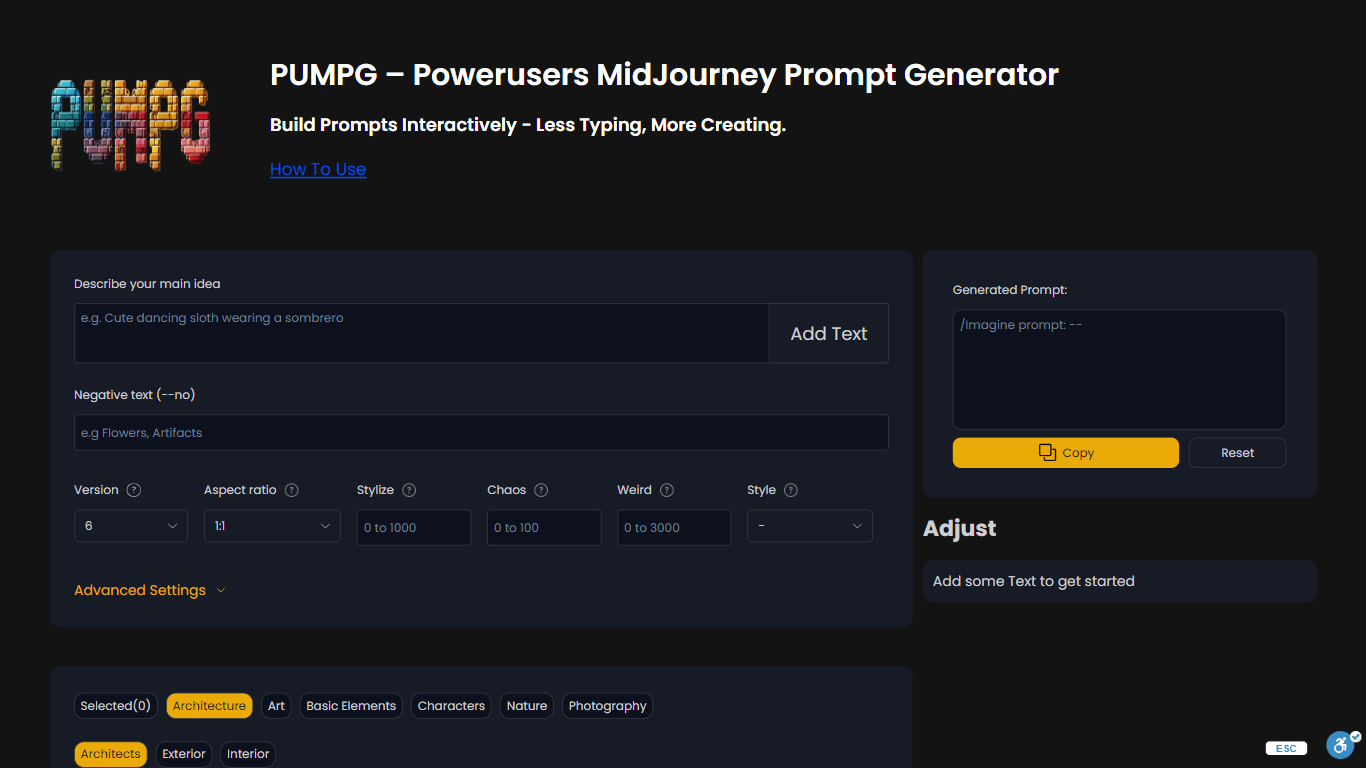
PUMPG is a free Midjourney prompt builder that turns dropdown selections and text fields into copy-ready prompts with the right parameters attached. You describe your main idea, pick model version, aspect ratio, stylize, chaos, and style filters, then copy the assembled string into Discord or the Midjourney web app.
Writing Midjourney prompts from memory means constantly looking up which versions accept --sref or what chaos values do. PUMPG lays out every parameter with tooltips and adds browsable style filters across architecture, art, characters, nature, and photography categories, so you build prompts visually instead of memorizing syntax.
PUMPG fits Midjourney users who want faster iteration without re-reading the docs for every flag. Advanced settings cover style references, character references, seed, speed, quality, stop, repeat, tile, and video output. A free login is required to continue using the tool.
Drag Your GAN
What is Drag Your GAN?
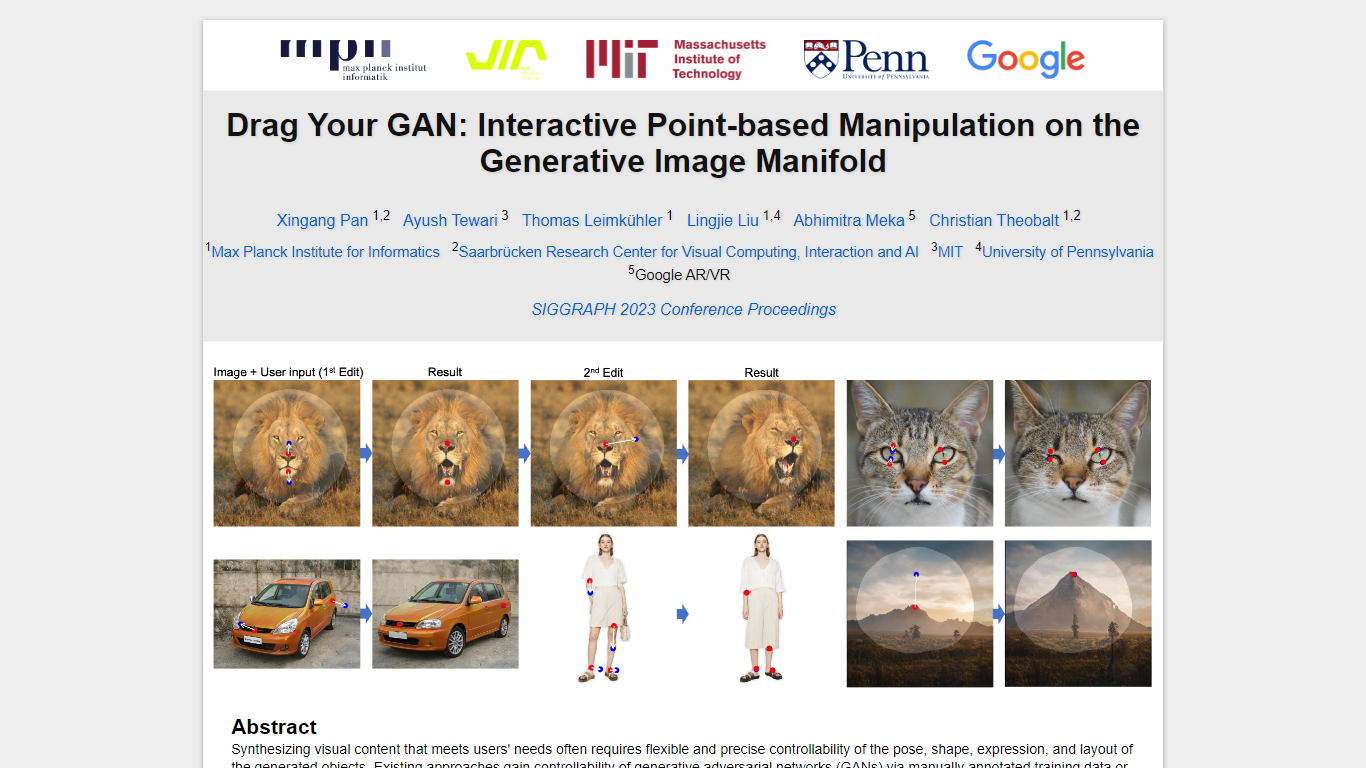
Drag Your GAN lets you reshape a generated image by dragging handle points to target spots on the canvas. Instead of training on labeled pose data or 3D priors, DragGAN moves pixels inside a pretrained GAN's image manifold so edits stay photorealistic even when occluded regions get hallucinated. The project page hosts the SIGGRAPH 2023 paper, demo clips, and links to open source code.
Most GAN editors rely on fixed training annotations or 3D meshes, which limits what you can deform. DragGAN pairs feature-based motion supervision with discriminative point tracking so handle points follow your cursor while staying on the object surface. That makes it useful for nudging animal poses, facial expressions, car angles, and landscape layouts without retraining the generator.
Researchers, graphics students, and computer vision engineers use it to prototype interactive image editing workflows. The Max Planck Institute page distributes the paper PDF and GitHub repo under a non-commercial Creative Commons license, with contact details for the lead author.
PUMPG - MidJourney Prompt Generator Upvotes
Drag Your GAN Upvotes
PUMPG - MidJourney Prompt Generator Top Features
Supports Midjourney versions 6.1, 6, Niji 6, 5.2, 5.1, 5, Niji 5, and older releases
Browsable filters across architecture, art, characters, nature, and photography styles
Aspect ratio presets include 1:1, 16:9, 9:16 TikTok, and 4:5 Instagram formats
Advanced settings for --sref style references, --cref character references, and seed control
Speed toggles between Fast, Relax, and Turbo for GPU credit management
Free to use with login required to prevent bot abuse
Drag Your GAN Top Features
Drag handle points to target positions for precise pixel-level control
Feature-based motion supervision drives handles without 3D priors
Point tracking uses discriminative GAN features to localize handles
Deforms animals, cars, humans, landscapes, and inverted real photos
Open source code published at github.com/XingangPan/DragGAN
Paper and demo videos from SIGGRAPH 2023 Conference Proceedings
PUMPG - MidJourney Prompt Generator Category
- Image Generation Model
Drag Your GAN Category
- Image Generation Model
PUMPG - MidJourney Prompt Generator Pricing Type
- Free
Drag Your GAN Pricing Type
- Free