
Last updated 08-03-2026
Category:
Reviews:
Join thousands of AI enthusiasts in the World of AI!
PUMPG - MidJourney Prompt Generator
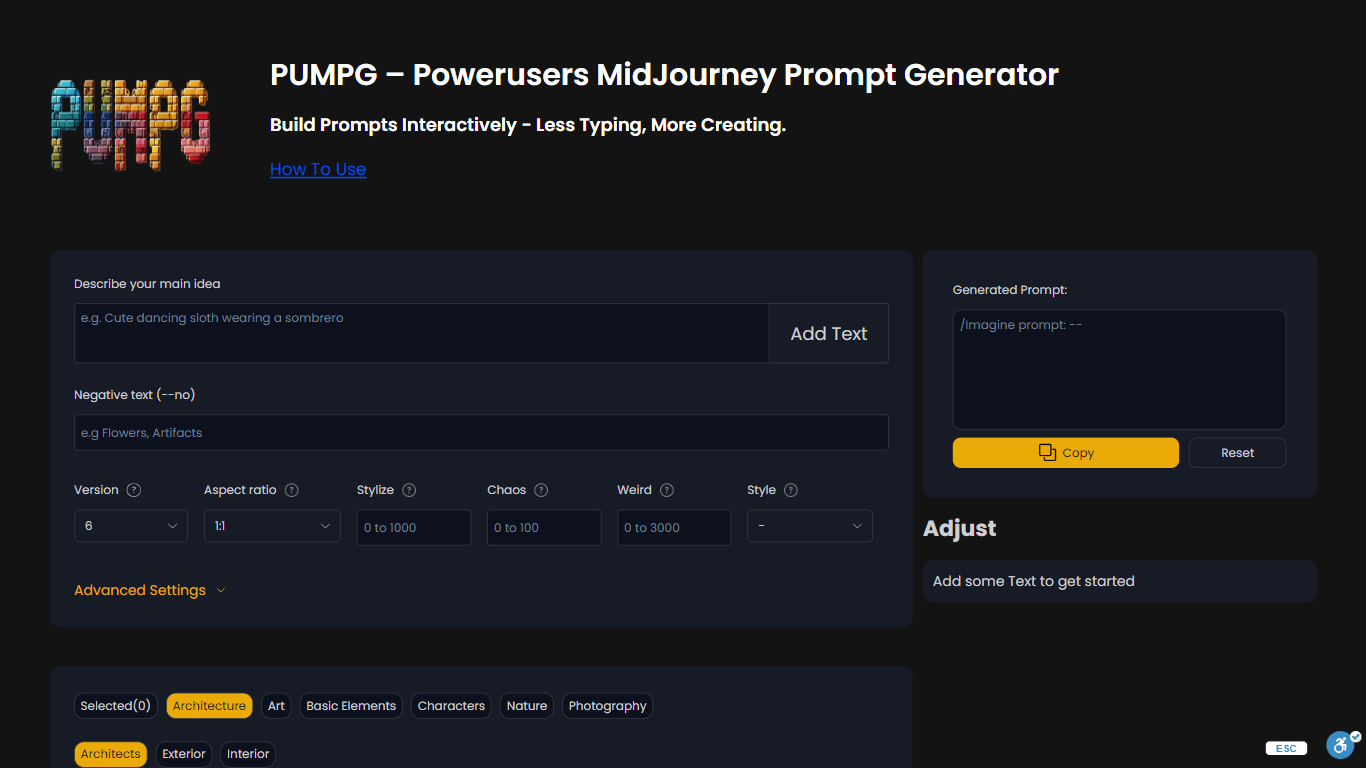
PUMPG is a free Midjourney prompt builder that turns dropdown selections and text fields into copy-ready prompts with the right parameters attached. You describe your main idea, pick model version, aspect ratio, stylize, chaos, and style filters, then copy the assembled string into Discord or the Midjourney web app.
Writing Midjourney prompts from memory means constantly looking up which versions accept --sref or what chaos values do. PUMPG lays out every parameter with tooltips and adds browsable style filters across architecture, art, characters, nature, and photography categories, so you build prompts visually instead of memorizing syntax.
PUMPG fits Midjourney users who want faster iteration without re-reading the docs for every flag. Advanced settings cover style references, character references, seed, speed, quality, stop, repeat, tile, and video output. A free login is required to continue using the tool.
Supports Midjourney versions 6.1, 6, Niji 6, 5.2, 5.1, 5, Niji 5, and older releases
Browsable filters across architecture, art, characters, nature, and photography styles
Aspect ratio presets include 1:1, 16:9, 9:16 TikTok, and 4:5 Instagram formats
Advanced settings for --sref style references, --cref character references, and seed control
Speed toggles between Fast, Relax, and Turbo for GPU credit management
Free to use with login required to prevent bot abuse
Visual builder removes the need to memorize Midjourney parameter syntax.
Browsable style filters provide inspiration across art, architecture, and photography.
Tooltips explain each parameter without leaving the page.
Requires a free login to continue using after the initial session.
Built for Midjourney only, not other image generators like Stable Diffusion.
No saved prompt library on the tool itself.
What is PUMPG?
PUMPG is a free Midjourney prompt generator on Powerusers AI that builds copy-ready prompts from dropdown selections, style filters, and text inputs instead of typing parameters manually.
Is PUMPG free?
Yes. PUMPG is free to use on Powerusers AI. A free login is required to continue past the initial session and prevent bot abuse.
Which Midjourney versions does PUMPG support?
PUMPG supports Midjourney versions 6.1, 6, Niji 6, 5.2, 5.1, 5, Niji 5, and older releases down to version 1. Version selection affects which style and reference parameters are available.
How do I use image references in PUMPG?
PUMPG accepts image URLs in the Sref field for style references and the Cref field for character references on Midjourney v6 and above. Paste a Discord image link or any public image URL.
What style filters does PUMPG include?
PUMPG includes browsable filters for architecture, art, basic elements, characters, nature, and photography. Subcategories cover architects, artists, lighting, materials, outfits, and weather among others.
Can PUMPG generate prompts for other AI art tools?
PUMPG is built for Midjourney parameter syntax. Some prompts may work in other generators, but the tool is optimized for Midjourney flags like --stylize, --chaos, and --sref.