Qdrant vs BashSenpai
In the battle of Qdrant vs BashSenpai, which AI Developer tool comes out on top? We compare reviews, pricing, alternatives, upvotes, features, and more.
Between Qdrant and BashSenpai, which one is superior?
Upon comparing Qdrant with BashSenpai, which are both AI-powered developer tools, BashSenpai stands out as the clear frontrunner in terms of upvotes. BashSenpai has garnered 7 upvotes, and Qdrant has garnered 6 upvotes.
Think we got it wrong? Cast your vote and show us who's boss!
Qdrant


What is Qdrant?
Qdrant stores embeddings and runs fast similarity search with metadata filtering for production AI workloads like RAG chatbots, semantic search, recommendations, and agent memory. You can start on the free cloud tier, self-host the database, or scale on managed clusters across AWS, GCP, and Azure.
The engine is written in Rust and uses a customized HNSW algorithm for approximate nearest neighbor search. Qdrant stands out with native hybrid search that blends dense and sparse vectors in one query, one-stage filtering during graph traversal, and multivector support when a single object needs several embeddings. Compression options like scalar, product, and binary quantization help cut memory use on large collections.
Developers connect through REST, gRPC, or official client libraries, with a built-in Web UI for inspecting collections and running test queries. Qdrant Cloud adds managed backups, zero-downtime scaling, and optional cloud inference. The project launched on GitHub in 2021 and now backs enterprise deployments from companies like Tripadvisor, HubSpot, and Deutsche Telekom.
BashSenpai
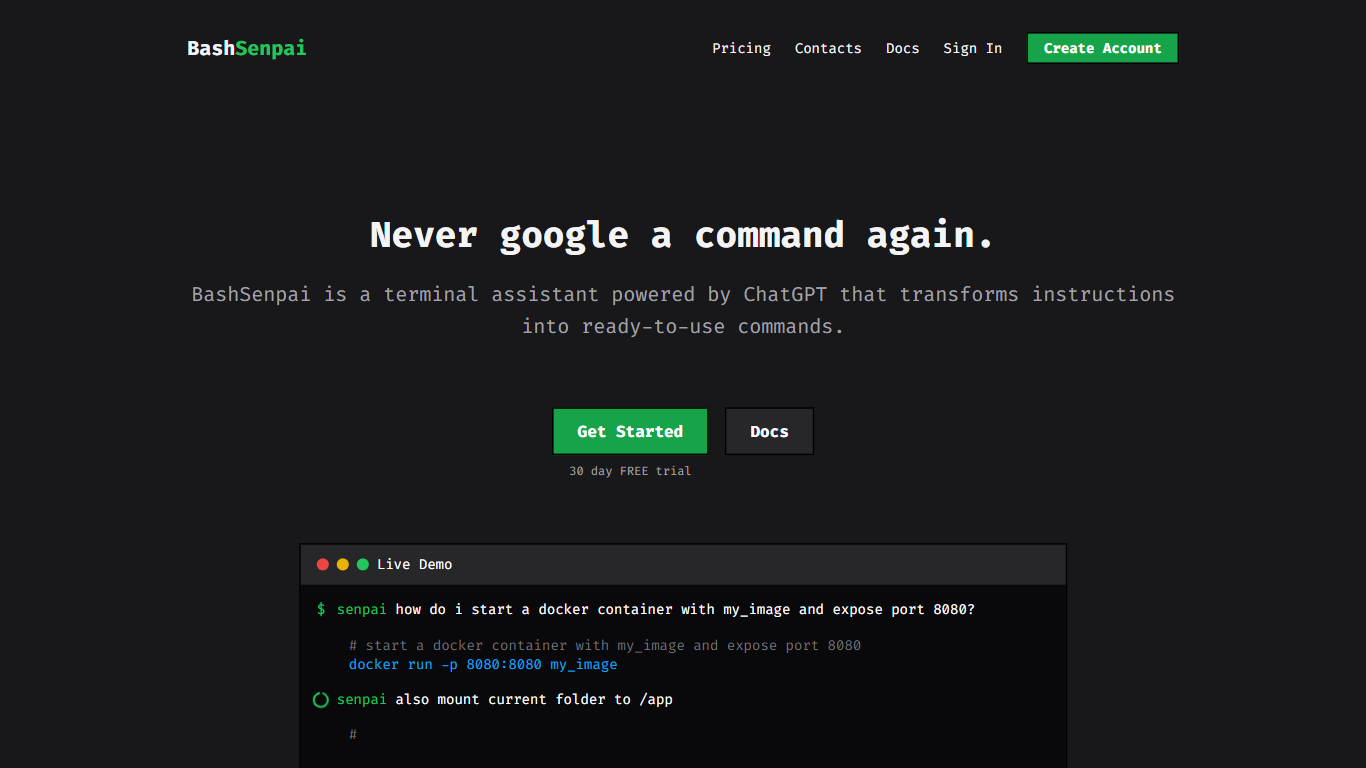
What is BashSenpai?
BashSenpai revolutionizes the terminal experience by harnessing the power of ChatGPT to instantly generate commands from user instructions, offering the ultimate solution for developers and IT professionals. This smart terminal assistant eliminates the need to repeatedly search online for commands, saving time and enhancing productivity. With BashSenpai, users receive the benefits of convenience and context-specific answers, all from within their terminal environment. Additionally, a self-reflection mechanism ensures the continual improvement of responses to commands. Users can easily personalize their BashSenpai to give it an enjoyable and unique voice, choosing from various characters like an angry pirate or a creative old-time writer. BashSenpai offers a seamless integration with a 30-day free trial, no credit card is required, and various pricing options are available for extended use.
Qdrant Upvotes
BashSenpai Upvotes
Qdrant Top Features
Hybrid dense and sparse search in one query, with BM25, SPLADE++, and miniCOIL support
Metadata filters run during HNSW traversal, not as a slow pre- or post-filter step
Written in Rust and benchmarked at up to 4x RPS versus alternatives
Free cloud tier includes 0.5 vCPU, 1GB RAM, and 4GB disk on a single node
REST, gRPC, and official clients for Python, JavaScript, Go, and more
Built-in Web UI to browse collections, test queries, and inspect results visually
Run managed on Qdrant Cloud, self-host OSS, or deploy Hybrid and Private Cloud options
BashSenpai Top Features
Convenience: Immediate responses in your terminal without searching the web.
Contextual Answers: Tailored responses based on the context of your questions.
Self-Reflection: Enhanced quality of answers thanks to a multi-step self-improvement process.
Personalization: Customize your assistant's personality for an engaging experience.
Free Trial: Test drive BashSenpai for 30 days without requiring a credit card.
Qdrant Category
- Developer
BashSenpai Category
- Developer
Qdrant Pricing Type
- Freemium
BashSenpai Pricing Type
- Paid