Readable vs Bing Microsoft AI Translator
Compare Readable vs Bing Microsoft AI Translator and see which AI Translation tool is better when we compare features, reviews, pricing, alternatives, upvotes, etc.
Which one is better? Readable or Bing Microsoft AI Translator?
When we compare Readable with Bing Microsoft AI Translator, which are both AI-powered translation tools, The upvote count favors Bing Microsoft AI Translator, making it the clear winner. Bing Microsoft AI Translator has attracted 10 upvotes from aitools.fyi users, and Readable has attracted 6 upvotes.
Not your cup of tea? Upvote your preferred tool and stir things up!
Readable

What is Readable?
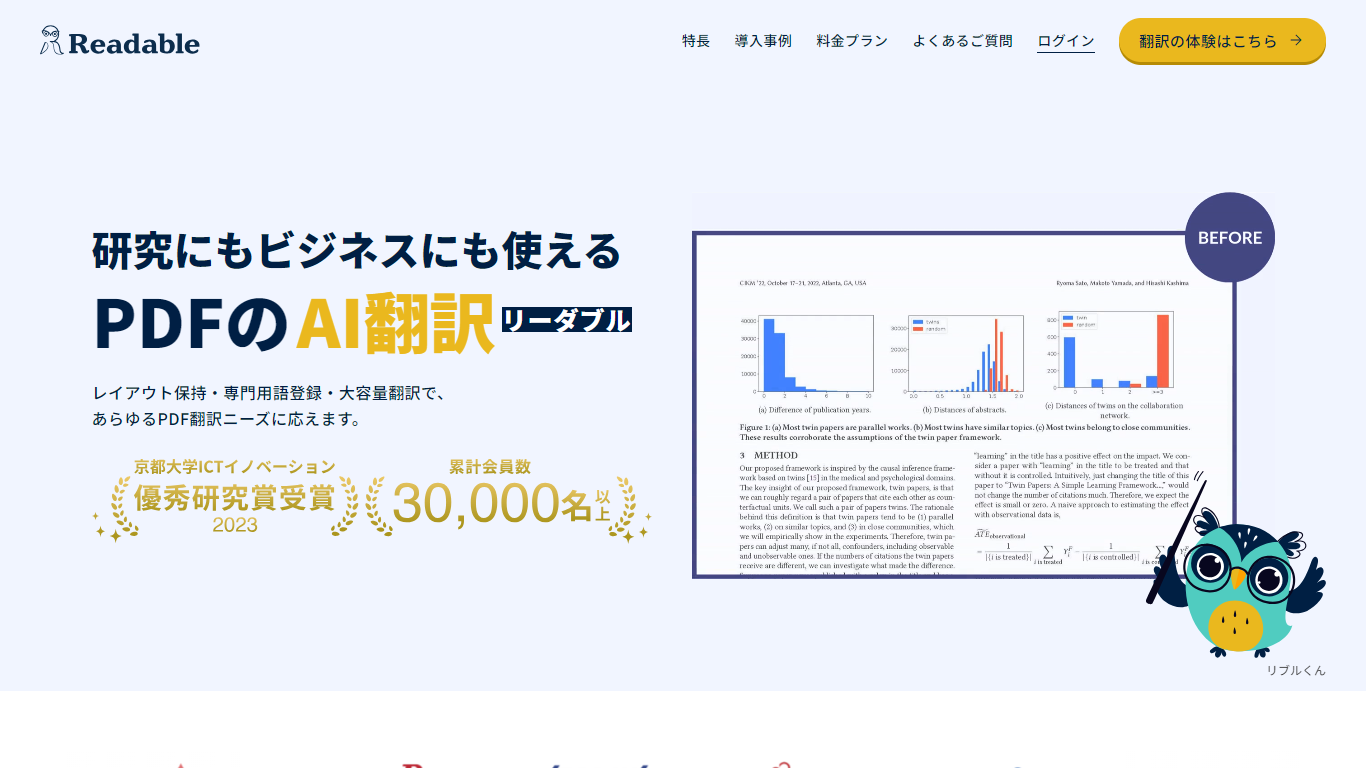
Readable translates PDF files into Japanese while keeping the original layout intact, including tables, figures, and images. Built by NextLab Inc., it targets researchers reading academic papers and business teams working through manuals, reports, and contracts without rebuilding documents by hand.
The reader shows original and translated text side by side so you can scan a translation and jump back to the source line when something needs a closer look. Premium users can register custom dictionaries so product names, abbreviations, and field-specific terms translate the same way every time.
Readable runs in the browser and through a Chrome extension for quick file translation. Pro Standard focuses on English-to-Japanese PDFs, while Pro Premium adds 200+ source languages, larger file limits, and optional ChatGPT-based translation engines.
Bing Microsoft AI Translator

What is Bing Microsoft AI Translator?
Microsoft Translator on Bing is a free web translator for turning words and phrases between English and more than 100 languages. Paste text, pick languages from long dropdown lists, or let the page auto-detect the source language before you translate.
The Bing interface adds practical extras beyond basic text swap. You can listen to a translation, open an on-screen keyboard, capture or upload an image to translate text in photos, and regenerate results in Standard, Casual, or Formal tone. A phrase helper surfaces common expressions grouped by topics like travel, dining, and emergencies.
It fits travelers, students, and anyone who needs a quick translation in the browser without installing software. Navigation on the page also points to separate Microsoft Translator experiences for live conversation, mobile apps, and business use.
Readable Upvotes
Bing Microsoft AI Translator Upvotes
Readable Top Features
Tables, charts, and images stay in place in the translated PDF
Original and Japanese text sit side by side for faster research reading
Custom dictionaries pin product names and technical terms to your preferred wording
Premium translates up to 1,000 pages or 200 MB in a single upload
Chrome extension handles one-click translation for online files
Bing Microsoft AI Translator Top Features
Auto-detect source language across more than 100 listed language options
Each translation request accepts up to 1,000 characters of input text
Regenerate results in Standard, Casual, or Formal tone with one click
Capture or upload an image to translate text found in photos
Speak to translate when typing is awkward on mobile or desktop
Listen to translations read aloud from the results panel
Browse common phrase sets for travel, dining, and emergencies
Readable Category
- Translation
Bing Microsoft AI Translator Category
- Translation
Readable Pricing Type
- Freemium
Bing Microsoft AI Translator Pricing Type
- Free