Remove Bg AI vs Magic Brush AI
In the face-off between Remove Bg AI vs Magic Brush AI, which AI Design tool takes the crown? We scrutinize features, alternatives, upvotes, reviews, pricing, and more.
When we put Remove Bg AI and Magic Brush AI head to head, which one emerges as the victor?
If we were to analyze Remove Bg AI and Magic Brush AI, both of which are AI-powered design tools, what would we find? The upvote count is neck and neck for both Remove Bg AI and Magic Brush AI. You can help us determine the winner by casting your vote and tipping the scales in favor of one of the tools.
Think we got it wrong? Cast your vote and show us who's boss!
Remove Bg AI
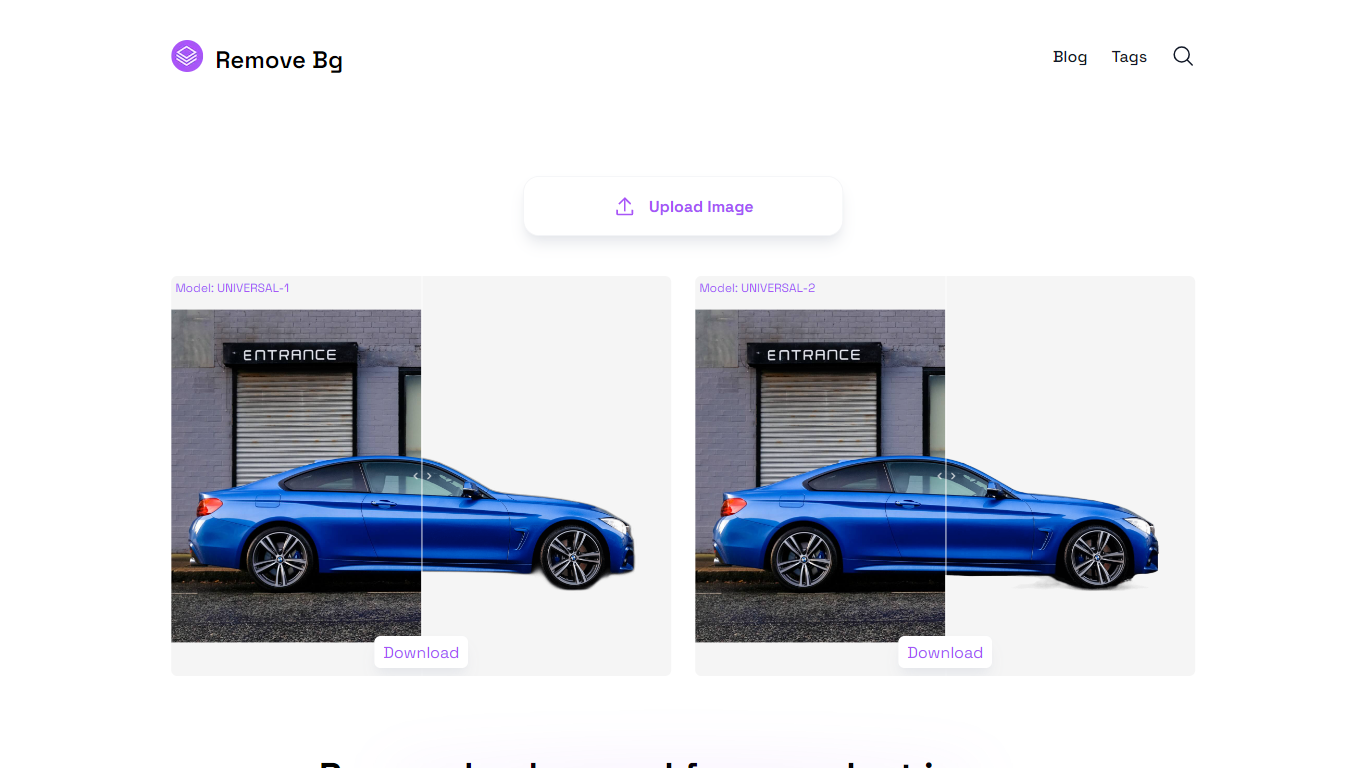

What is Remove Bg AI?
Remove Bg AI removes backgrounds from images directly on your device by processing them locally in your browser. It downloads an AI model to your browser, enabling background removal without uploading images to any server, ensuring privacy and security.
This tool stands out by offering offline processing with multiple AI models tailored for universal images, portraits, or faster results. Users can balance quality and speed depending on their device capabilities, unlike many alternatives that require online uploads.
Remove Bg AI supports common image formats including PNG, JPG, JPEG, and WEBP, with size limits up to 6400 pixels and 10 MB. It also provides mask editing tools to refine cutouts by removing or restoring parts before saving the final transparent image.
Ideal for professionals and hobbyists, Remove Bg AI requires no account or subscription and works on modern browsers across desktop and mobile devices. It processes one image at a time and is currently in maintenance mode, offering free access without new paid plans.
Overall, Remove Bg AI delivers a straightforward, privacy-focused solution for background removal suitable for product photography, graphic design, social media content, marketing materials, and personal projects.
Magic Brush AI

What is Magic Brush AI?
Magic Brush AI introduces an innovative AI-powered plugin specifically designed for Figma users who wish to enhance their design process. The Magic Brush AI plugin seamlessly integrates with Figma, allowing designers to generate and edit images directly within the application. If you're looking to speed up your design workflow and leverage artificial intelligence in your projects, Magic Brush AI offers a simple yet powerful solution. With easy installation and a user-friendly interface, Magic Brush expands creative possibilities without ever leaving your favorite design platform. Additionally, the community aspect is emphasized with an invitation to join their Discord, suggesting a focus on user engagement and support. Designed by Elie Toubiana from sunshine-filled Los Angeles, CA, Magic Brush AI is poised to transform how creatives interact with Figma and image editing.
Remove Bg AI Upvotes
Magic Brush AI Upvotes
Remove Bg AI Top Features
🖥️ Local Processing: All background removal happens in your browser, keeping your photos private on your device.
🎨 Mask Editing: Refine cutouts by removing or restoring parts of the image before saving the final result.
📁 Wide Format Support: Handles PNG, JPG, JPEG, and WEBP images up to 6400 pixels and 10 MB in size.
⚡ Multiple AI Models: Choose from universal, portrait, or fast models to balance quality and speed based on your device.
🚗 Versatile Use Cases: Supports products, portraits, animals, vehicles, logos, and graphics for various projects.
Magic Brush AI Top Features
AI Powered Plugin: A convenient Figma plugin that utilizes AI for image generation and editing.
Seamless Integration: Integrates with Figma for a streamlined design workflow.
Easy Installation: Simple process to install the plugin directly on Figma.
Community Support: Access to a Discord community for networking and support.
Frequent Updates: Continual improvements and feature additions to enhance user experience.
Remove Bg AI Category
- Design
Magic Brush AI Category
- Design
Remove Bg AI Pricing Type
- Free
Magic Brush AI Pricing Type
- Freemium