
Last updated 07-27-2026
Category:
Reviews:
Join thousands of AI enthusiasts in the World of AI!
Remove Bg AI
Remove Bg AI removes backgrounds from images directly on your device by processing them locally in your browser. It downloads an AI model to your browser, enabling background removal without uploading images to any server, ensuring privacy and security.
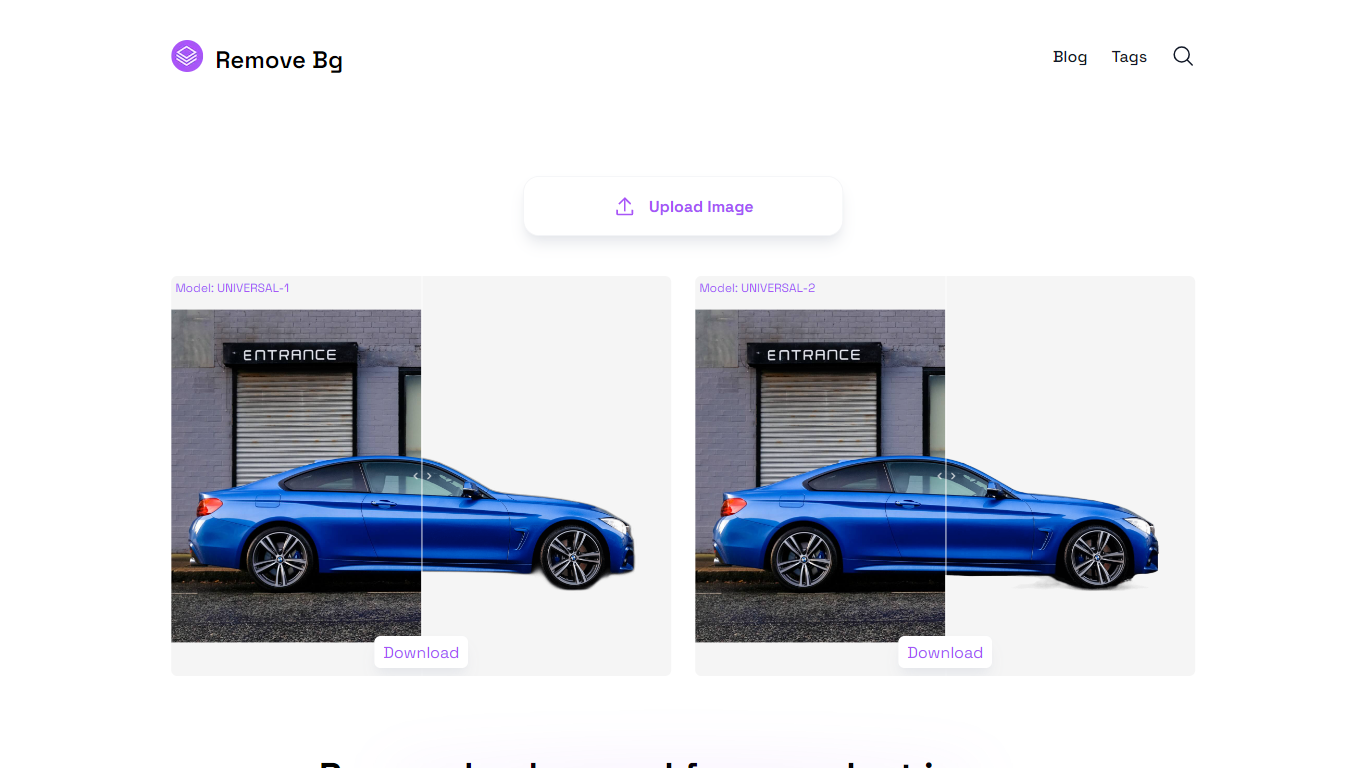
This tool stands out by offering offline processing with multiple AI models tailored for universal images, portraits, or faster results. Users can balance quality and speed depending on their device capabilities, unlike many alternatives that require online uploads.
Remove Bg AI supports common image formats including PNG, JPG, JPEG, and WEBP, with size limits up to 6400 pixels and 10 MB. It also provides mask editing tools to refine cutouts by removing or restoring parts before saving the final transparent image.
Ideal for professionals and hobbyists, Remove Bg AI requires no account or subscription and works on modern browsers across desktop and mobile devices. It processes one image at a time and is currently in maintenance mode, offering free access without new paid plans.
Overall, Remove Bg AI delivers a straightforward, privacy-focused solution for background removal suitable for product photography, graphic design, social media content, marketing materials, and personal projects.
🖥️ Local Processing: All background removal happens in your browser, keeping your photos private on your device.
🎨 Mask Editing: Refine cutouts by removing or restoring parts of the image before saving the final result.
📁 Wide Format Support: Handles PNG, JPG, JPEG, and WEBP images up to 6400 pixels and 10 MB in size.
⚡ Multiple AI Models: Choose from universal, portrait, or fast models to balance quality and speed based on your device.
🚗 Versatile Use Cases: Supports products, portraits, animals, vehicles, logos, and graphics for various projects.
Processes images entirely on your device, ensuring privacy and no data upload.
No account or subscription required, making it accessible to all users.
Supports mask editing for precise background removal adjustments.
Handles a variety of image types including products, portraits, and logos.
Works on modern browsers across desktop and mobile devices.
Processes one image at a time; no batch processing available.
Performance depends on your device and browser capabilities.
No new paid plans or feature updates as the service is in maintenance mode.
How do I remove a background using Remove Bg AI?
To remove a background using Remove Bg AI, open the tool in a modern browser, download a local AI model if prompted, select an image from your device, and the tool will process it locally to remove the background.
Do I need to create an account to use Remove Bg AI?
No, Remove Bg AI works entirely in your browser without requiring any account or registration.
Can I edit the background removal results?
Yes, Remove Bg AI includes built-in mask editing tools that let you remove or restore parts of the image before saving the final result.
What image formats are supported?
Remove Bg AI supports PNG, JPG, JPEG, and WEBP image formats for background removal.
Are there any limits on image size?
Yes, Remove Bg AI allows images up to 6400 pixels in width or height and up to 10 MB in file size.
Is batch processing available?
No, Remove Bg AI processes one image at a time and does not support batch processing.
Does Remove Bg AI upload my images to a server?
No, Remove Bg AI processes all images locally in your browser, so your images never leave your device.