
Last updated 08-15-2026
Category:
Reviews:
Join thousands of AI enthusiasts in the World of AI!
Figflow
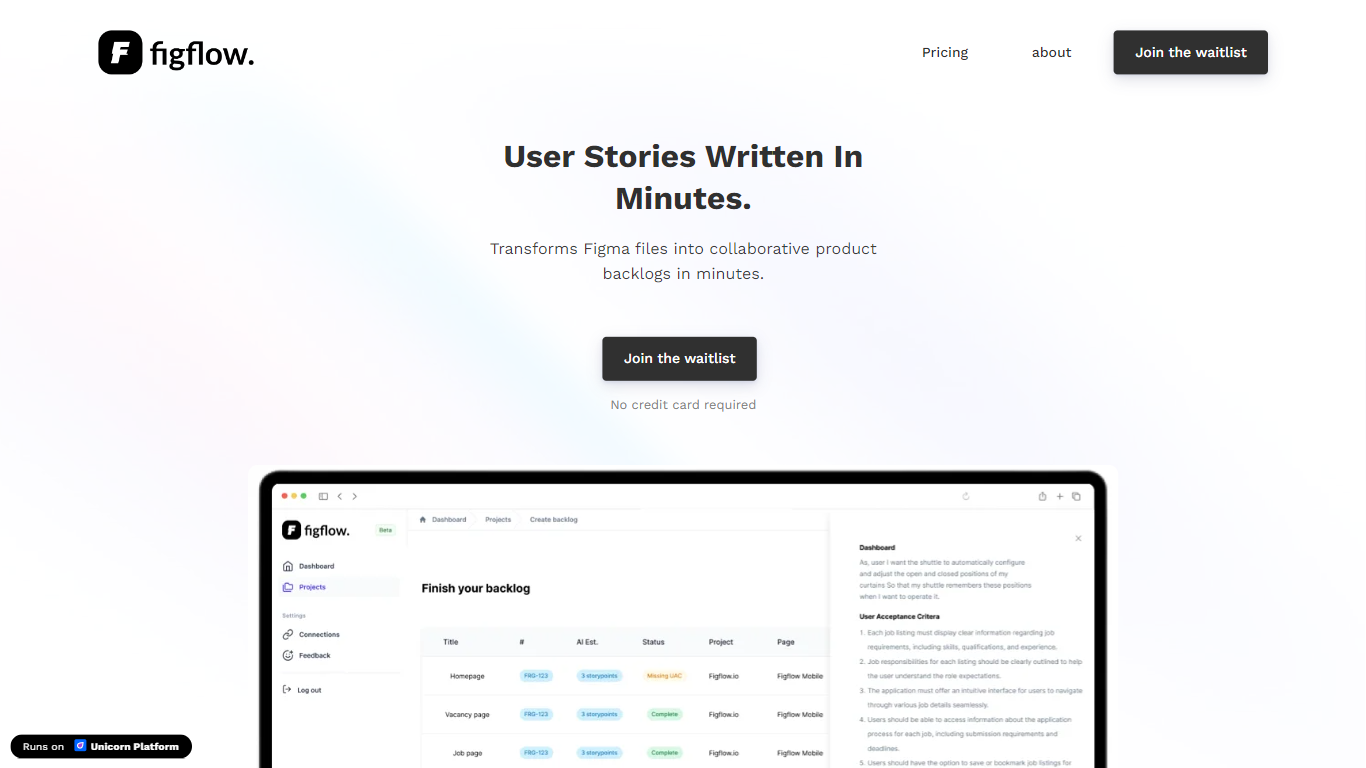
Figflow turns Figma files into structured product backlogs with user stories, acceptance criteria, and story point estimates. You connect Figma through OAuth, upload frames, and Figflow drafts tickets from what is already on the canvas. It targets the handoff gap between design files and sprint-ready work.
Most backlog tools expect you to write stories from scratch. Figflow starts from your Figma screens, embeds design screenshots inside each story, and uses its AI assistant to shape voice and tone. The Professional plan at $9 per month removes the 250-interaction cap on the free Personal tier, which is the main reason teams outgrow the starter plan.
Product owners, product managers, and product designers use Figflow to cut manual story writing before refinement sessions. It fits teams that live in Figma and want a single workspace for multiple projects without exporting screens into a separate doc for every ticket.
OAuth Figma integration pulls projects without manual file exports
Personal plan includes 250 free AI interactions before paid upgrade
Professional plan at $9 per month unlocks unlimited AI interactions and projects
AI assistant drafts acceptance criteria from design frames and user stories
Design screenshots attach directly to user stories instead of separate exports
Supports 10 languages including English, Dutch, French, German, Spanish, and Japanese
Pulls Figma projects through OAuth so you skip manual screen exports.
Embeds design screenshots inside user stories instead of attaching files separately.
Free Personal tier includes all features with 250 AI interactions to test the workflow.
Requires Figma as the design source with no support for other design tools.
New registrations on the app were temporarily disabled at the time of research.
Collaboration integrations and third-party tool sync are still marked in development.
Does Figflow only work with Figma?
Yes, Figflow connects to Figma through OAuth and builds backlogs from uploaded Figma projects. Teams that design in Sketch, Adobe XD, or other tools cannot use Figflow without moving designs into Figma first.
How much does Figflow cost?
Figflow offers a free Personal plan with all features and 250 AI interactions. The Professional plan is $9 per month with unlimited projects and unlimited AI interactions. Organization plans with SSO and custom domains require contacting Figflow sales.
Does Figflow train AI models on my data?
No. Figflow states that contractual agreements with AI subprocessors prohibit using customer data to train their models. Your design files and generated stories stay within your workspace under those terms.
What does Figflow generate from designs?
Figflow generates user stories, acceptance criteria, and AI story point estimates from Figma frames. It also embeds design screenshots inside each story so developers see the relevant screen without a separate attachment.
Can I export Figflow backlogs?
Yes. Figflow Professional includes CSV export for user stories. Tool integrations to sync stories with external platforms are listed as in development on the Figflow site.
Who is Figflow built for?
Figflow is built for product owners, product managers, and product designers who need faster backlog creation from Figma. External stakeholders can be invited into a shared workspace for co-creation on product requirements.