ReRoom AI vs AI Interior Designer By REimagineHome
When comparing ReRoom AI vs AI Interior Designer By REimagineHome, which AI Real Estate tool shines brighter? We look at pricing, alternatives, upvotes, features, reviews, and more.
Between ReRoom AI and AI Interior Designer By REimagineHome, which one is superior?
When we put ReRoom AI and AI Interior Designer By REimagineHome side by side, both being AI-powered real estate tools, Both tools have received the same number of upvotes from aitools.fyi users. You can help us determine the winner by casting your vote and tipping the scales in favor of one of the tools.
Does the result make you go "hmm"? Cast your vote and turn that frown upside down!
ReRoom AI
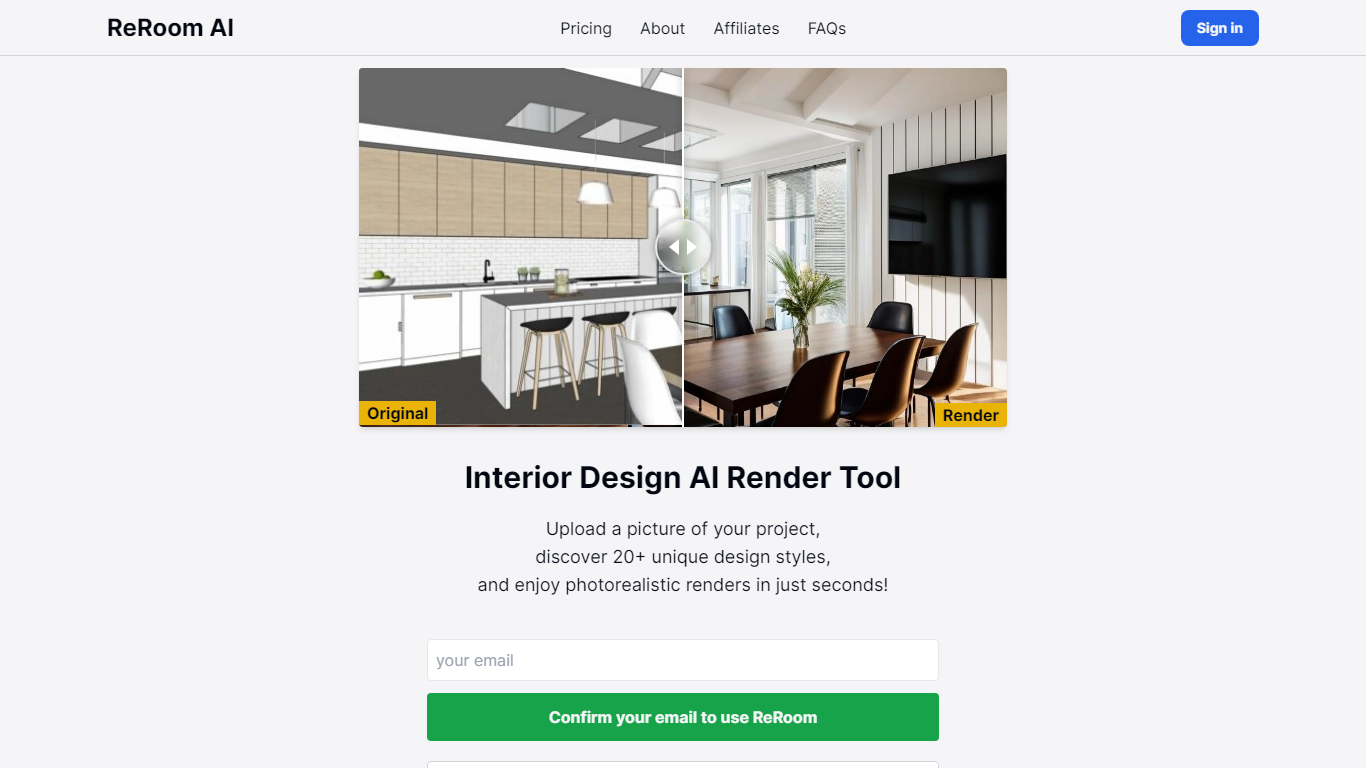

What is ReRoom AI?
ReRoom AI turns interior photos, floor plans, SketchUp scenes, and clay models into photorealistic renders and virtual staging shots for real estate and design clients. You upload a source image, pick styles or prompts, and get presentation-ready interiors without a full 3D rebuild.
Compared with traditional rendering suites, ReRoom leans on fast AI passes with prompt control, 4x upscaling, and optional walkthrough video credits on paid plans. The free tier caps you at 3 watermarked renders per day, while paid plans unlock unlimited output, private mode, and commercial rights.
Interior designers, architects, and listing teams use it to pitch concepts, stage empty rooms, and refresh client decks. The about page cites 9,000+ daily renders across 150+ countries, with team billing and shared moodboards for agencies that need consistent styles.
AI Interior Designer By REimagineHome
What is AI Interior Designer By REimagineHome?
AI Interior Designer By REimagineHome restyles furnished rooms from a single photo upload using text prompts like Modern to Rustic or Minimal to cozy. The system reads lighting, layout, furniture structure, and materials, then generates alternate looks in about 60 seconds while keeping the room's true proportions.
Most virtual staging tools only furnish empty rooms. REimagineHome also empties cluttered spaces, redesigns furnished interiors, stages vacant listings, and handles landscaping and hardscaping from the same platform. Pro plans add a conversational workflow, reference photos, and real shoppable product bundles you can check out on Amazon or Shopify with structural lock for listing photos.
It serves homeowners planning furniture purchases, real estate agents creating alternate listing visuals, and interior designers testing directions with clients. New users get 5 free designs with the same output quality as paid plans, then subscribe to Essential, Pro, Advanced, or Agency tiers with 30 to 900 monthly credits.
ReRoom AI Upvotes
AI Interior Designer By REimagineHome Upvotes
ReRoom AI Top Features
Free trial includes 3 renders per day with theme-based styling
Paid plans offer unlimited renders with 4x image upscaling
Private rendering mode removes watermarks on Pro and Team tiers
Prompt-based customization plus annotation edits on uploaded images
Video generation credits turn still renders into walkthrough clips
Team plans add shared projects, moodboards, and centralized billing
Tutorial library covers floor plans, SketchUp scenes, and satellite urban concepts
AI Interior Designer By REimagineHome Top Features
Upload a furnished, empty, or cluttered room photo and restyle it with text prompts in about 60 seconds
Structural Lock preserves walls, windows, and ceiling lines for real estate listing photos
Pro plans add real shoppable products with Amazon or Shopify checkout from generated sets
Supports virtual staging, empty-your-space, furnished room redesign, landscaping, and hardscaping
5 free designs for new users with the same AI quality as paid plans and no credit card required
Essential includes 30 credits per month; Pro includes 200 credits with conversational design flow
ReRoom AI Category
- Real Estate
AI Interior Designer By REimagineHome Category
- Real Estate
ReRoom AI Pricing Type
- Freemium
AI Interior Designer By REimagineHome Pricing Type
- Freemium