SpeechGPT vs audyo.ai
Explore the showdown between SpeechGPT vs audyo.ai and find out which AI Audio Generation tool wins. We analyze upvotes, features, reviews, pricing, alternatives, and more.
When comparing SpeechGPT and audyo.ai, which one rises above the other?
When we contrast SpeechGPT with audyo.ai, both of which are exceptional AI-operated audio generation tools, and place them side by side, we can spot several crucial similarities and divergences. Both tools have received the same number of upvotes from aitools.fyi users. Every vote counts! Cast yours and contribute to the decision of the winner.
Not your cup of tea? Upvote your preferred tool and stir things up!
SpeechGPT


What is SpeechGPT?
SpeechGPT lets you hold voice conversations in the browser using your own OpenAI API key. You type or record messages, send them through a chat interface, and hear spoken replies without installing desktop software.
Unlike hosted TTS services that bundle model costs into a subscription, SpeechGPT runs in the browser and bills you only through the OpenAI, Azure Speech Services, or Amazon Polly accounts you connect. That makes it a lightweight option for developers and language learners who already have API access and want a simple voice chat front end.
The interface supports English, Spanish, and Chinese UI labels, includes a record button for speech input, and stores session data locally in the browser. It suits developers testing voice chat flows, language learners practicing spoken prompts, and anyone who wants a minimal ChatGPT voice client on mobile or desktop.
audyo.ai
What is audyo.ai?
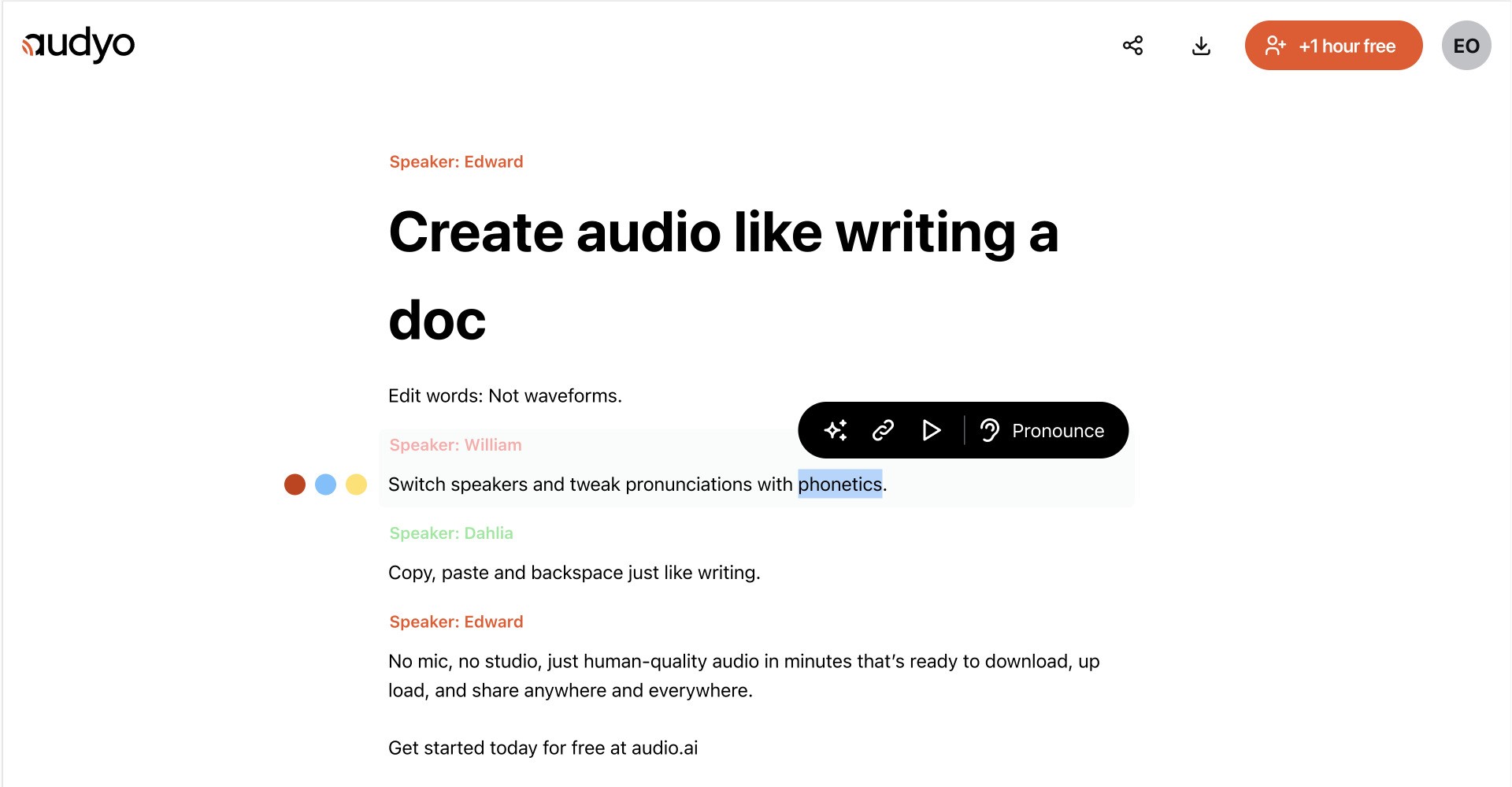
Audyo converts typed text into downloadable speech through a document-style editor. You write or paste a script, choose from 100+ voices across languages and accents, and export audio for videos, podcasts, presentations, and other projects without recording in a studio.
Most audio tools make you trim waveforms and re-record when a line changes. Audyo keeps the script as the source of truth, so you revise text, swap speakers, and regenerate audio without touching a timeline. That text-first workflow fits creators who treat narration like a draft, not a one-take studio session.
You can build multi-voice conversations, mix languages in one project, set custom pronunciations with phonetics, format scripts with Markdown, and use the built-in assistant to refine copy before generating audio. Audyo lists support for English, French, Spanish, German, Italian, Brazilian Portuguese, Japanese, Korean, Chinese, Hindi, Arabic, Turkish, and Russian, with use cases such as voice-overs, podcasts, audiobooks, and video narration.
SpeechGPT Upvotes
audyo.ai Upvotes
SpeechGPT Top Features
Chat interface accepts typed messages or recorded speech input with Enter to send
Requires your OpenAI API key in settings before the app will run conversations
Optional Azure Speech Services or Amazon Polly access keys for alternate text-to-speech backends
UI available in English, Spanish, and Chinese from the in-app language selector
Shift plus Enter inserts a newline without sending the message
Runs as a web app on Vercel with no separate desktop install required
audyo.ai Top Features
Choose from 100+ voices across 13 supported languages and regional accents
Edit scripts like a document instead of trimming audio waveforms
Generate up to 15 minutes of audio on the free plan before upgrading
Swap speakers quickly to build multi-voice conversations
Buy one-time audio hour packs from $3 with no subscription required
Export finished MP3 audio for videos, podcasts, and presentations
SpeechGPT Category
- Audio Generation
audyo.ai Category
- Audio Generation
SpeechGPT Pricing Type
- Free
audyo.ai Pricing Type
- Freemium