Spikes Studio vs Synthesia
In the clash of Spikes Studio vs Synthesia, which AI Video Generation tool emerges victorious? We assess reviews, pricing, alternatives, features, upvotes, and more.
When we put Spikes Studio and Synthesia head to head, which one emerges as the victor?
Let's take a closer look at Spikes Studio and Synthesia, both of which are AI-driven video generation tools, and see what sets them apart. The upvote count favors Spikes Studio, making it the clear winner. Spikes Studio has attracted 16 upvotes from aitools.fyi users, and Synthesia has attracted 9 upvotes.
Does the result make you go "hmm"? Cast your vote and turn that frown upside down!
Spikes Studio
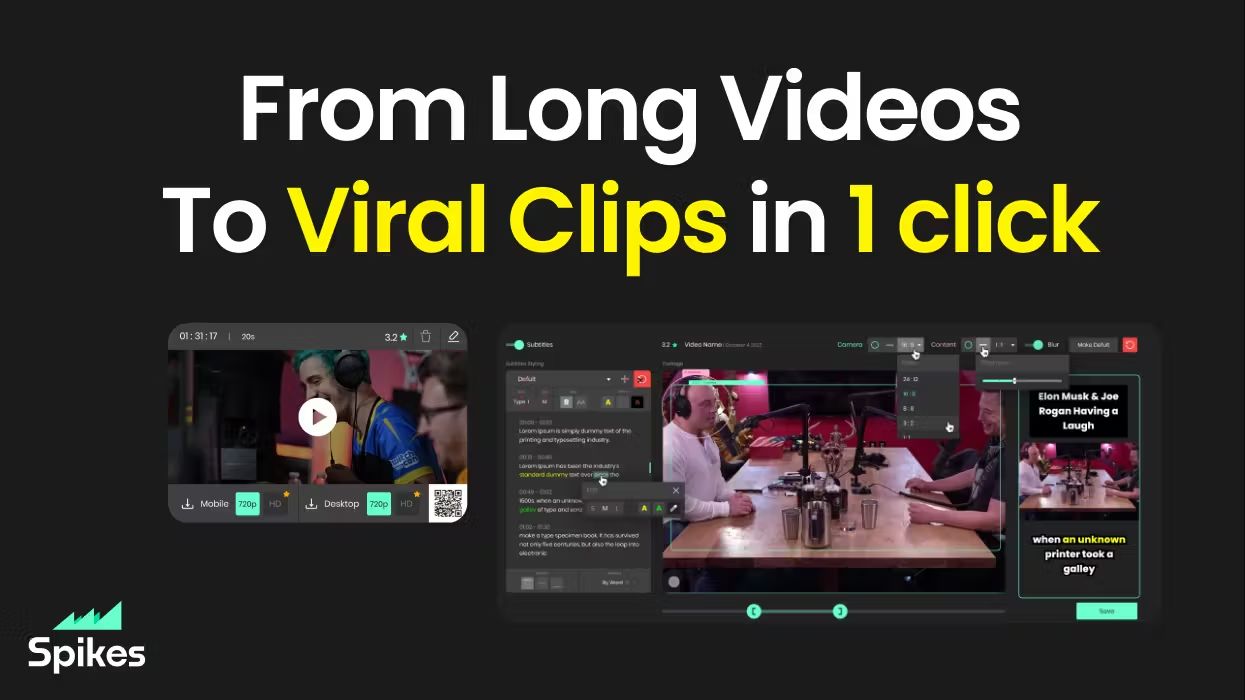

What is Spikes Studio?
Spikes Studio turns long videos into short clips sized for TikTok, Instagram Reels, and YouTube Shorts. Upload a file or pull from a stream, and its in-house model flags standout moments, adds animated captions in 99+ languages, and exports platform-ready formats from one dashboard.
Generic clip tools stop at cutting highlights. Spikes bundles scheduling, cross-posting, and per-clip analytics so you are not bouncing between an editor, a caption app, and a social calendar. Paid tiers unlock 1080p output, AI B-roll, virality scoring, and longer cloud storage; the free plan caps you at 30 minutes of processed video per month with a watermark.
Creators, podcasters, and agencies use it to repurpose webinars, Twitch broadcasts, and sermons without rebuilding each clip by hand. The web editor also handles standalone files up to five minutes through the Add Captions tab when you only need reframing and effects.
Synthesia
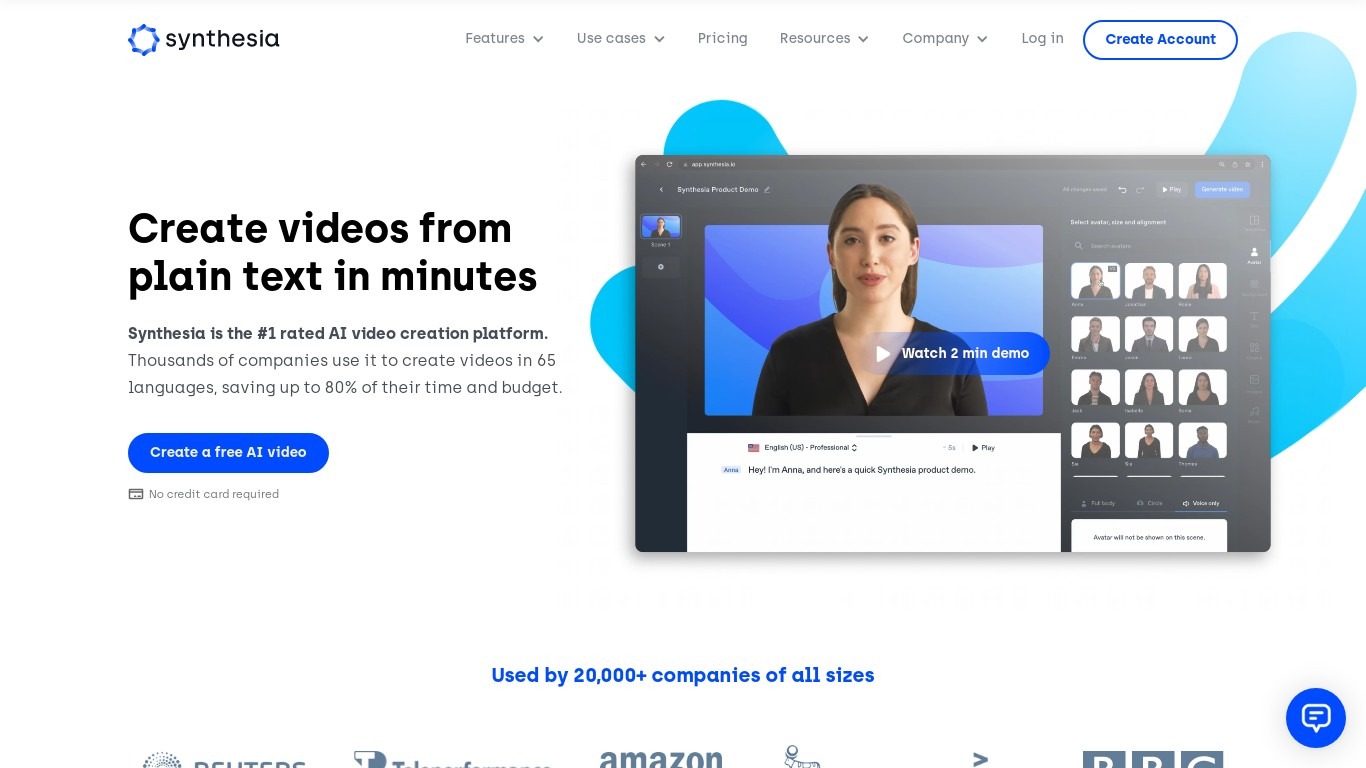
What is Synthesia?
Synthesia turns scripts into presenter-led videos using 240+ stock avatars, cloned voices, and lip-synced dubbing across 160+ languages. You write text, pick an avatar, and export MP4 or SCORM without cameras, studios, or voice actors. The Basic plan includes 10 minutes of generated video per month with 9 stock avatars.
Where most avatar video tools stop at export, Synthesia runs create, localize, collaborate, and publish in one workspace. Embedded videos auto-update when you edit the source, SCORM packages ship with translated versions, and Enterprise teams get Brand Kits plus SAML/SSO. Roleplay Sessions add a newer angle: practice sales or support conversations with interactive avatars that score your responses.
L&D teams use it for compliance and onboarding at scale. Sales enablement groups ship pitch refreshes in minutes instead of booking shoots. Marketing and internal comms teams localize one master video into dozens of languages with one-click translation. Over 50,000 companies use it, including a large share of the Fortune 100.
Spikes Studio Upvotes
Synthesia Upvotes
Spikes Studio Top Features
In-house AI trained on hundreds of thousands of broadcasts flags highlight moments across 99+ caption languages
Free plan processes up to 30 minutes of video per month with no credit card required
Basic plan at $12.99 per month exports 720p clips with 7-day cloud storage
PRO+ at $14.09 per month adds 1080p output, animated captions, and 90-day storage
Built-in social scheduler posts to TikTok, YouTube, Facebook, and LinkedIn from one calendar
Web editor handles files up to 5 minutes with auto-reframe, effects, titles, and hashtag suggestions
Synthesia Top Features
🎥 AI Avatars: Choose from 240+ avatars or create your own personal avatar to deliver your message naturally.
🌍 Multilingual Support: Translate videos into 80+ languages with one click and use AI dubbing for perfect lip-sync.
🤝 Live Collaboration: Work with your team in real time to edit videos and gather feedback efficiently.
🗣️ Voice Cloning: Clone your voice to create personalized videos with your digital twin speaking in 30+ languages.
🧑💼 Roleplay Sessions: Practice real conversations with interactive AI avatars, get live coaching, and track skill progress.
Spikes Studio Category
- Video Generation
Synthesia Category
- Video Generation
Spikes Studio Pricing Type
- Freemium
Synthesia Pricing Type
- Freemium