Supa Doc vs Gorilla Terminal
In the battle of Supa Doc vs Gorilla Terminal, which AI Code Assistant tool comes out on top? We compare reviews, pricing, alternatives, upvotes, features, and more.
Between Supa Doc and Gorilla Terminal, which one is superior?
Upon comparing Supa Doc with Gorilla Terminal, which are both AI-powered code assistant tools, The upvote count reveals a draw, with both tools earning the same number of upvotes. Your vote matters! Help us decide the winner among aitools.fyi users by casting your vote.
Not your cup of tea? Upvote your preferred tool and stir things up!
Supa Doc
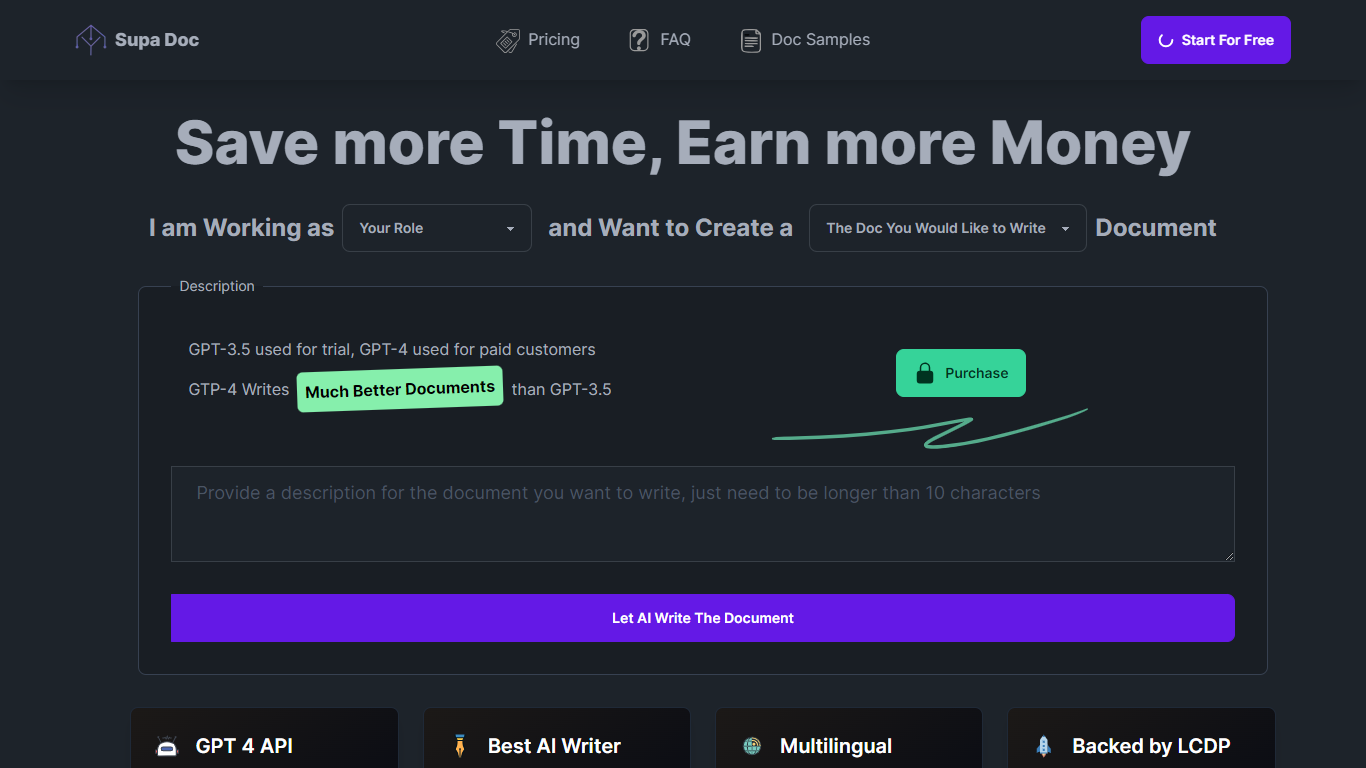

What is Supa Doc?
Supa Doc is an advanced AI-powered document generation tool that leverages the latest in language model technology. With GPT-4 at its core for paid customers, Supa Doc specializes in creating a variety of documents including Marketing Plans, Software Systems, Function Designs, Test Cases, and Business Plans.
This tool is designed for professionals, such as Developers, Product Managers, Marketing Managers, Entrepreneurs, and Software Testers, who aim to save time and boost efficiency. It offers a user-friendly interface with multi-language support, including English and Chinese, and is equipped with a native AI engine and low-code agility for seamless operation. Supa Doc promises to deliver significantly improved document quality over its predecessor, GPT-3.5, which is used for trial versions. The platform is backed by LCDP, assuring continual innovation and no logical limitations.
Gorilla Terminal

What is Gorilla Terminal?
Gorilla Terminal pulls stock data, SEC filings, macro indicators, and earnings call transcripts into one terminal-style dashboard in your browser. Search by ticker and you get charts, quarterly reports, insider trades, Twitter sentiment, and live futures without hopping between Bloomberg tabs and scattered finance sites.
Most research terminals either dump raw data tables or lean on generic summaries. Gorilla Terminal focuses on earnings calls: it runs sentiment analysis on what executives actually said, flags positive and negative statements, and lets you filter by quarter. That transcript-first angle is the trade-off. You get deeper call breakdowns than a charting site, but the product is built for equity research rather than crypto or forex.
Portfolio managers, solo investors, and finance students use this investment research tool to prep for earnings season, scan sector averages, and stress-test holdings with value-at-risk and regression tools. The macro panel covers CPI, unemployment, retail sales, and consumer sentiment in one click.
Supa Doc Upvotes
Gorilla Terminal Upvotes
Supa Doc Top Features
Latest AI Technology: Uses GPT-4 for high-quality document creation.
Wide Range of Documents: Capable of generating Marketing Plans, Business Plans, and more.
Efficient and Time-saving: Streamlined process to help professionals save time.
Multi-language Support: Provides services in both English and Chinese.
User-Friendly Interface: Low-code platform with a simple and intuitive interface.
Gorilla Terminal Top Features
Earnings call transcripts with AI sentiment scoring and positive/negative statement filters per quarter
Macro dashboard covering CPI, unemployment, retail sales, and consumer sentiment in one view
Stock search returns charts, 10-Ks, 10-Qs, insider buying, and Twitter sentiment on one page
Value-at-risk and regression analysis for portfolio risk modeling
Industry average metrics across revenue growth, margins, and tax rates by sector
Pro plan at $29 per month, down from a listed $49 per month on the pricing page
7-day pass at $9.99 for short-term access without a monthly commitment
Supa Doc Category
- Code Assistant
Gorilla Terminal Category
- Code Assistant
Supa Doc Pricing Type
- Freemium
Gorilla Terminal Pricing Type
- Paid