Supercreator vs ClipGen
In the contest of Supercreator vs ClipGen, which AI Video Editing tool is the champion? We evaluate pricing, alternatives, upvotes, features, reviews, and more.
If you had to choose between Supercreator and ClipGen, which one would you go for?
When we examine Supercreator and ClipGen, both of which are AI-enabled video editing tools, what unique characteristics do we discover? Both tools are equally favored, as indicated by the identical upvote count. You can help us determine the winner by casting your vote and tipping the scales in favor of one of the tools.
Feeling rebellious? Cast your vote and shake things up!
Supercreator


What is Supercreator?
Supercreator.ai is a creator platform from CLB Creative that pairs AI-assisted scripting and video tools with templates, communities, and automations. The product is available through the web app at app.supercreator.ai and an iOS app where users sign in with Apple ID, pick interest categories, and move from idea to finished short-form content.
The public site positions Supercreator as an invitation-only entry point for creators and partners, while legal pages describe a broader ecosystem: registered users can browse template libraries, join free or paid communities, and publish creations after account review. Premium subscribers keep scripts and videos private; free users may have their generated content visible to others on the platform.
ClipGen
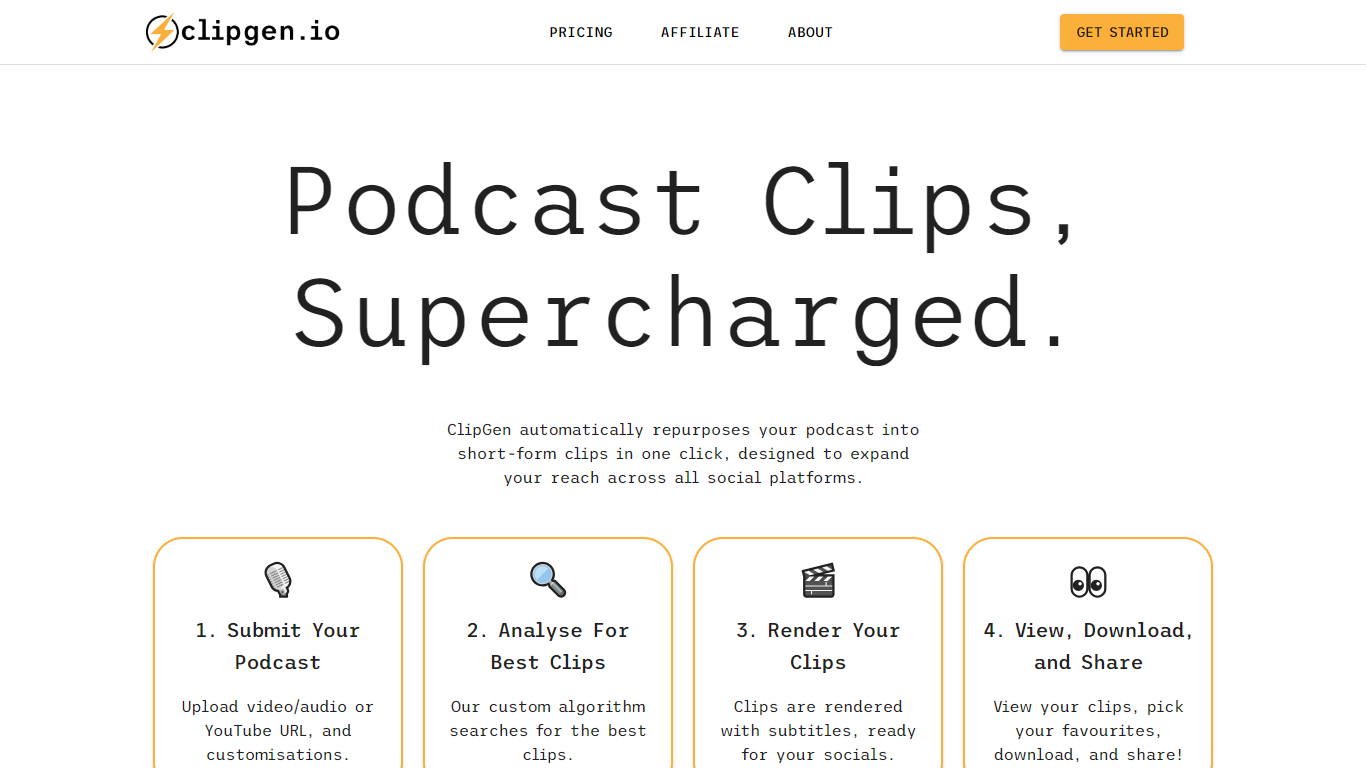
What is ClipGen?
ClipGen is an innovative tool that specializes in transforming podcasts into engaging short-form video clips that are perfect for sharing across various social media platforms. It leverages a custom algorithm to analyze your podcast and extract the best segments to create these clips. With ClipGen, you can upload your audio or video file, or even a YouTube URL, and let the service handle the rest.
The platform identifies optimal clip moments, adds subtitles, and renders the content in formats suited for different social networks, such as portrait videos for Instagram and TikTok, or square ones for LinkedIn. Users can fine-tune their clips by adjusting start and end points, highlighting keywords for subtitles, and correcting any transcription errors that may occur. The entire process is designed to be swift and user-friendly, with top clip suggestions usually ready in under 20 minutes, making it an efficient way to amplify your podcast's reach and engage with a broader audience online.
Supercreator Upvotes
ClipGen Upvotes
Supercreator Top Features
Generate video scripts with AI from your topics or existing source material
Record in-app with speech mode that turns spoken lines into on-screen text
Apply TrueDepth AR face masks and effects while filming on iPhone
Separate foreground subjects from backgrounds for green-screen style shots
Browse a template library to start projects faster
Join free or paid creator communities inside the platform
Choose interest categories such as sports, fashion, education, or finance for tailored suggestions
ClipGen Top Features
Custom Algorithm for Best Clips: ClipGen applies a custom algorithm to identify and extract the most engaging parts of your podcast for social media clips.
Easy Customization: Fine-tune the start and end points of each clip, highlight keywords for subtitles, and correct typographic errors swiftly.
Quick Processing: The platform analyzes your podcast and delivers top clip suggestions typically within 20 minutes.
Multi-Platform Formatting: Automatically reframes and formats videos to suit various social media platforms like Instagram, TikTok, and LinkedIn.
Direct Uploads: Users have the flexibility to upload directly via video/audio files or YouTube URLs to start creating short clips.
Supercreator Category
- Video Editing
ClipGen Category
- Video Editing
Supercreator Pricing Type
- Freemium
ClipGen Pricing Type
- Freemium