TexttoSpeech.im: Convert Text to Speech Free Online vs Clipboard TTS
In the clash of TexttoSpeech.im: Convert Text to Speech Free Online vs Clipboard TTS, which AI Text to Speech (TTS) tool emerges victorious? We assess reviews, pricing, alternatives, features, upvotes, and more.
When we put TexttoSpeech.im: Convert Text to Speech Free Online and Clipboard TTS head to head, which one emerges as the victor?
Let's take a closer look at TexttoSpeech.im: Convert Text to Speech Free Online and Clipboard TTS, both of which are AI-driven text to speech (tts) tools, and see what sets them apart. Both tools have received the same number of upvotes from aitools.fyi users. Join the aitools.fyi users in deciding the winner by casting your vote.
You don't agree with the result? Cast your vote to help us decide!
TexttoSpeech.im: Convert Text to Speech Free Online
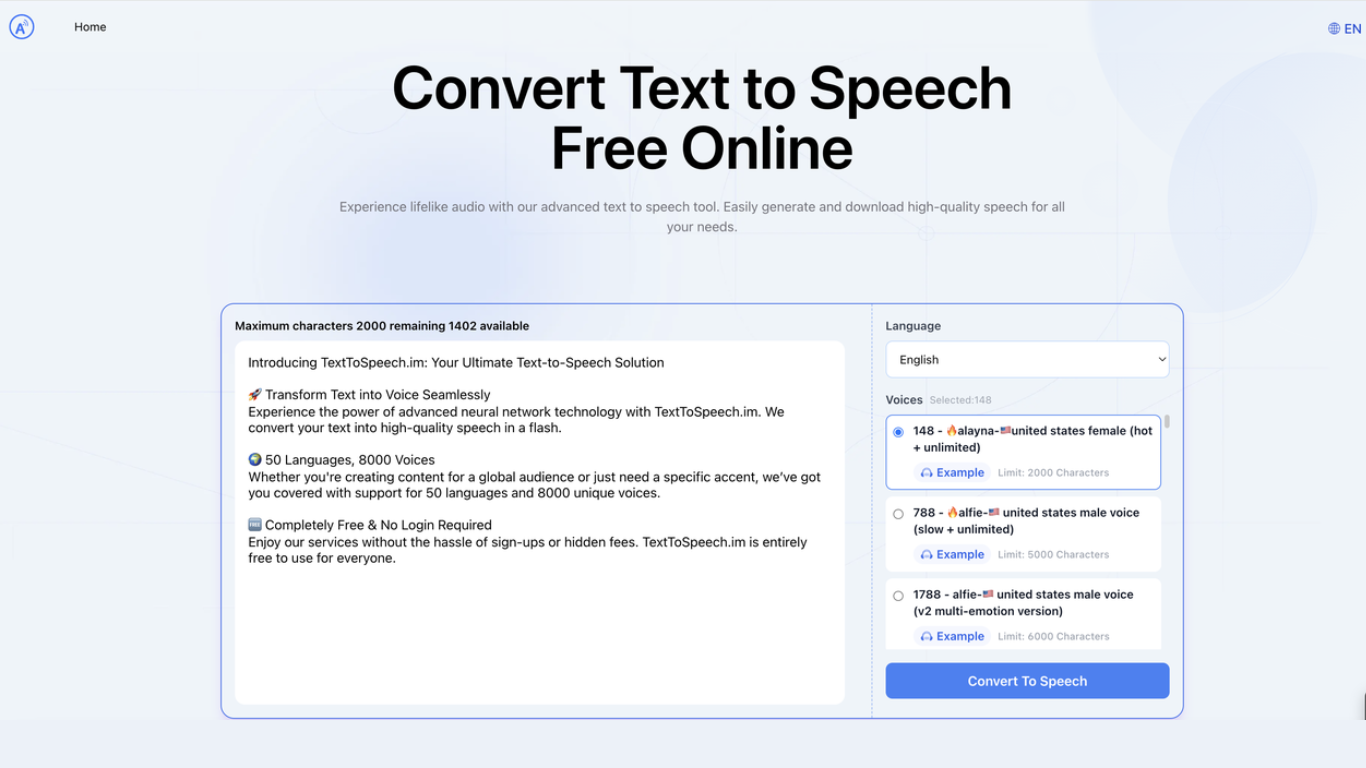

What is TexttoSpeech.im: Convert Text to Speech Free Online?
TexttoSpeech.im is a browser-based text-to-speech generator that turns written text into downloadable audio. Paste up to a few thousand characters, pick a language and voice, and get an MP3 you can listen to in the browser or save for later.
The voice catalog is the main draw: roughly 148 options spanning US, UK, Australian, Indian, and other regional accents, plus child voices and multi-emotion v2 variants. Some voices handle long passages up to 40,000 characters, while others cap out around 2,000.
It fits creators who need quick voiceovers without hiring talent, educators making lessons more accessible, and anyone who prefers listening to reading. The site runs in a standard web browser on phones, laptops, and desktops with no app install required.
Clipboard TTS
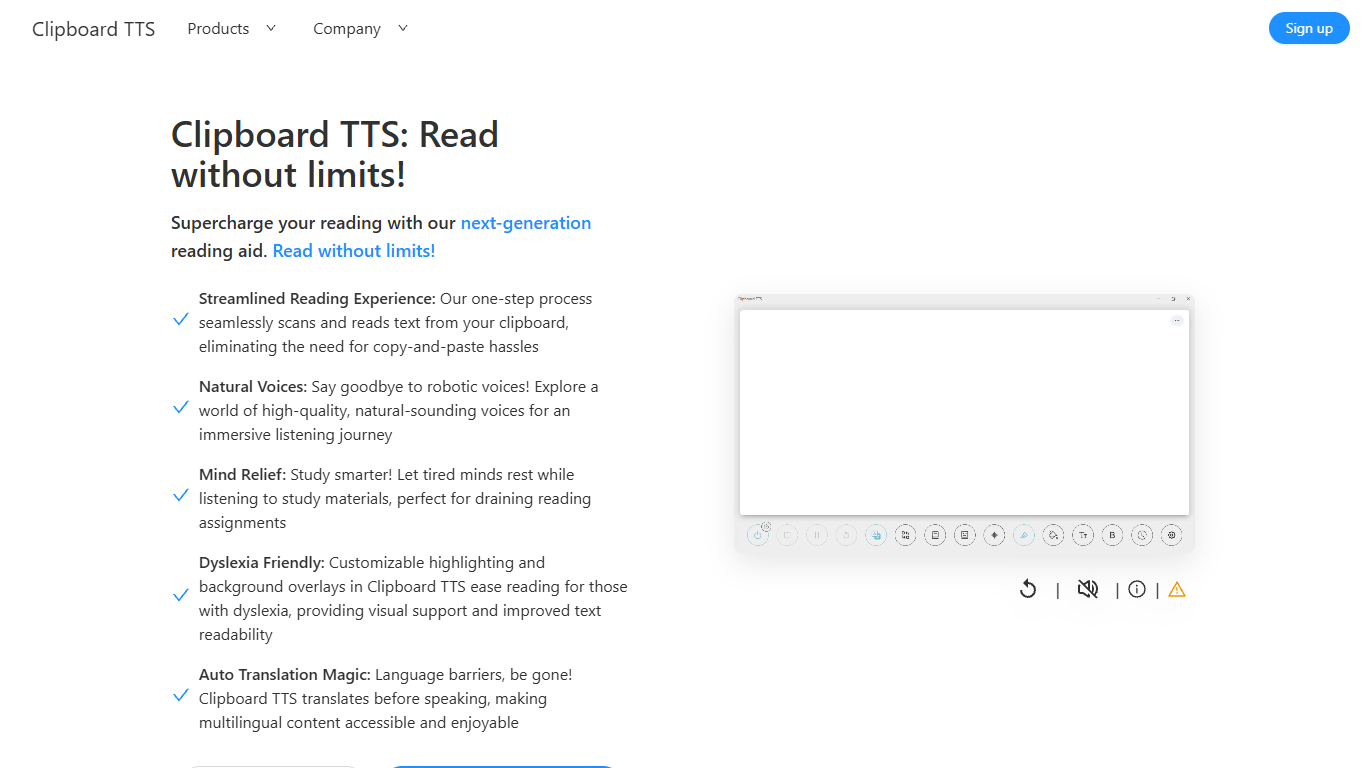
What is Clipboard TTS?
Clipboard TTS is a desktop reading aid that watches your clipboard and reads copied text aloud. Instead of pasting text into a separate app, you copy anything on your computer and hear it spoken back in a voice you choose. The tool targets readers who want hands-free access to articles, study materials, and documents.
The software is built with dyslexia and reading fatigue in mind. It offers word and sentence highlighting, colored background overlays, the OpenDyslexic font, and BoldCue bolding to help eyes track text while audio plays. Auto-translation detects the language of copied text and speaks it in the language tied to your selected voice.
Clipboard TTS runs as a Windows desktop application with a Linux version listed as coming soon. It supports 49 languages and more than 100 voices, plus image-to-text conversion when you copy a screenshot or photo containing text.
TexttoSpeech.im: Convert Text to Speech Free Online Upvotes
Clipboard TTS Upvotes
TexttoSpeech.im: Convert Text to Speech Free Online Top Features
148 voices to pick from, including US, UK, Australian, and Indian accents
40+ interface languages from English and Spanish to Hindi, Arabic, and Japanese
Some voices swallow up to 40,000 characters in one go
Multi-emotion v2 voices add expressive delivery beyond flat narration
Download finished audio as MP3 for offline use or social posts
Adjust speaking rate and volume before you generate
Works in the browser on iPhone, laptop, and desktop without an app
Clipboard TTS Top Features
Monitors your clipboard and reads new text automatically without pasting into a separate window
Converts copied images to speech via built-in OCR when text appears in a screenshot
Highlights the current word and sentence in colors you choose while audio plays
Auto-translates copied text to match the language of your selected voice before speaking
AI Assist uses GPT-3 to rewrite or summarize copied text based on a custom prompt you write
TexttoSpeech.im: Convert Text to Speech Free Online Category
- Text to Speech (TTS)
Clipboard TTS Category
- Text to Speech (TTS)
TexttoSpeech.im: Convert Text to Speech Free Online Pricing Type
- Freemium
Clipboard TTS Pricing Type
- Paid