
Last updated 07-23-2026
Category:
Reviews:
Join thousands of AI enthusiasts in the World of AI!
TexttoSpeech.im: Convert Text to Speech Free Online
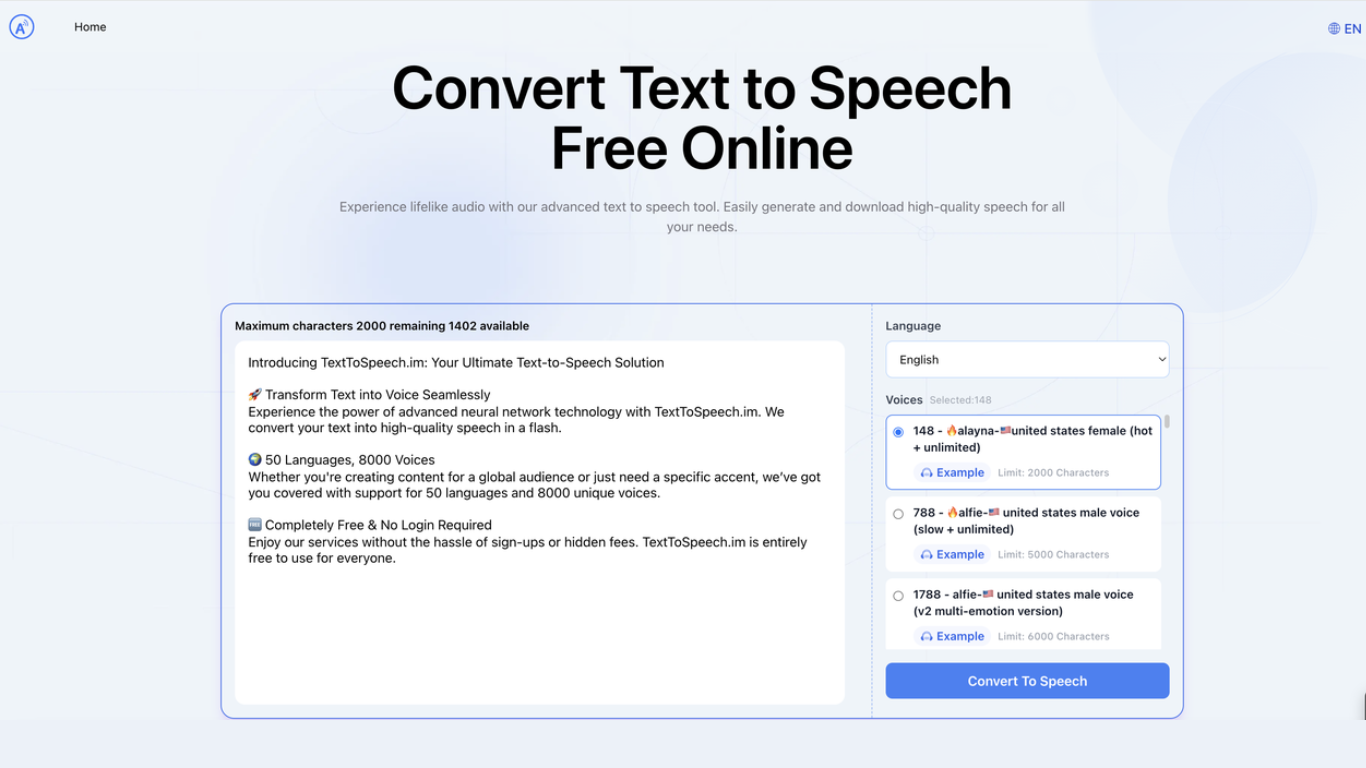
TexttoSpeech.im is a browser-based text-to-speech generator that turns written text into downloadable audio. Paste up to a few thousand characters, pick a language and voice, and get an MP3 you can listen to in the browser or save for later.
The voice catalog is the main draw: roughly 148 options spanning US, UK, Australian, Indian, and other regional accents, plus child voices and multi-emotion v2 variants. Some voices handle long passages up to 40,000 characters, while others cap out around 2,000.
It fits creators who need quick voiceovers without hiring talent, educators making lessons more accessible, and anyone who prefers listening to reading. The site runs in a standard web browser on phones, laptops, and desktops with no app install required.
148 voices to pick from, including US, UK, Australian, and Indian accents
40+ interface languages from English and Spanish to Hindi, Arabic, and Japanese
Some voices swallow up to 40,000 characters in one go
Multi-emotion v2 voices add expressive delivery beyond flat narration
Download finished audio as MP3 for offline use or social posts
Adjust speaking rate and volume before you generate
Works in the browser on iPhone, laptop, and desktop without an app
Large free voice library with 148 options and regional accents
Supports 40+ languages without switching to a separate tool
Long-text voices handle passages up to 40,000 characters
MP3 downloads work for offline playback and social content
Runs in any modern browser with no app install
Character limits vary by voice, with some capped at 2,000 characters
No public pricing page despite subscription plans mentioned in terms
Blog section had no published articles at the time of research
Account may be required for certain features beyond basic generation
Is TexttoSpeech.im free to use?
TexttoSpeech.im offers free text-to-speech generation on the homepage with no signup required for basic use. The terms of use also mention paid subscription plans, but no public pricing page was available at the time of research.
How many voices does TexttoSpeech.im offer?
TexttoSpeech.im lists 148 selectable voices on its homepage. Options include male and female voices across multiple English accents, child voices, and v2 multi-emotion variants with different character limits per voice.
What languages does TexttoSpeech.im support?
TexttoSpeech.im supports more than 40 languages in its language selector, including English, Chinese, Spanish, Portuguese, German, French, Hindi, Arabic, Japanese, Korean, and many others.
Can I download the audio from TexttoSpeech.im?
Yes. After generating speech on TexttoSpeech.im, you can listen in the browser and download the result as an MP3 file for offline use or social media content.
Do I need an account to use TexttoSpeech.im?
You can convert text to speech on TexttoSpeech.im without creating an account. The site also offers optional login, and its terms note that some features may require registration.
Can I use TexttoSpeech.im audio on TikTok and other social media?
TexttoSpeech.im is designed for content creation, and its FAQ section confirms generated speech can be used on TikTok and other social platforms. Check the terms of use for any usage restrictions on your specific project.
Who operates TexttoSpeech.im?
TexttoSpeech.im is operated by NEXUSAI SERVICES LLC, based in Denver, Colorado. Support inquiries can be sent to [email protected].