
Last updated 07-24-2026
Category:
Overall Rating:
5.0 🏆
Reviews:
Join thousands of AI enthusiasts in the World of AI!
TTSMaker
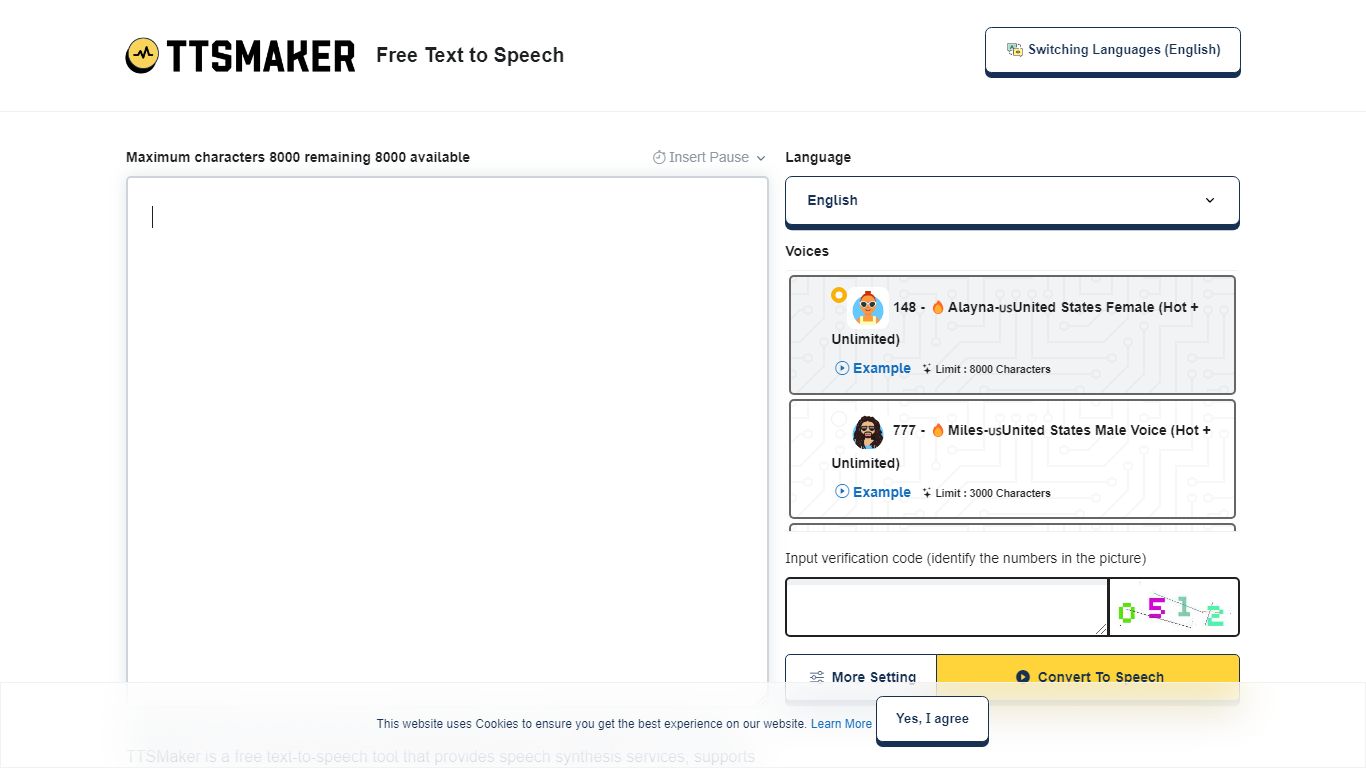
TTSMaker is a free online text-to-speech tool that converts written text into downloadable audio files. It supports 100+ languages and 600+ AI voices, so creators can generate voiceovers without hiring voice actors or recording themselves.
The tool runs in your browser. Paste text, pick a language and voice, adjust speed, volume, and pitch, then export audio in MP3, OGG, AAC, OPUS, or WAV. A separate multi-speaker dialogue generator lets you build conversations across multiple voice blocks, each with its own language and voice settings.
TTSMaker grants full commercial usage rights to generated audio on the free plan, with no attribution required. Paid TTSMaker Pro tiers add higher character limits, emotion controls, API access, and a dialogue editor with cloud project saving.
YouTube and TikTok creators, educators building listening materials, marketers producing ad voiceovers, and developers integrating TTS via API on Pro or Studio plans are the main audiences.
600+ AI voices across 100+ languages, from US English to Hindi and Japanese
Full commercial usage rights on the free plan with no attribution required
Export audio as MP3, WAV, OGG, AAC, or OPUS with adjustable speed and pitch
Multi-speaker dialogue generator for conversations with different voices per block
SRT subtitle export and background music mixing built into the converter
Free tier includes commercial usage rights with no attribution required.
Large voice library with 600+ voices across 100+ languages.
No account required to start converting text on the free plan.
Multiple export formats including MP3, WAV, OGG, AAC, and OPUS.
Free plan caps at 20,000 characters per week and 500 characters per conversion.
Emotion controls and API access require Pro or Studio subscriptions.
Free dialogue generator is limited to 5 blocks and 5 generations per week.
Captcha and ads appear on the free version.
Is TTSMaker free to use?
Yes. TTSMaker offers a permanent free plan with 20,000 characters per week and access to 600+ AI voices across 100+ languages. Paid Lite, Pro, and Studio subscriptions add higher limits, emotion controls, and API access.
Can I use TTSMaker audio for commercial purposes?
Yes. TTSMaker grants users full commercial usage rights to generated audio on both free and paid plans. You can use the audio in videos, ads, audiobooks, and other media without paying extra fees or obtaining additional permissions.
What are TTSMaker Pro pricing plans?
TTSMaker Pro offers Lite at $13.99/month (300,000 characters), Pro Mini at $23.99/month (600,000 characters), Pro Max at $32.99/month (1.2 million characters), and Studio at $140/month (6 million characters). All paid plans include commercial usage rights.
Does TTSMaker have an API?
Yes. TTSMaker provides a text-to-speech API on Pro and Studio subscriptions. API calls consume your character conversion quota. The free plan and Lite subscription do not include API access.
What character limits does the free TTSMaker plan have?
The free TTSMaker plan allows 20,000 characters per week with a maximum of 500 characters per conversion. Some voices are marked unlimited and do not count toward the weekly quota. Pro plans raise limits to 300,000 characters per month and above.
Can I use TTSMaker audio on YouTube or TikTok?
Yes. TTSMaker allows you to use generated audio on YouTube, TikTok, podcasts, and similar platforms. Attribution is optional, not required. You retain full usage rights to the synthesized files.