TexttoSpeech.im: Convert Text to Speech Free Online vs SpeechGen.io
Explore the showdown between TexttoSpeech.im: Convert Text to Speech Free Online vs SpeechGen.io and find out which AI Text to Speech (TTS) tool wins. We analyze upvotes, features, reviews, pricing, alternatives, and more.
In a face-off between TexttoSpeech.im: Convert Text to Speech Free Online and SpeechGen.io, which one takes the crown?
When we contrast TexttoSpeech.im: Convert Text to Speech Free Online with SpeechGen.io, both of which are exceptional AI-operated text to speech (tts) tools, and place them side by side, we can spot several crucial similarities and divergences. There's no clear winner in terms of upvotes, as both tools have received the same number. Be a part of the decision-making process. Your vote could determine the winner.
Not your cup of tea? Upvote your preferred tool and stir things up!
TexttoSpeech.im: Convert Text to Speech Free Online
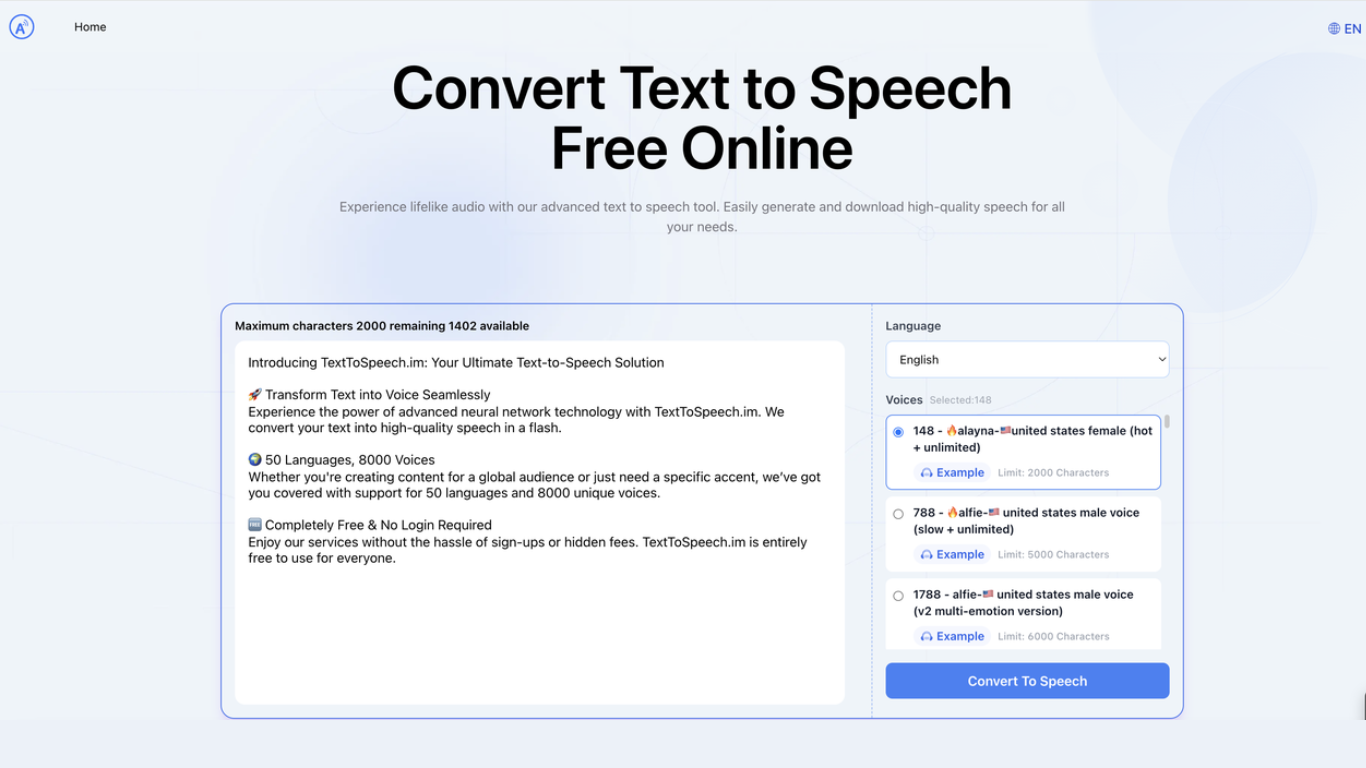

What is TexttoSpeech.im: Convert Text to Speech Free Online?
TexttoSpeech.im is a browser-based text-to-speech generator that turns written text into downloadable audio. Paste up to a few thousand characters, pick a language and voice, and get an MP3 you can listen to in the browser or save for later.
The voice catalog is the main draw: roughly 148 options spanning US, UK, Australian, Indian, and other regional accents, plus child voices and multi-emotion v2 variants. Some voices handle long passages up to 40,000 characters, while others cap out around 2,000.
It fits creators who need quick voiceovers without hiring talent, educators making lessons more accessible, and anyone who prefers listening to reading. The site runs in a standard web browser on phones, laptops, and desktops with no app install required.
SpeechGen.io
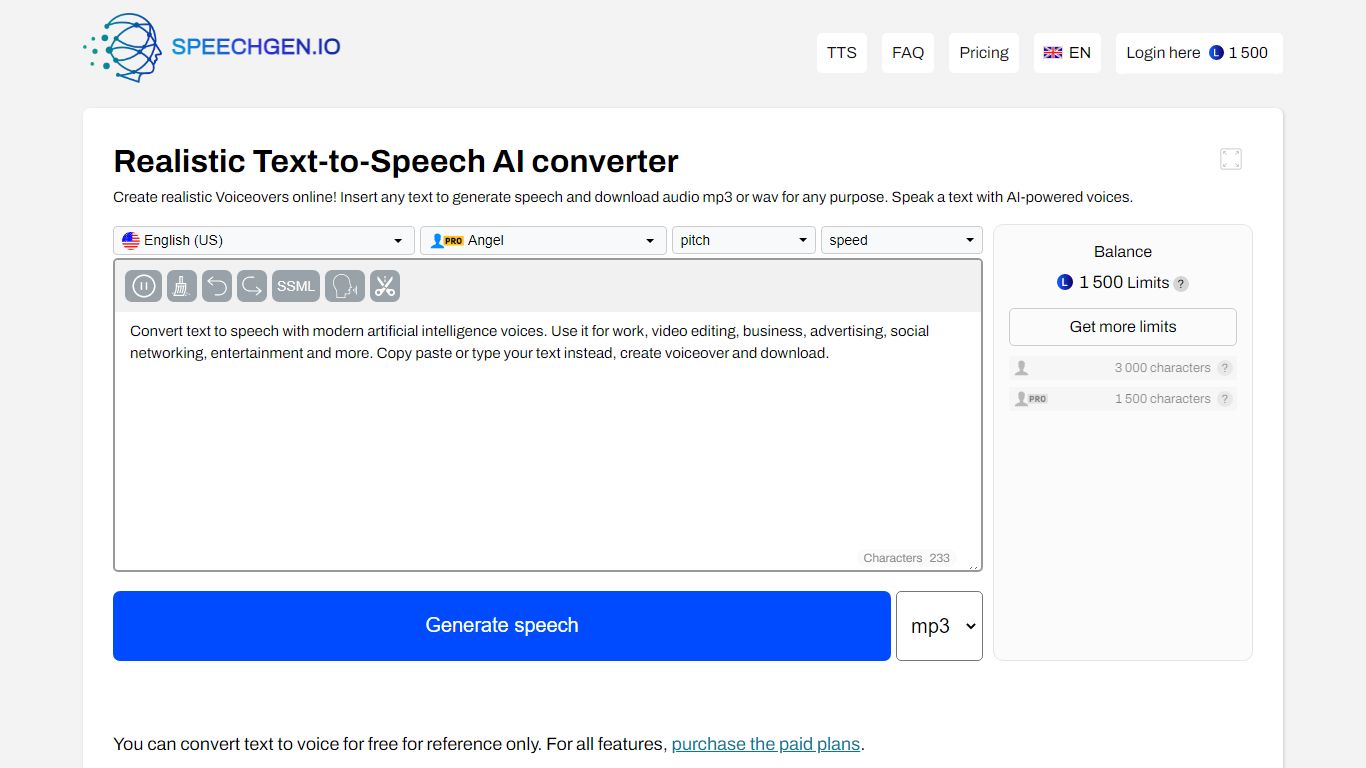
What is SpeechGen.io?
SpeechGen.io is an online text-to-speech platform that turns written text into downloadable voiceovers. The editor supports 5,000+ voices across 150 languages and regional accents, with controls for speed, pitch, volume, and SSML markup for pauses, emphasis, and intonation.
Beyond basic TTS, SpeechGen.io includes voice cloning from short audio samples, subtitle-to-speech conversion for SRT, SUB, and VTT files, and audio-to-text transcription for uploaded files, YouTube links, and video. Export options include MP3, WAV, OGG, FLAC, and other formats at multiple bitrates.
Credits are pay-as-you-go with no subscription. New accounts receive free credits to test the service, and purchased credits stay valid for up to one year. A Smart Cache feature reuses previously generated sentences at no extra cost when you edit and re-export projects.
TexttoSpeech.im: Convert Text to Speech Free Online Upvotes
SpeechGen.io Upvotes
TexttoSpeech.im: Convert Text to Speech Free Online Top Features
148 voices to pick from, including US, UK, Australian, and Indian accents
40+ interface languages from English and Spanish to Hindi, Arabic, and Japanese
Some voices swallow up to 40,000 characters in one go
Multi-emotion v2 voices add expressive delivery beyond flat narration
Download finished audio as MP3 for offline use or social posts
Adjust speaking rate and volume before you generate
Works in the browser on iPhone, laptop, and desktop without an app
SpeechGen.io Top Features
5,000+ voices across 150 languages with regional accent variants
Voice cloning from uploaded or recorded audio samples up to 55 seconds
SSML editor for fine-tuning pauses, pitch, rate, emphasis, and intonation
Subtitle-to-speech conversion for SRT, SUB, and VTT files
Audio-to-text transcription with speaker diarization and SRT or VTT export
TexttoSpeech.im: Convert Text to Speech Free Online Category
- Text to Speech (TTS)
SpeechGen.io Category
- Text to Speech (TTS)
TexttoSpeech.im: Convert Text to Speech Free Online Pricing Type
- Freemium
SpeechGen.io Pricing Type
- Freemium