Typeframes vs AI Video Editing | Clipchamp
In the contest of Typeframes vs AI Video Editing | Clipchamp, which AI Video Editing tool is the champion? We evaluate pricing, alternatives, upvotes, features, reviews, and more.
If you had to choose between Typeframes and AI Video Editing | Clipchamp, which one would you go for?
When we examine Typeframes and AI Video Editing | Clipchamp, both of which are AI-enabled video editing tools, what unique characteristics do we discover? The users have made their preference clear, Typeframes leads in upvotes. The number of upvotes for Typeframes stands at 7, and for AI Video Editing | Clipchamp it's 6.
Want to flip the script? Upvote your favorite tool and change the game!
Typeframes


What is Typeframes?
Typeframes converts simple text prompts into engaging product videos optimized for social media platforms like YouTube, Instagram, and TikTok. It enables users to produce high-quality videos quickly without advanced video editing skills.
What sets Typeframes apart is its AI-driven approach that simplifies video production by offering customizable templates and automated suggestions to boost engagement. Unlike traditional video editors, it focuses on speed and ease of use, allowing creators to generate videos in minutes rather than hours.
The platform supports exporting videos in multiple resolutions tailored for different social media formats, including vertical videos. This makes Typeframes especially useful for content creators and marketers aiming to produce consistent, platform-optimized video content efficiently.
By streamlining the video creation process, Typeframes helps users save time and resources while enhancing their social media presence with visually appealing videos.
AI Video Editing | Clipchamp
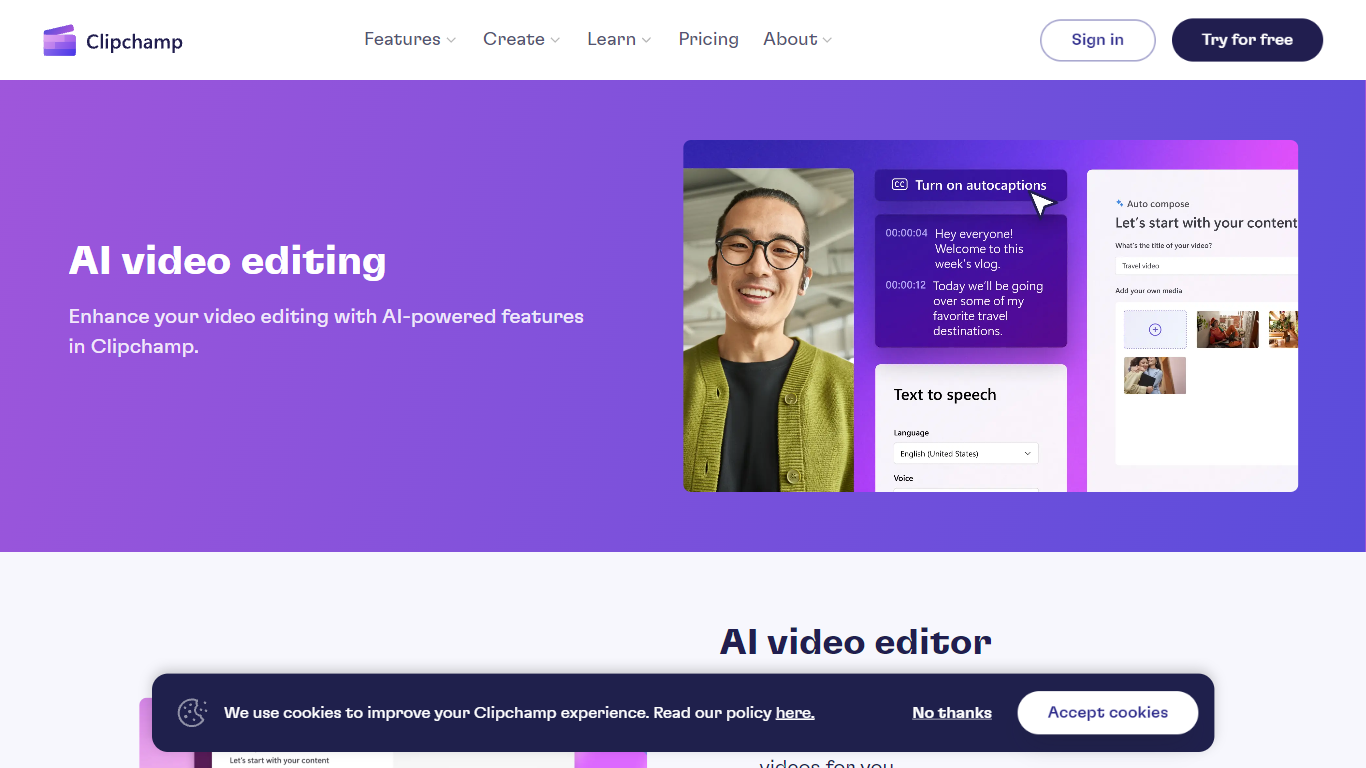
What is AI Video Editing | Clipchamp?
Experience the next level of video editing with Clipchamp's AI Video Editing tools, designed to elevate your creative projects effortlessly. Clipchamp harnesses the power of AI to provide an array of intelligent features that assist you in producing stunning videos without the need for any downloads. It's time to unleash your inner director using the AI video editor and craft short videos that leave a lasting impression. Whether you’re a TikTok enthusiast or a business professional, the AI voiceover maker offers over 400 lifelike voices in various languages and styles to match your video's tone. Autocaptions make your content more accessible, with precise voice detection technology for captions in 140 languages. For those looking to refine their speaking skills, the Speaker Coach offers real-time feedback on your recording sessions. Discover the wealth of AI-powered capabilities at your fingertips with Clipchamp and transform your digital storytelling.
Typeframes Upvotes
AI Video Editing | Clipchamp Upvotes
Typeframes Top Features
Transform text prompts into engaging videos quickly
Customize templates to match your brand style easily
Create vertical videos optimized for social platforms
Simple interface requires no video editing skills
Export videos in multiple resolutions including high quality
AI-driven suggestions to boost video engagement
AI Video Editing | Clipchamp Top Features
AI Video Editor: Simplify the video creation process with an AI editor that can generate engaging short videos automatically.
Text to Speech: Utilize a versatile AI voiceover maker featuring over 400 lifelike voices in a variety of languages.
Autocaptions: Increase accessibility and engagement with precise autocaptions available in 140 languages.
Speaker Coach: Improve your presentation skills with real-time feedback on your speech during recording.
AI Audio Enhancements: Look forward to upcoming features that will further enhance audio quality in your videos.
Typeframes Category
- Video Editing
AI Video Editing | Clipchamp Category
- Video Editing
Typeframes Pricing Type
- Freemium
AI Video Editing | Clipchamp Pricing Type
- Freemium