Vidon.ai vs Shortdeo
Dive into the comparison of Vidon.ai vs Shortdeo and discover which AI Video Editing tool stands out. We examine alternatives, upvotes, features, reviews, pricing, and beyond.
When comparing Vidon.ai and Shortdeo, which one rises above the other?
When we compare Vidon.ai and Shortdeo, two exceptional video editing tools powered by artificial intelligence, and place them side by side, several key similarities and differences come to light. There's no clear winner in terms of upvotes, as both tools have received the same number. Since other aitools.fyi users could decide the winner, the ball is in your court now to cast your vote and help us determine the winner.
Don't agree with the result? Cast your vote and be a part of the decision-making process!
Vidon.ai


What is Vidon.ai?
Vidon.ai turns text, URLs, and prompts into finished marketing videos, then lets you schedule, publish, and host them from one dashboard. You type copy, paste a blog link, or describe an idea, and the tool writes a script, selects clips from a 12-million-item stock library, adds voiceover and captions, and builds the video. The web editor runs free with no login required, and you pay only when you export.
Most AI video generators stop at the export button. Vidon.ai bundles a content calendar, one-click social publishing, CDN video hosting with Schema.org metadata, and performance analytics in the same product. That end-to-end pipeline fits teams repurposing blogs or product pages at volume rather than making one-off clips.
Marketers, content teams, and solo creators use Vidon.ai for blog-to-video repurposing, product page videos, and scheduled social series. Business plans add brand kits, API access, bulk CSV import, and video triggers that auto-generate when new blog posts appear.
Shortdeo
What is Shortdeo?
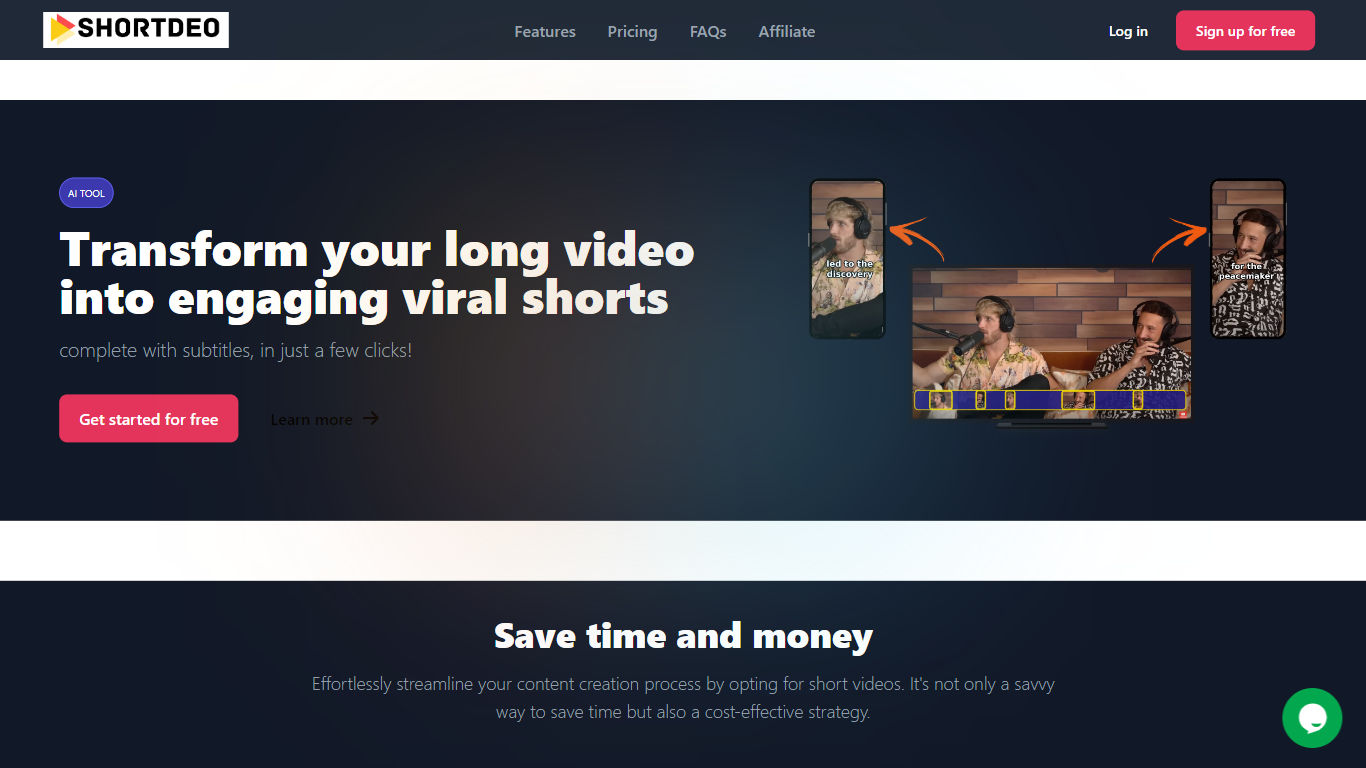
Shortdeo turns long uploads or YouTube links into short vertical clips with auto captions. Paste a URL or MP4, and its scene detection splits the footage into shareable segments sized for TikTok, Instagram Reels, and similar feeds. The tool targets Video Editing workflows where you already have a long recording and need many social clips fast.
Manual clipping means scrubbing timelines and typing subtitles by hand. Shortdeo chains scene detection, auto-cropping around active speakers, multi-face split screens, and transcription into one workflow, then exports up to 4K at 2160x3840. That combination suits creators who have a long podcast or webinar recording and want dozens of social clips without hiring an editor.
Podcasters, course creators, and social media managers use it to repurpose interviews, reviews, and commentary videos across platforms. Paid plans start at $19.99 per month with clip export limits, and the company currently disables free trials while offering purchase refunds for unsatisfied customers.
Vidon.ai Upvotes
Shortdeo Upvotes
Vidon.ai Top Features
Stock library access covers 12M+ clips with automatic image selection per scene
One video credit exports landscape, square, and vertical aspect ratios together
Prompt to Video uses ChatGPT to write scripts with voiceover in 50+ languages
Business plan includes 40 video exports per month plus REST API and CSV bulk import
Individual plan covers 10 monthly exports with content calendar and social publishing
Videos support up to 4000 characters per script, roughly 5 to 10 minutes of narration
Shortdeo Top Features
Starter plan exports 50 clips per month at up to 1080x1920 Full HD
Professional plan exports 400 clips monthly with 4K output at 2160x3840
Magic Scene Detection splits long videos into short segments automatically
Auto-captions transcribe speech and add subtitles without manual typing
Multi-face detection builds split-screen layouts when several speakers are active
Supports 11 languages including English, French, German, Spanish, and Japanese
Vidon.ai Category
- Video Editing
Shortdeo Category
- Video Editing
Vidon.ai Pricing Type
- Freemium
Shortdeo Pricing Type
- Paid