
Last updated 08-13-2026
Category:
Reviews:
Join thousands of AI enthusiasts in the World of AI!
CreatX
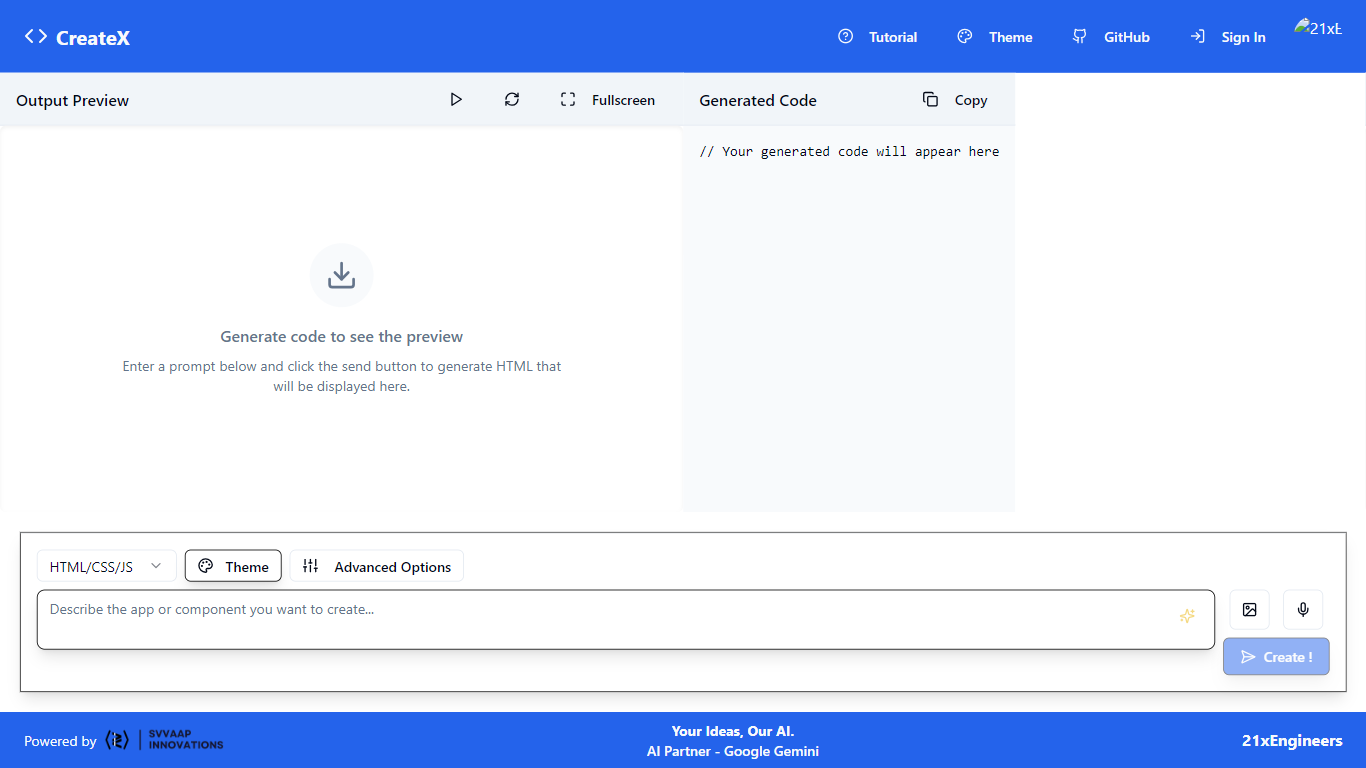
CreatX on createx.svvaap.in turns text prompts into front-end code you can preview live in the browser. The workspace splits into an Output Preview pane and a Generated Code panel, and you can export HTML/CSS/JS, React, Vue, or Svelte from the same prompt. Default generation runs on Google Gemini, with OpenAI, Grok, Claude, DeepSeek, Mistral, and Llama listed as alternates.
Most prompt-to-code toys dump raw text without a preview loop. CreatX keeps the rendered output beside the source so you can iterate before copying anything into a project. The open CreateX repo on GitHub from 21xEngineers and the Svvaap branding position it as a teaching and prototyping tool rather than a full backend hosting platform.
CreatX fits students, hackathon teams, and indie builders who need a quick UI mock in React or Svelte without opening an IDE first. You sign in to generate, and the interface highlights theme and advanced options for repeat tweaks. It is not a mobile compiler or database host, so production apps still need your own deployment stack.
Side-by-side Output Preview and Generated Code panels update from the same prompt
Export targets include HTML/CSS/JS, React, Vue, and Svelte from one workspace
Model picker lists Gemini by default plus OpenAI, Grok, Claude, DeepSeek, Mistral, and Llama
Open-source CreateX project published on GitHub under 21xEngineers
Theme and Advanced Options controls sit beside the prompt composer
Powered by Svvaap with sign-in gating before code generation
Live preview sits beside generated code so you can validate layout before copying.
One prompt can target HTML, React, Vue, or Svelte output formats.
Seven model providers are selectable from the in-app picker.
Sign-in is required before generation starts.
No pricing or backend deployment features are documented on the homepage.
Very low domain authority suggests early-stage hosting on a Svvaap subdomain.
What does CreatX generate?
CreatX generates front-end code from text prompts and shows a live preview next to the source. Supported export formats include HTML/CSS/JS, React, Vue, and Svelte from the createx.svvaap.in workspace.
Which AI models does CreatX support?
CreatX defaults to Google Gemini and also lists OpenAI, Grok, Claude, DeepSeek, Mistral, and Llama in the model picker on createx.svvaap.in.
Is CreatX open source?
Yes, CreatX links to the open-source CreateX repository on GitHub maintained by 21xEngineers. The hosted workspace at createx.svvaap.in is branded as a Svvaap project.
Do I need an account for CreatX?
Yes, CreatX requires you to sign in before generating code from the web interface. The homepage shows Sign In and Create actions in the header toolbar.
Who built CreatX?
CreatX is powered by Svvaap and associated with 21xEngineers, whose Instagram profile is linked from the createx.svvaap.in header.
Can CreatX build full mobile apps?
No, CreatX focuses on generating and previewing front-end code in the browser. You still need your own hosting and backend stack to ship a complete production app.