
Last updated 08-14-2026
Category:
Reviews:
Join thousands of AI enthusiasts in the World of AI!
ImagineMe
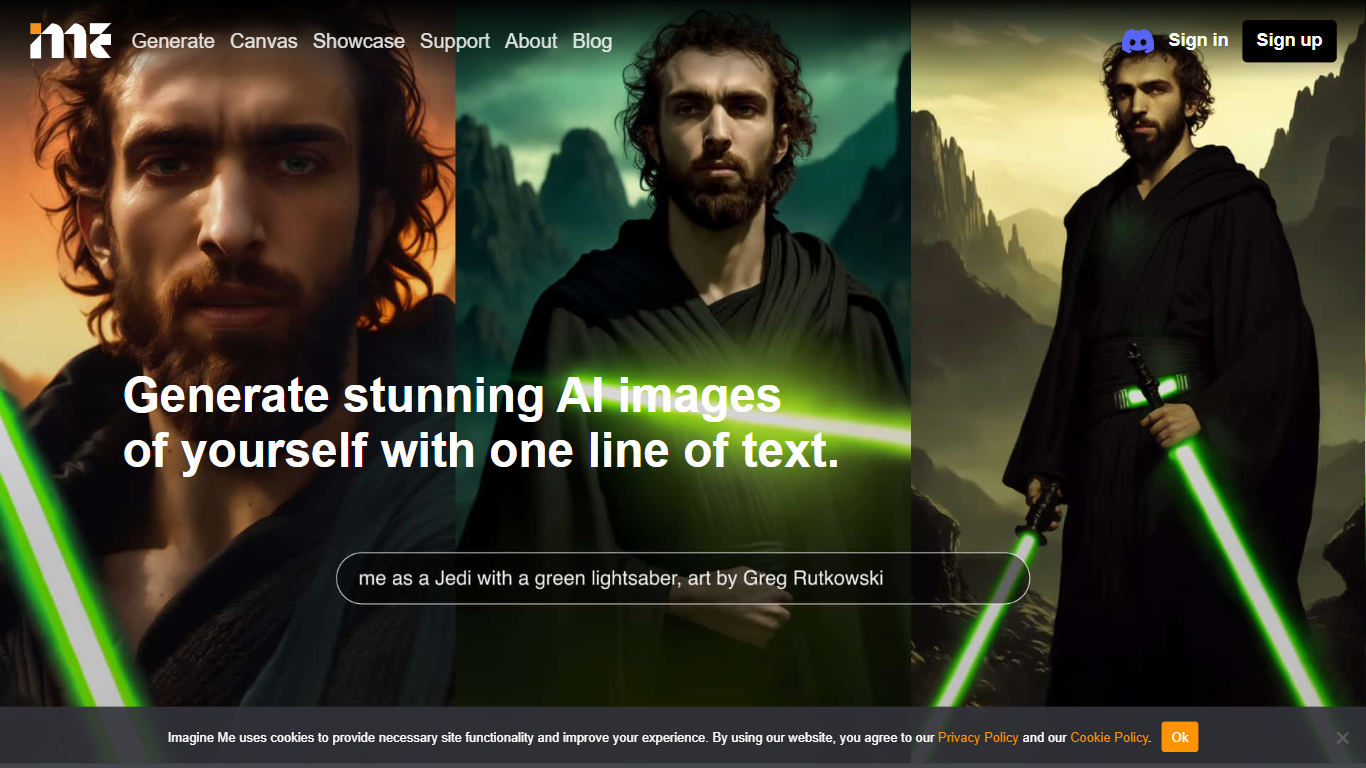
ImagineMe is a personal avatar generator that trains a private AI model on your own photos, then turns text prompts into images and videos of you. Upload 10 to 20 reference photos, wait for training to finish, and type a scene description to see yourself in fantasy settings, professional headshots, cosplay looks, or cartoon styles.
Most avatar tools apply a one-size filter to your face. ImagineMe trains a separate model per user, so the output is meant to look like you rather than a generic stock face. That per-user training takes up to 5 hours, but once it is done, new images generate in about 10 seconds after a short cold start.
The platform suits creators who want stylized self-portraits, tabletop gamers building D&D character art, pet owners making cartoon versions of their animals, and anyone who wants LinkedIn headshots or social media avatars without a photo shoot. Video, upscale, and Canvas editing tools extend the same trained model beyond still images.
Upload 10 to 20 photos to train a private model that learns your likeness
Generate new images in about 10 seconds after the initial cold start
Credit packs start at $5 for 10 credits, with images from $0.08 each on the 45-credit plan
Create AI videos at 5 or 10 seconds with Fast, Normal, or High Quality modes costing 3 credits
Canvas editor with pose detection, depth view, and inpainting on desktop
Upscale tool to sharpen generated images after creation
Sign in with Google, Facebook, or Apple plus a Discord community for support
Trains a private model per user so outputs aim to match your actual face
Credit packs are affordable with per-image cost as low as $0.08
Beyond still images, includes video generation, upscaling, and a Canvas editor
Dozens of themed use-case pages for D&D, anime, LinkedIn headshots, and more
Commercial use allowed within Terms of Use
Model training can take up to 5 hours before you can generate anything
Canvas composition editor is desktop only, not available on mobile
Credit-based pricing with no free tier or trial credits mentioned on the site
Video generation costs 3 credits per clip on top of image generation credits
How does ImagineMe work?
ImagineMe trains a private AI model on 10 to 20 photos you upload. After training finishes, you type a text prompt and ImagineMe generates images of you in that scene. The first generation after training takes a couple of minutes, then later images appear in about 10 seconds.
How much does ImagineMe cost?
ImagineMe uses a credit system with no subscription. The 10-credit pack costs $5, the 25-credit pack costs $10, and the 45-credit pack costs $15. Per-image cost drops to about $0.08 on the largest pack. Video generation costs 3 credits per clip.
How long does ImagineMe model training take?
ImagineMe model training can take up to 5 hours but is usually faster. You need at least 10 varied photos showing different outfits, expressions, and backgrounds. Training runs once per model, and you can generate unlimited prompts after it completes.
Can I use ImagineMe images commercially?
Yes, ImagineMe lets you use your generated artworks both privately and commercially within the limits of its Terms of Use. You can contact [email protected] if you have questions about specific use cases.
What image formats does ImagineMe support?
ImagineMe accepts 10 to 20 reference photos for model training and outputs AI-generated portraits, avatars, and videos. The Canvas tool offers portrait (832 x 1248), landscape (1248 x 832), and square (1024 x 1024) canvas sizes for composition editing.
Is ImagineMe available on mobile?
ImagineMe runs in the browser on mobile for image generation, but the Canvas composition editor is desktop only. You can sign in with Google, Facebook, or Apple on any device that supports the web app.