
Last updated 10-25-2026
Category:
Reviews:
Join thousands of AI enthusiasts in the World of AI!
Inkwell Plot
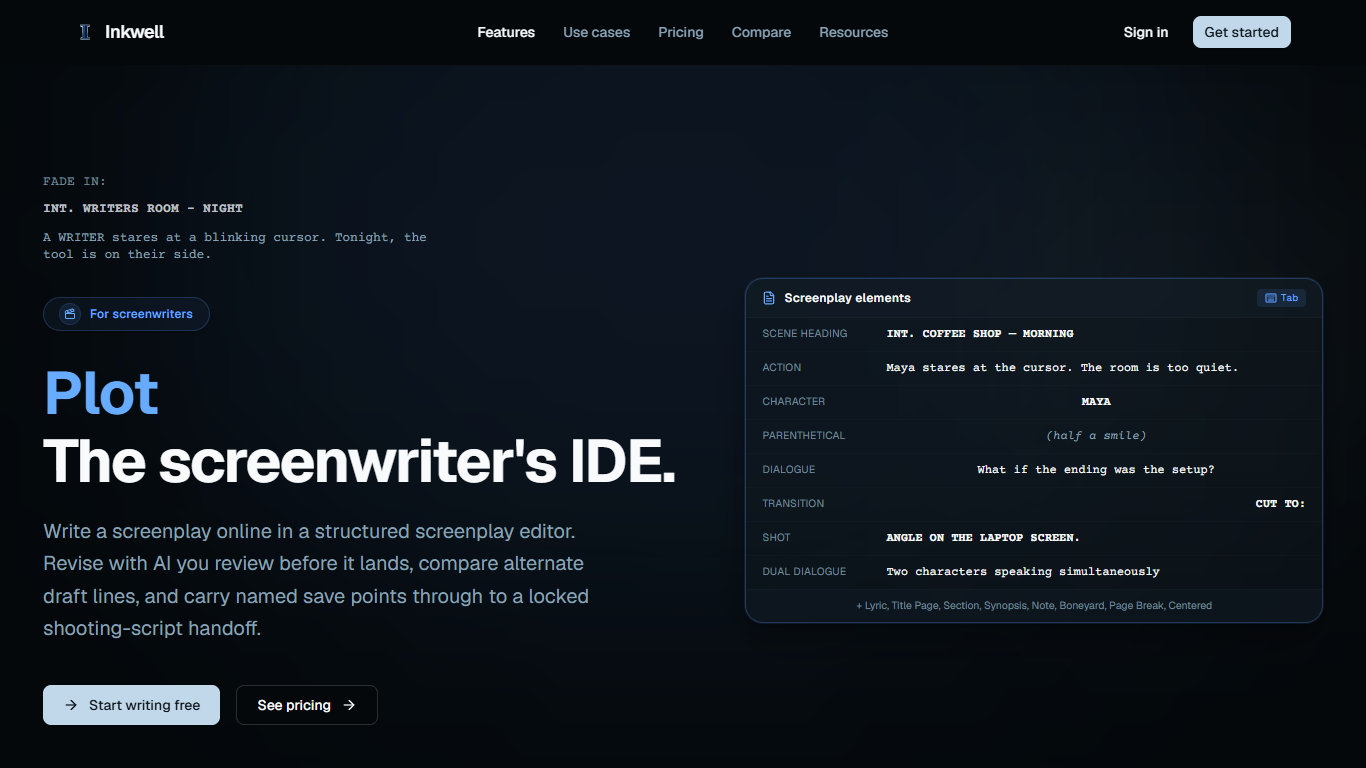
Inkwell Plot is a browser-based screenwriting editor for feature, episodic, and short-form scripts. You write in standard screenplay structure with Tab cycling across 16 element types, compare parallel draft lines, and land AI suggestions only when you accept them. The free tier already covers PDF and Fountain export plus save points, so you can draft without paying first.
Most screenplay apps treat versioning as a pile of "final" FDX files. Plot keeps named save points and branchable draft lines inside one project, then runs craft passes (dialogue, continuity, character arc) and Agent Mode on the structured script instead of pasted plain text. Production handoff stays in the same workspace: WGA revision colors, locked pages, breakdown reports, and two-way Final Draft exchange.
It fits working screenwriters, writers' rooms that need parallel takes on the same scene, and showrunners tracking what changed between table reads. If you live in notes meetings and lock drafts for production, the Pro and Team tiers add revision locking, breakdown reports, and shared workspaces without swapping tools mid-season.
Tab cycles through all 16 screenplay element types with no format panel
10 WGA revision colors plus locked pagination for shooting-script handoff
Export PDF, two-way FDX, and native Fountain from the same draft line
Named save points and draft lines keep parallel endings in one project
Free plan includes 20 AI skill passes per month you accept or reject line by line
Ghost text finishes the next phrase; press Right Arrow to accept
Import Final Draft, Fountain, WriterDuet, Highland, and Celtx files with a report
Free tier covers the full editor plus PDF and Fountain export with 20 monthly AI skill passes.
Draft lines and named save points replace folders of differently named Final Draft files.
Every AI edit arrives as an inline suggestion you accept or reject, including Agent Mode drafts.
Two-way FDX plus WGA revision colors keep production handoff inside the same app.
Imports from Final Draft, Fountain, WriterDuet, Highland, and Celtx with a readable import report.
FDX export requires the Writer plan at $19 per month; the Free plan stops at PDF and Fountain.
Canvas for long-form prose is beta on Pro and Team, so novelists still lean on Plot for scripts only.
AI skill passes and ghost-text quotas cap heavy users unless you move to Writer, Pro, or Team.
No native mobile app is listed; the product is positioned as a browser editor.
Does Inkwell Plot have a free plan?
Yes. Inkwell Plot's Free plan includes the full screenplay editor, save points, 2 projects with 2 draft lines each, 20 AI skill passes per month, and PDF plus Fountain export. FDX export unlocks on the Writer plan at $19 per month.
How much does Inkwell Plot cost?
Inkwell Plot pricing runs Free at $0, Writer at $19 per month, Pro at $39 per month, and Team at $39 per seat per month. Enterprise is custom. Writer adds FDX export and 200 skill passes; Pro adds production reports, revision colors, and Sonnet and Opus models.
Can Inkwell Plot open Final Draft files?
Yes. Inkwell Plot imports .fdx and Fountain files with scene headings, characters, and dialogue intact, and shows an import report before you edit. Writer and above export two-way FDX back to collaborators using Final Draft.
Does Inkwell Plot run in the browser?
Yes. Inkwell Plot is a browser-based screenwriting app with no separate desktop install listed on the product pages. Sign up at app.inkwell.software to create projects and write scenes from the web editor.
What is the difference between save points and draft lines in Inkwell Plot?
In Inkwell Plot, save points are immutable snapshots you name (for example a table-read draft). Draft lines are parallel screenplay versions, such as an alternate ending, without copying files. Both stay inside the same project.
Does Inkwell Plot train on my screenplays?
Inkwell Plot's FAQ describes AI changes arriving as suggestions you accept or reject in the document. For data handling specifics, refer to Inkwell's privacy and security pages at inkwell.software; contact [email protected] for account-level questions.