
Last updated 08-21-2026
Category:
Reviews:
Join thousands of AI enthusiasts in the World of AI!
Jitera
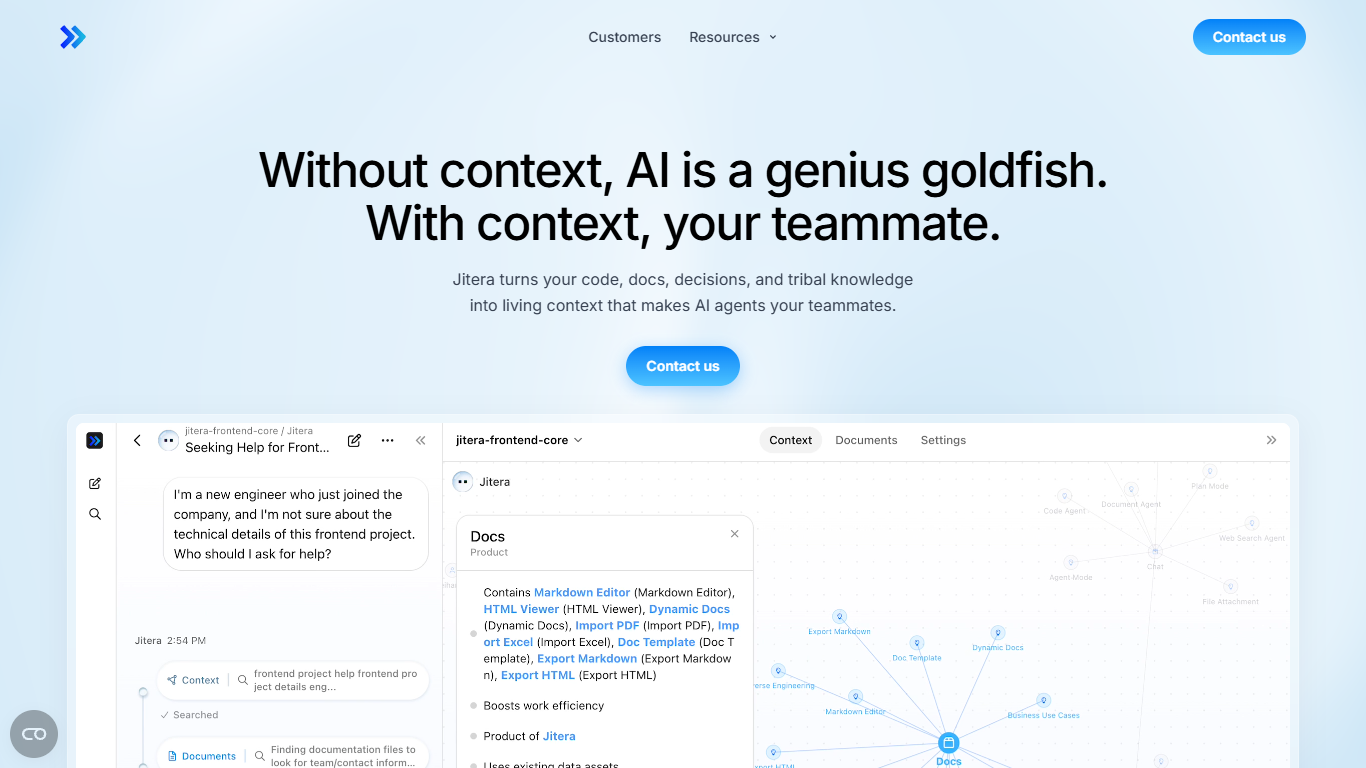
Jitera gives your whole team one workspace where agents share the same organizational memory. It ingests code, docs, decisions, and tribal knowledge into a context map, then lets people chat with agents, co-edit documents, and run workflows together instead of copy-pasting solo ChatGPT outputs. Agents confirm actions with the team before executing, and integrations reach GitHub, Notion, Linear, and Slack.
Individual copilots forget everything between sessions. Jitera keeps a living context map of teams, projects, and decisions that agents read top to bottom, plus resource imports from PDF, Word, Excel, and HTML. You pick frontier models (GPT, Claude, Gemini) per agent, chain agent-to-agent delegation, and schedule multi-step automations grounded in company knowledge rather than generic prompts.
Enterprise teams at Capcom, PwC Consulting, and CAC use Jitera for legacy modernization, reverse engineering, and knowledge transfer, reporting up to 70% less documentation effort. Security teams get SOC 2 Type II, ISO 27001, SSO, air-gapped on-prem deployment, and admin control over which LLMs run inside the organization.
Context map visualizes teams, projects, and decisions so agents share one organizational memory
Real-time co-editing and chat where agents follow threads and act on behalf of the team
Team-in-the-loop confirmations before agents execute, reducing hallucinated actions
Integrations with GitHub, Notion, Linear, and Slack plus assignable GPT, Claude, and Gemini models
Agent-to-agent delegation splits complex missions across specialized custom agents
SOC 2 Type II, ISO 27001:2022, and ISO 27701:2019 with SSO, RBAC, and 3-year audit logs
On-prem, VPC, and air-gapped deployment with private LLM endpoints for closed networks
Shared context map stops each teammate from re-prompting AI from scratch.
Human-in-the-loop confirmations before agents act reduce wrong autonomous outputs.
SOC 2, ISO 27001, and air-gapped on-prem options suit regulated enterprises.
Customer stories show measurable gains like 70% less documentation effort at CAC.
No public pricing or self-serve signup tiers on the marketing site.
Best fit is enterprise teams; solo builders may find the workspace model heavy.
Pricing and plan details require emailing [email protected].
What is Jitera?
Jitera is a team AI workspace where agents and humans collaborate in one place. It turns code, docs, and decisions into shared context so agents act like teammates instead of isolated chat sessions that forget prior work.
How does Jitera differ from ChatGPT at work?
Jitera keeps organizational context in a visual map and shared resources, so the whole team prompts against the same knowledge. Agents co-edit documents, confirm actions with humans, and integrate with GitHub, Notion, Linear, and Slack.
How much does Jitera cost?
Jitera does not publish plan prices on its website. Contact [email protected] for product inquiries, pricing, and partnership discussions.
Which apps does Jitera integrate with?
Jitera connects to GitHub, Notion, Linear, and Slack so agents can pull repo context, docs, issues, and messages. Custom agents can also automate recurring workflows and scheduled multi-step pipelines.
Is Jitera secure for enterprise use?
Yes. Jitera holds SOC 2 Type II, ISO 27001:2022, and ISO 27701:2019 certifications, supports SSO via SAML and OIDC, encrypts data at rest with AES 256, and offers on-prem or air-gapped deployment with private LLM endpoints.
Who uses Jitera?
Jitera customers include Capcom for game code knowledge transfer, PwC Consulting for generative AI development, and CAC for legacy documentation. Jitera case studies cite up to 70% less design documentation effort and 50% less code analysis time.