
Last updated 07-29-2026
Category:
Reviews:
Join thousands of AI enthusiasts in the World of AI!
Multi Search & Multi AI
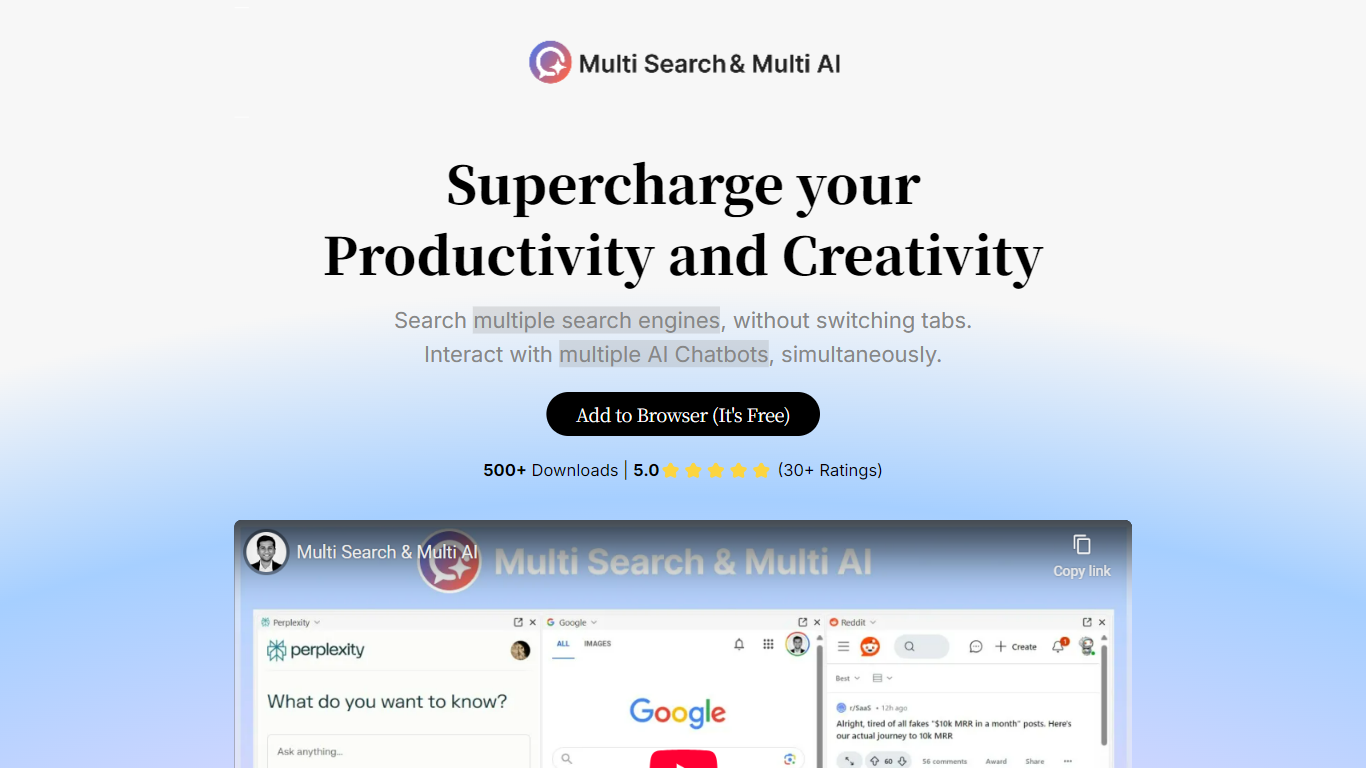
Multi Search & Multi AI splits a single browser tab into panels and fires one query at all of them at once. Type a question and it can hit Google, Bing, Reddit, DuckDuckGo and Brave side by side, or ChatGPT, Claude, Gemini, Copilot and DeepSeek at the same time. It is a browser extension, not a hosted service, and it installs on Chrome, Edge, Brave and Firefox and opens from a floating side widget, the address bar, the new tab page, or a right click on highlighted text. Chrome build 1.1.2 weighs 243 KiB and the developer declares no data collection.
Most multi-chatbot extensions stop at a grid of embedded windows. This one adds workspaces, saved presets such as Shopping, Coding or Research that load a specific mix of engines and models in one click and then show up in the right click menu. Synchronized scrolling ties the panels together, either pixel for pixel or by percentage, so comparing two long answers does not mean dragging five scrollbars by hand. A prompt library with placeholder tokens like {{topic}} handles the queries you run over and over.
The people it fits are researchers triangulating sources, developers checking one model's answer against another, and shoppers reading several listings at once. Worth knowing before you install: the panels load each service's own web interface rather than calling an API, so whatever account state and rate limits those services already impose on you still apply. The Chrome build reports 1,000 users and a 4.5 rating from 44 reviews, while the Firefox build trails at version 1.0.55 from January 2025.
Search Mode runs one query across Google, Bing, Reddit, DuckDuckGo and Brave in parallel panels
AI Chat Mode sends the same prompt to ChatGPT, Claude, Gemini, Copilot, DeepSeek and Kimi together
Workspaces save engine and model combinations as one click presets such as Shopping, Coding and Research
Synchronized scrolling links every panel, either pixel for pixel or by percentage
Prompt Library 2.0 supports placeholder tokens like {{topic}} inside saved templates
Five entry points: side widget, address bar as default engine, new tab page, the ms keyword, and right click on selected text
Chrome build 1.1.2 is 243 KiB and the developer declares that it collects no user data
One query fans out to several engines and models at once, which removes the tab shuffling comparison work normally takes.
Workspaces store engine and model combinations, so a research layout and a shopping layout are one click apart.
Five ways to launch it, including an ms keyword in the address bar and a right click on any highlighted text.
Free on both the Chrome Web Store and the Firefox add-ons site, with the developer declaring no data collection.
The Firefox build sits at version 1.0.55 from January 2025 while Chrome is on 1.1.2, so feature parity is not guaranteed.
Panels load each provider's own web interface, so the account state and rate limits those services enforce still apply.
The store listing offers the interface in English only.
The original landing page at multisearchai.carrd.co is gone, which leaves the store listings as the only documentation.
What is Multi Search & Multi AI?
Multi Search & Multi AI is a browser extension that splits one tab into panels and sends a single query to several destinations at once. Search Mode covers engines such as Google, Bing, Reddit, DuckDuckGo and Brave. AI Chat Mode covers models including ChatGPT, Claude, Gemini, Copilot and DeepSeek. Results sit side by side for direct comparison.
Which browsers support Multi Search & Multi AI?
Multi Search & Multi AI installs on Google Chrome, Microsoft Edge and Brave through the Chrome Web Store, and on Firefox through the Mozilla add-ons site. The Chrome build is version 1.1.2 and the Firefox build is version 1.0.55, so the two are not in step. The listed interface language is English.
Is Multi Search & Multi AI free?
Yes. Multi Search & Multi AI is free to install from both the Chrome Web Store and the Firefox add-ons site, and no subscription is listed on either. The Firefox listing carries an optional PayPal contribution link from the developer. The extension itself has no separate account signup.
How do I open Multi Search & Multi AI?
Multi Search & Multi AI opens five ways: a draggable floating side widget, the address bar once set as the default search engine, the new tab page, typing ms followed by a query in the address bar, and right clicking highlighted text on any page. Saved workspaces appear directly in that context menu.
What are workspaces in Multi Search & Multi AI?
Workspaces are saved presets in Multi Search & Multi AI that load a chosen set of search engines and AI models together. Shopping, Coding, Research and AI are the examples the store listing names. Picking one loads that whole layout in a single click, and workspaces also appear in the right click menu for selected text.
Does Multi Search & Multi AI collect my data?
The developer declares on the Chrome Web Store that Multi Search & Multi AI does not collect or use user data, does not sell data to third parties, and does not transfer it for unrelated purposes. The Firefox build asks for permission to access browser tabs, navigation activity and site data, which is what loading provider panels requires.
How many people use Multi Search & Multi AI?
The Chrome Web Store lists Multi Search & Multi AI at 1,000 users with a 4.5 rating from 44 reviews, and the Firefox build reports roughly 82 daily users. It is a small independent project credited to Krishna and Cebe, published on Firefox under the Mozilla Public License 2.0.