
Last updated 08-30-2026
Category:
Reviews:
Join thousands of AI enthusiasts in the World of AI!
NovaImage AI (formerly Nano Banana Co)
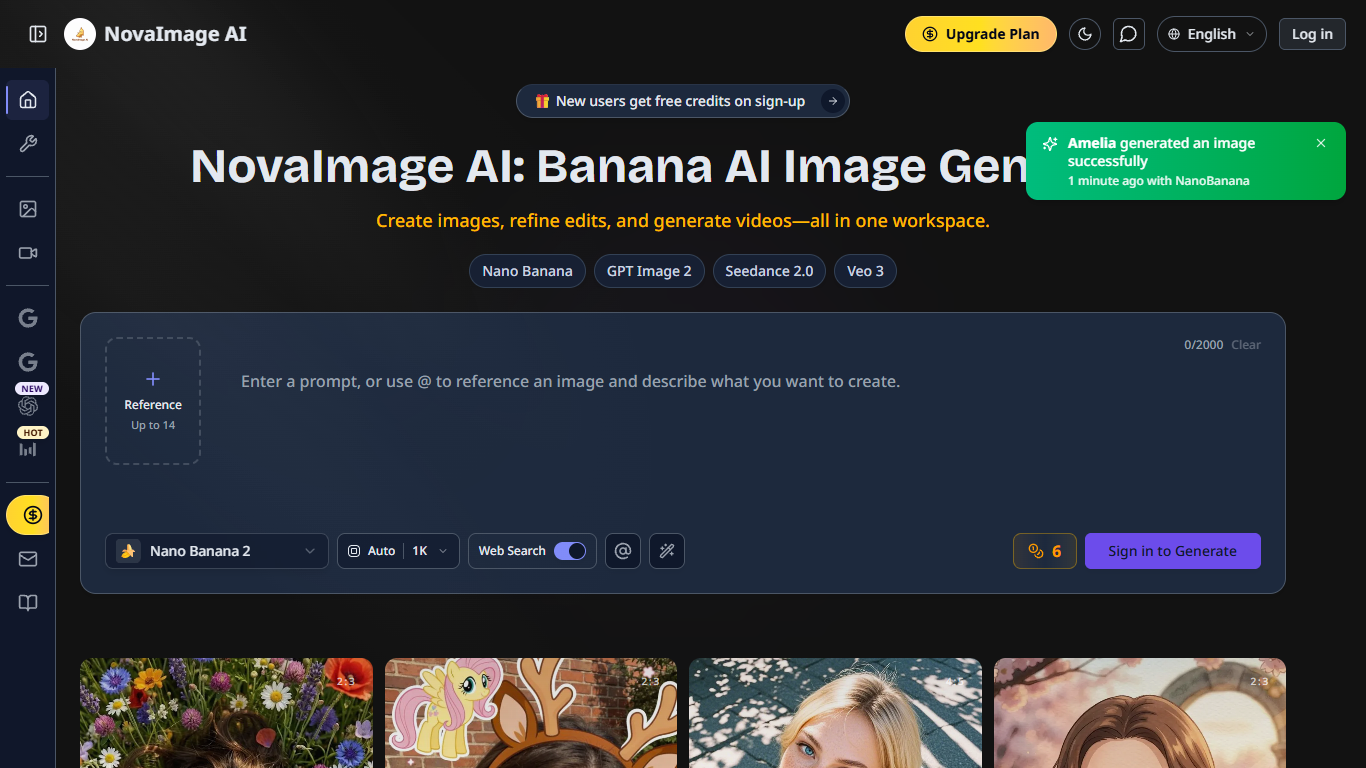
NovaImage AI is a browser workspace for generating and editing images, then turning them into videos without leaving one tab. You pick from models like Nano Banana 2, Nano Banana Pro, GPT Image 2, Seedance 2.0, and Veo 3, upload up to 14 reference images, and write prompts up to 2,000 characters. New accounts get free credits on sign-up, so you can test generations before buying a plan.
Most image generators lock you into one model family. NovaImage AI routes work through a shared credit wallet across Google's Nano Banana line, OpenAI's GPT Image 2, ByteDance's Seedance 2.0, and Google's Veo 3. That lets you pick speed-focused Nano Banana 2 for iteration or Nano Banana Pro when you need 4K output, multilingual text in posters, and fusion across multiple references.
The platform suits marketers mocking up ads with readable text, e-commerce sellers compositing product shots, and creators batching thumbnails or social visuals. Built-in tools like the 8K image upscaler, prompt generator, and image text remover sit alongside the generators. Paid plans include private creation, no watermarks, and full commercial use rights.
Upload up to 14 reference images in JPG, PNG, or WebP format (10MB max each)
Switch between Nano Banana 2, Nano Banana Pro, GPT Image 2, Seedance 2.0, and Veo 3 in one workspace
Export images at 1K, 2K, or 4K resolution with up to 4 outputs per generation
Yearly Pro plan includes 3,099 credits per month at $49.9 per month billed annually
Built-in 8K image upscaler, prompt generator, and image text remover on Pro plans
SynthID watermarking and content filtering on Nano Banana outputs
Multiple top-tier image and video models share one credit wallet
Up to 14 reference images with @ syntax for guided edits
Nano Banana Pro renders readable multilingual text for posters and ads
Failed generations are not charged; credits restore automatically
Credit-based pricing adds up for heavy daily generation volume
Image generations take 1 to 3 minutes per request
Account sign-in is required before you can generate images
Is NovaImage AI free to use?
NovaImage AI gives new users free credits on sign-up so you can try image and video generation before paying. After that, you buy monthly subscriptions or one-time credit packs. Failed generations are not charged.
What models does NovaImage AI support?
NovaImage AI supports Nano Banana 2, Nano Banana Pro, Nano Banana v1, GPT Image 2, Seedance 2.0, and Veo 3. Image models handle text-to-image and edits; Seedance 2.0 and Veo 3 handle video generation from text or images.
How much does NovaImage AI Pro cost?
NovaImage AI Pro costs $49.9 per month on the yearly plan, billed as $599 per year. That plan includes 3,099 credits per month, priority support, and tools like the image upscaler and prompt generator.
Can I use NovaImage AI images commercially?
Yes. NovaImage AI paid plans include full commercial use rights with private creation and no watermarks. You can use generated images and videos for ads, social media, and promotional materials under the platform terms.
How many reference images can NovaImage AI accept?
NovaImage AI accepts up to 14 reference images per generation in JPG, PNG, or WebP format up to 10MB each. You can reference uploads with @ syntax in prompts to combine elements across images.
What happens if a NovaImage AI generation fails?
NovaImage AI follows a no-charge policy for failed generations. If Nano Banana or another model returns an error or duplicate result, your credits are restored automatically instead of being deducted.