
Last updated 08-30-2026
Category:
Reviews:
Join thousands of AI enthusiasts in the World of AI!
Photo Editor AI
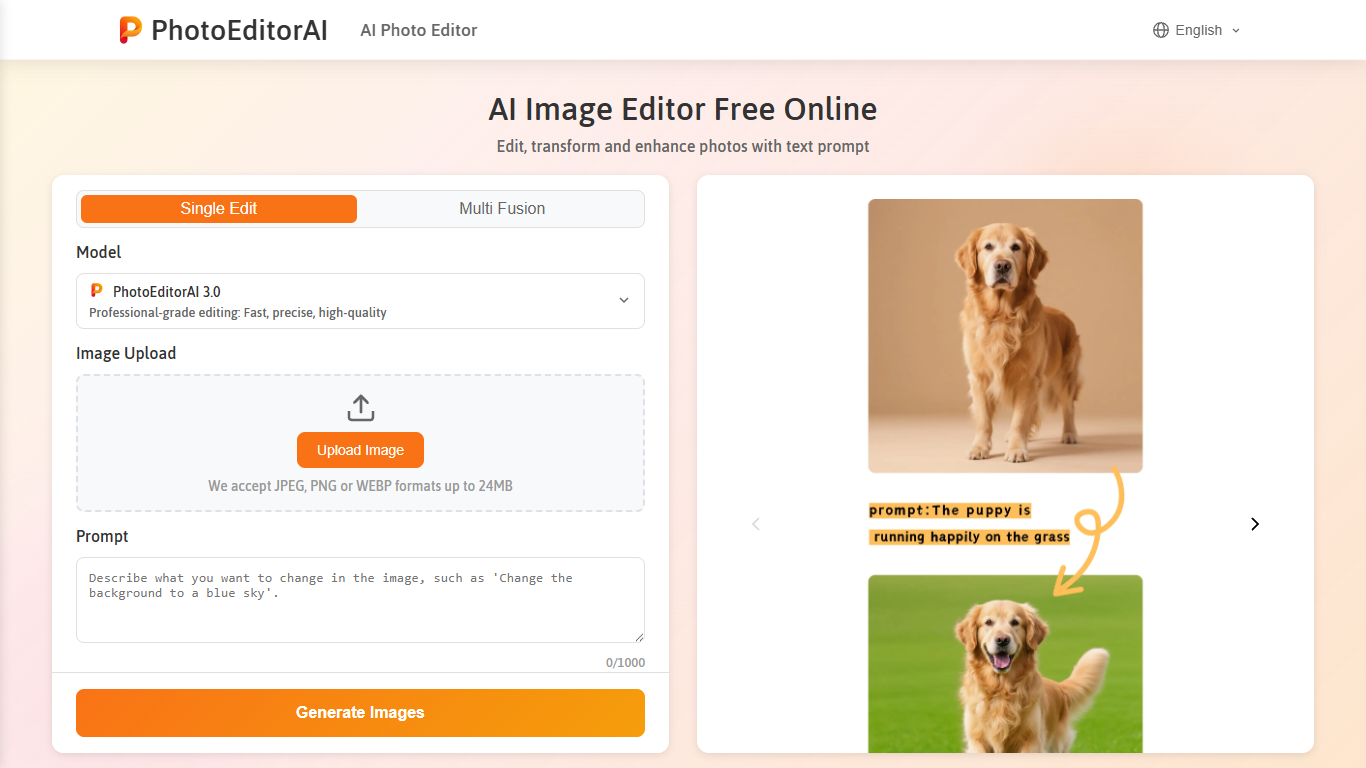
Upload a photo, describe the change in plain text, and Photo Editor AI edits it in your browser. The tool handles background swaps, object removal, style transfer, portrait retouching, and text overlays without desktop software or a design background. Single Edit and Multi Fusion modes cover one-off tweaks and blending multiple reference images. JPEG, PNG, and WEBP files up to 24MB are supported.
Most browser editors lock you into one engine. Photo Editor AI lets you pick the model per job, with credit costs from 2 for PhotoEditorAI 3.0 to 18 for Nano Banana Pro. PhotoEditorAI 4.0 is the default for balanced speed and clarity, while SeeDream 4.5 targets 4K textures and Qwen focuses on character consistency with LoRA. That trade-off matters when you need a fast draft versus a publication-ready 4K export.
E-commerce sellers use it to clean product shots and replace backgrounds for Amazon, Shopify, and Etsy listings. Social media creators and marketing teams generate ad creatives, banners, and styled portraits from the same workspace. The site also bundles a text-to-image generator, an image upscaler with 2x to 16x enlargement, and dedicated Nano Banana workflows for character-consistent edits.
Edit photos with text prompts for background removal, object removal, and style transfer
Switch between 12+ models including PhotoEditorAI 4.0, SeeDream 5.0, and Nano Banana Pro (2 to 18 credits each)
Multi Fusion mode blends multiple reference images for character consistency across edits
Upscale images by 2x, 4x, 8x, or 16x on the dedicated image upscaler page
Exports at 1K, 2K, or 4K resolution with aspect ratios from 1:1 to 16:9
Built-in text-to-image generator and image-to-image modes on the same platform
Accepts JPEG, PNG, and WEBP uploads up to 24MB with no install required
No desktop install required; runs entirely in the browser with instant access.
Wide model selection lets you pick the right engine for speed, consistency, or 4K output.
Credit packs are one-time purchases with no expiration, avoiding recurring subscriptions.
Bundles photo editing, text-to-image generation, and 2x to 16x upscaling on one site.
Each edit consumes credits, and advanced models like Nano Banana Pro cost up to 18 credits per generation.
Free tier requires daily login and is limited to 10 credits per day.
No dedicated mobile app; the tool is browser-only.
Is Photo Editor AI free to use?
Photo Editor AI offers a free plan with 10 credits per day when you log in. You can also run basic edits without registration. Paid credit packs start at $7 for 70 credits as one-time purchases with no subscription.
What file formats does Photo Editor AI support?
Photo Editor AI accepts JPEG, PNG, and WEBP uploads up to 24MB on the photo editor. The image upscaler also accepts BMP files. Finished edits download at 1K, 2K, or 4K resolution depending on the model selected.
Do I need to create an account for Photo Editor AI?
No account is required for basic photo editing on Photo Editor AI. Logging in unlocks the daily 10-credit allowance and access to your creation history on the My Creations page.
Can I use Photo Editor AI images for commercial projects?
Yes. Photo Editor AI allows commercial use of edited and generated images for ads, e-commerce listings, branding, and other business purposes according to its terms of service.
How does Photo Editor AI pricing work?
Photo Editor AI uses a credit system where each generation costs 2 to 18 credits depending on the model. Credit packs are one-time purchases that never expire, starting at $7 for 70 credits. Payment options include card, Telegram Stars, and USDT.
Is my data safe on Photo Editor AI?
Photo Editor AI states that uploads are protected with end-to-end encryption during processing. Edited images are automatically deleted after a few days and are not permanently stored or shared with third parties.
What AI models are available on Photo Editor AI?
Photo Editor AI offers PhotoEditorAI 2.0 through 4.0, SeeDream 4.0 through 5.0, Nano Banana, Nano Banana 2, Nano Banana 2 Lite, Nano Banana Pro, GPT Image 2, and Qwen. Credit cost varies by model, from 2 credits for PhotoEditorAI 3.0 to 18 credits for Nano Banana Pro.