
Last updated 07-26-2026
Category:
Reviews:
Join thousands of AI enthusiasts in the World of AI!
Summarizer Tool
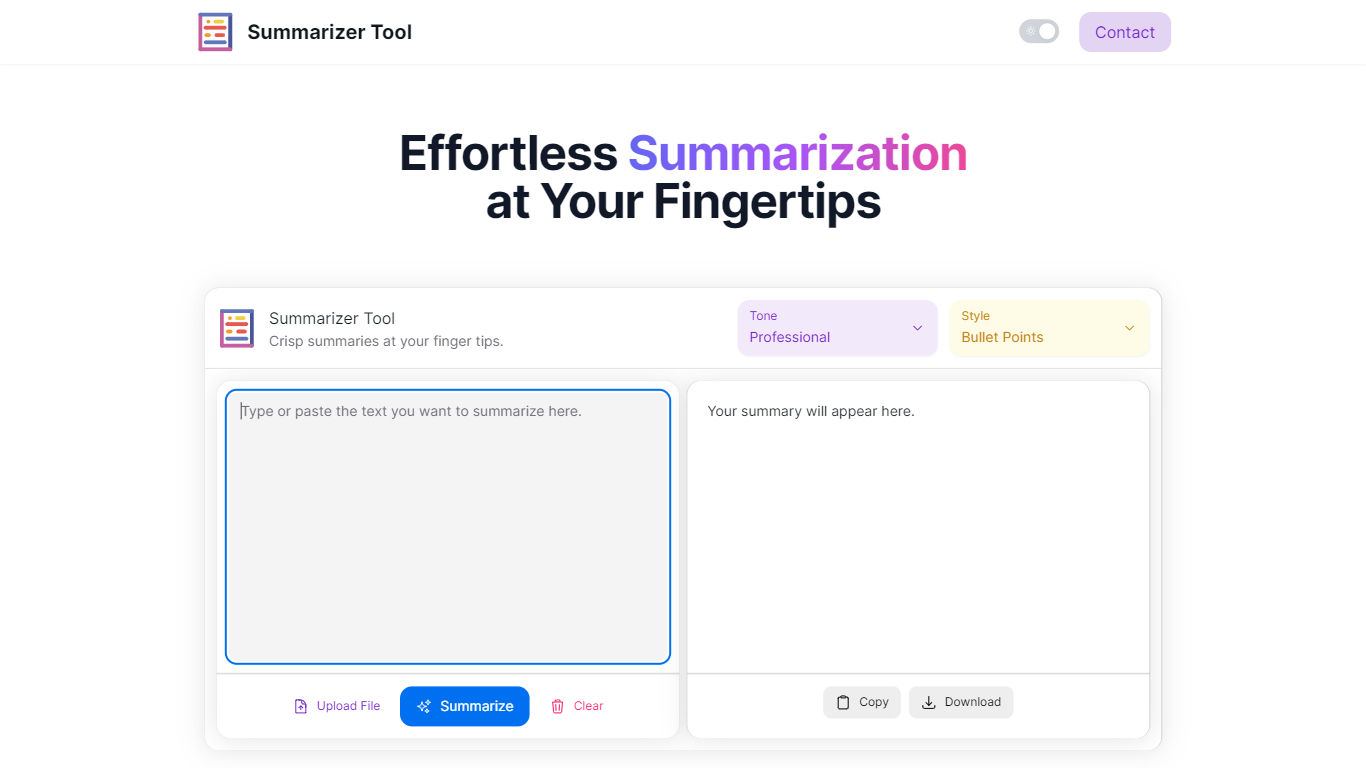
Summarizer Tool is an online application that helps users quickly condense lengthy texts into clear, concise summaries. It supports multiple input methods including direct text entry and file uploads, making it easy to summarize articles, reports, or any large documents. Users can select the tone of the summary—professional, friendly, or sarcastic—and choose between bullet points or paragraph formats to suit their reading preferences.
The tool is designed for a wide range of users such as students, professionals, researchers, and content creators who need to grasp key points without reading entire texts. It saves time by delivering instant summaries that highlight the main ideas clearly and efficiently. The interface is straightforward, allowing users to upload files, select options, and generate summaries with minimal effort.
Summarizer Tool stands out by offering tone customization, which helps tailor the summary’s voice to the user’s context. This feature adds personality and relevance to the output, making it more engaging or formal as needed. The tool also supports downloading or copying summaries, facilitating easy sharing and integration into workflows.
Technically, the tool uses AI-powered natural language processing to analyze and extract essential information from the input text. While the website does not detail the underlying algorithms, the results demonstrate effective condensation and clarity. The tool continues to update and improve its summarization capabilities to handle diverse content types and lengths.
Overall, Summarizer Tool provides a practical solution for anyone looking to reduce reading time and improve comprehension. Its combination of tone options, format choices, and file upload support makes it versatile and user-friendly. Whether for study, work, or casual reading, it helps users focus on what matters most in any text.
📄 Upload files directly for quick summarization
🎯 Choose summary tone: professional, friendly, or sarcastic
📝 Select output style: bullet points or paragraphs
⚡ Generate summaries instantly with one click
💾 Copy or download summaries for easy sharing
Offers tone customization for personalized summaries
Supports multiple input methods including file uploads
Provides instant results saving reading time
Allows output in bullet points or paragraphs
Easy to use with a clean, intuitive interface
Limited information on underlying AI technology
Tone options may not suit all content types
Free tier may have usage limits not detailed
Can I upload any file type for summarization?
You can upload common text-based files like PDFs and Word documents for summarization, making it easy to work with your existing documents.
How does the tone selection affect the summary?
Tone selection changes the style of the summary to be professional, friendly, or sarcastic, helping the summary match your intended audience or mood.
Is there a limit to how much text I can summarize?
The free plan may have limits on text length or number of summaries, while the Pro plan offers higher or unlimited usage.
Can I use the tool without creating an account?
Yes, you can use the basic summarization features without signing up, but some advanced features require a Pro subscription.
How quickly will I get my summary?
Summaries are generated instantly after you upload your text and select your options, so you can get results without waiting.
Can I save or export my summaries?
Yes, you can copy the summary text or download it for offline use and sharing with others.
Is the tool suitable for academic research?
Yes, researchers can use it to quickly extract key points from papers and reports, saving time during literature reviews.