
Last updated 08-21-2026
Category:
Reviews:
Join thousands of AI enthusiasts in the World of AI!
Video to Text
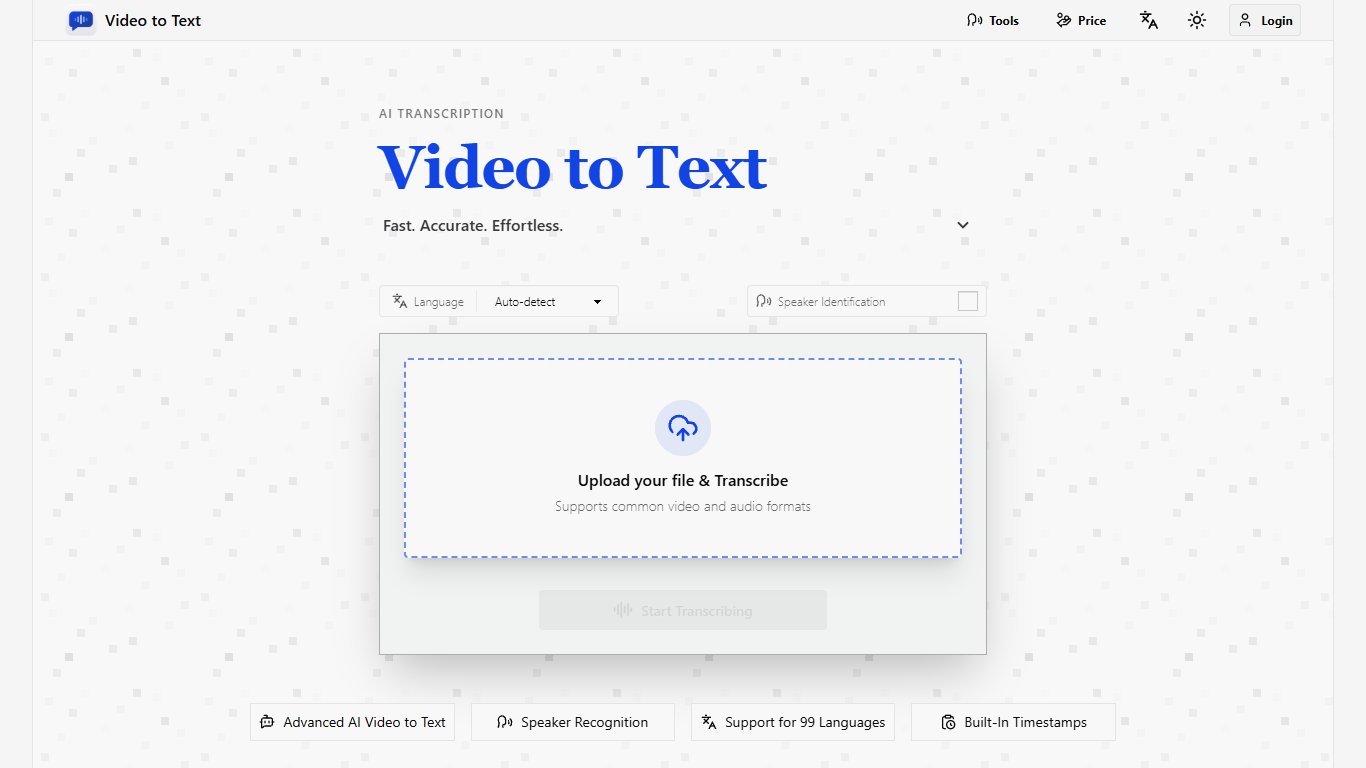
Video to Text turns uploaded recordings and public social video links into searchable text with speaker labels and timestamps. It handles 99 languages with automatic detection, plus dedicated pages for YouTube, TikTok, Instagram, X, and Facebook URLs. Finished transcripts download as TXT, SRT, VTT, or CSV without leaving the browser.
Most transcription sites charge subscriptions or bill purely by the minute. Video to Text sells credit packs you keep until you spend them, and social videos cost one credit per link with no length cap. That makes it a better fit when you batch Shorts, Reels, or long interviews in the same week rather than paying a monthly seat for sporadic work.
Content creators, journalists, students, and teams recording meetings are the clearest audience. If you need subtitle files, searchable call notes, or quote-ready interview text from recordings you already have, the upload-to-export flow stays short.
Transcribe in 99 languages with automatic language detection
Paste public YouTube, TikTok, Instagram, X, or Facebook links for 1 credit per video
Speaker identification labels who said what in multi-person recordings
Export transcripts as TXT, CSV, SRT, or VTT subtitle files
Upload files up to 5 GB or 10 hours long in MP4, MOV, MKV, MP3, WAV, and more
New users receive 30 free credits that never expire
One-hour audio files often finish transcribing in under a minute
Credit packs with no subscription; unused credits stay in your account.
Social link transcription costs one credit per video regardless of length.
Speaker labels, timestamps, and 99-language detection are included in standard transcription.
Exports cover TXT, CSV, SRT, and VTT for subtitles, notes, and spreadsheets.
New users get 30 free credits that never expire.
Uploaded files are stored temporarily; you must export transcripts to keep them.
Each file is capped at 5 GB and 10 hours of media length.
Social transcription requires public video links on supported platforms.
Can I use Video to Text for free?
Yes. Video to Text gives new users 30 free transcription credits after sign-in. Those credits never expire, and you can test uploads and social link transcription before buying a credit pack.
How do Video to Text credits work?
Video to Text charges 1 credit per minute for uploaded audio or video files. Public social videos from YouTube, TikTok, Instagram, Facebook, and X cost 1 credit per video with no length limit.
What file formats does Video to Text support?
Video to Text accepts MP4, MOV, MKV, WEBM, and M4V video files plus MP3, WAV, M4A, FLAC, OGG, AAC, and OPUS audio. Each upload can be up to 5 GB and 10 hours long.
Does Video to Text include speaker labels?
Yes. Video to Text includes speaker identification and timestamps in transcripts when you enable speaker identification at upload. Speaker labels and timestamps do not cost extra credits.
How fast is Video to Text transcription?
Video to Text usually processes files quickly. A one-hour audio file often finishes in well under a minute, though speed depends on file size, upload time, and network conditions.
What export formats does Video to Text offer?
Video to Text lets you download transcripts as plain TXT, spreadsheet CSV, or subtitle files in SRT and VTT. Export after processing because uploaded files are stored temporarily.