
Last updated 08-21-2026
Category:
Reviews:
Join thousands of AI enthusiasts in the World of AI!
AI Image to Video Pro
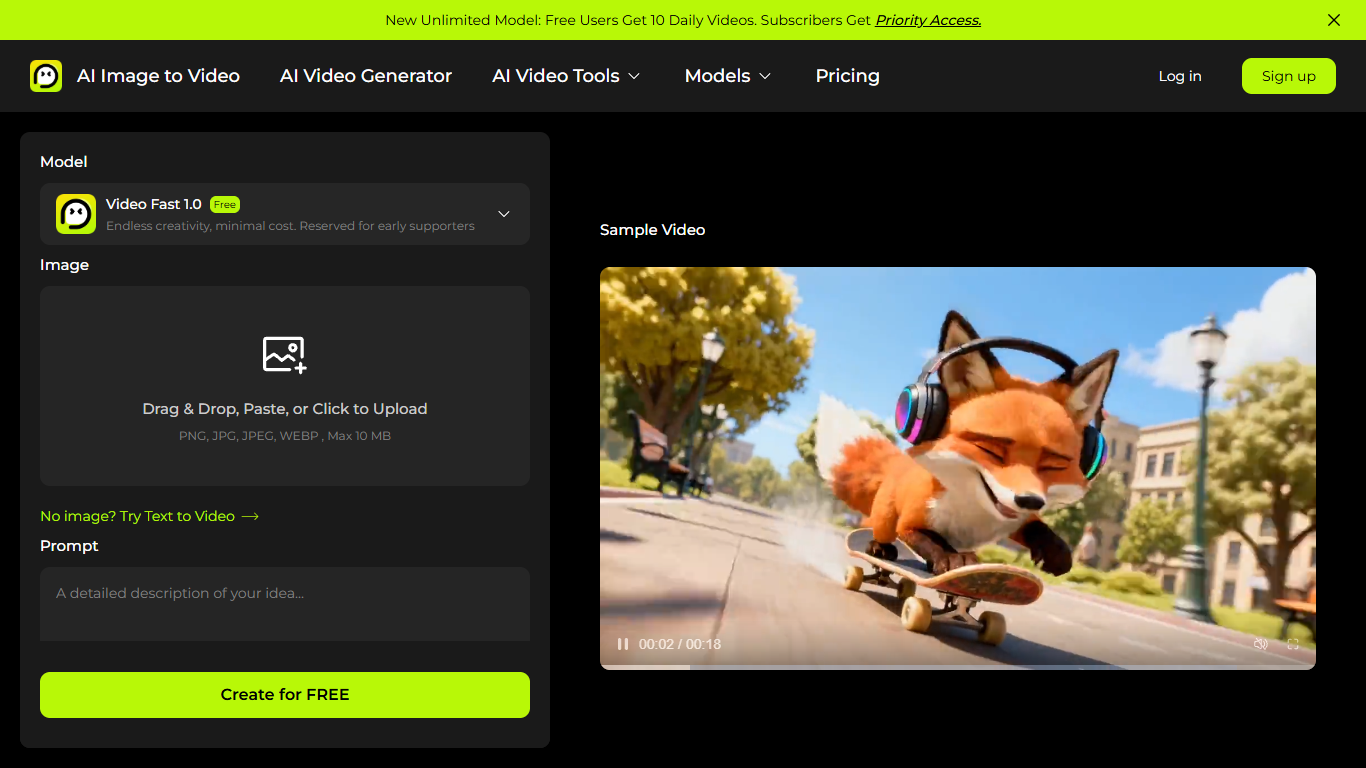
AI Image to Video Pro turns still photos into short MP4 clips from combined image and text prompts. Upload a JPG, PNG, JPEG, or WEBP file up to 20 MB, describe the motion you want in up to 2,500 characters, and export 3 or 5 second videos at 480p or 720p across six aspect ratios.
Runway-style editors assume timeline skills; this site keeps the flow browser-first with a free Video Fast 1.0 model, optional text-only generation, and dedicated pages for Seedance 2, Veo 3, and Hailuo workflows. Marketing pages also document start-and-end-frame renovation sequences for interior design pitches, a niche most generic image-to-video tools skip.
Creators testing TikTok hooks, real estate designers showing raw-to-finished rooms, and marketers animating product stills all fit here. The free tier allows two watermarked videos per day without payment, while Standard, Pro, and Enterprise subscriptions add credits, watermark-free exports, and priority support when billing is active.
Image uploads in PNG, JPG, JPEG, or WEBP formats up to 20 MB
Combined image and text prompts up to 2,500 characters with optional effect presets
Six aspect ratios and 3 or 5 second durations at 480p or 720p resolution
Free tier generates 2 videos per day with Video Fast 1.0 model access
Dedicated workflows for Seedance 2, Veo 3, and Hailuo AI video generation pages
Start-and-end-frame guidance for interior renovation before/after sequences
Paid plans remove watermarks and add monthly credit pools with priority support
Image plus text prompts give tighter control than photo-only uploads.
Two free daily generations make quick motion tests inexpensive.
Six aspect ratios cover vertical social and landscape ad formats.
Model-specific pages for Seedance 2, Veo 3, and Hailuo sit in one hub.
Documented start-and-end-frame workflow suits renovation pitch videos.
Free exports carry watermarks and cap at two videos per day.
Maximum clip length is 5 seconds at 720p on the public generator.
Paid Standard, Pro, and Enterprise prices were not listed while billing maintenance was shown on site.
Unused subscription credits expire each billing cycle.
Is AI Image to Video Pro free?
Yes for limited use. AI Image to Video Pro offers a Free plan at $0 with two watermarked video generations per day plus sign-up credits. Standard, Pro, and Enterprise subscriptions add larger monthly credit pools and watermark-free exports when billing is available.
What files can AI Image to Video Pro upload?
AI Image to Video Pro accepts PNG, JPG, JPEG, and WEBP images up to 20 MB through drag-and-drop or paste upload. You can pair the photo with a text prompt describing camera motion, subject action, or scene effects.
What video settings does AI Image to Video Pro support?
AI Image to Video Pro exports 3 or 5 second clips at 480p or 720p with aspect ratios of 1:1, 3:4, 4:3, 9:16, or 16:9. The Video Fast 1.0 model is available on the free tier for quick tests.
How do credits work on AI Image to Video Pro?
Credits pay for each generation on AI Image to Video Pro. Paid Standard and Pro plans renew credits monthly or yearly, and unused monthly credits expire at the end of each billing cycle according to the pricing FAQ.
Can AI Image to Video Pro animate photos for real estate?
Yes. AI Image to Video Pro publishes interior design guides for raw-to-renovated room sequences using single-image prompts or start-and-end-frame uploads. This helps designers show unfinished spaces transforming into furnished interiors.
How do I contact AI Image to Video Pro support?
Email [email protected] for billing, credit, or generation questions. The pricing page lists this address for plan changes, invoices, and payment troubleshooting.