
Last updated 09-21-2026
Category:
Reviews:
Join thousands of AI enthusiasts in the World of AI!
AI Manga Translator AI
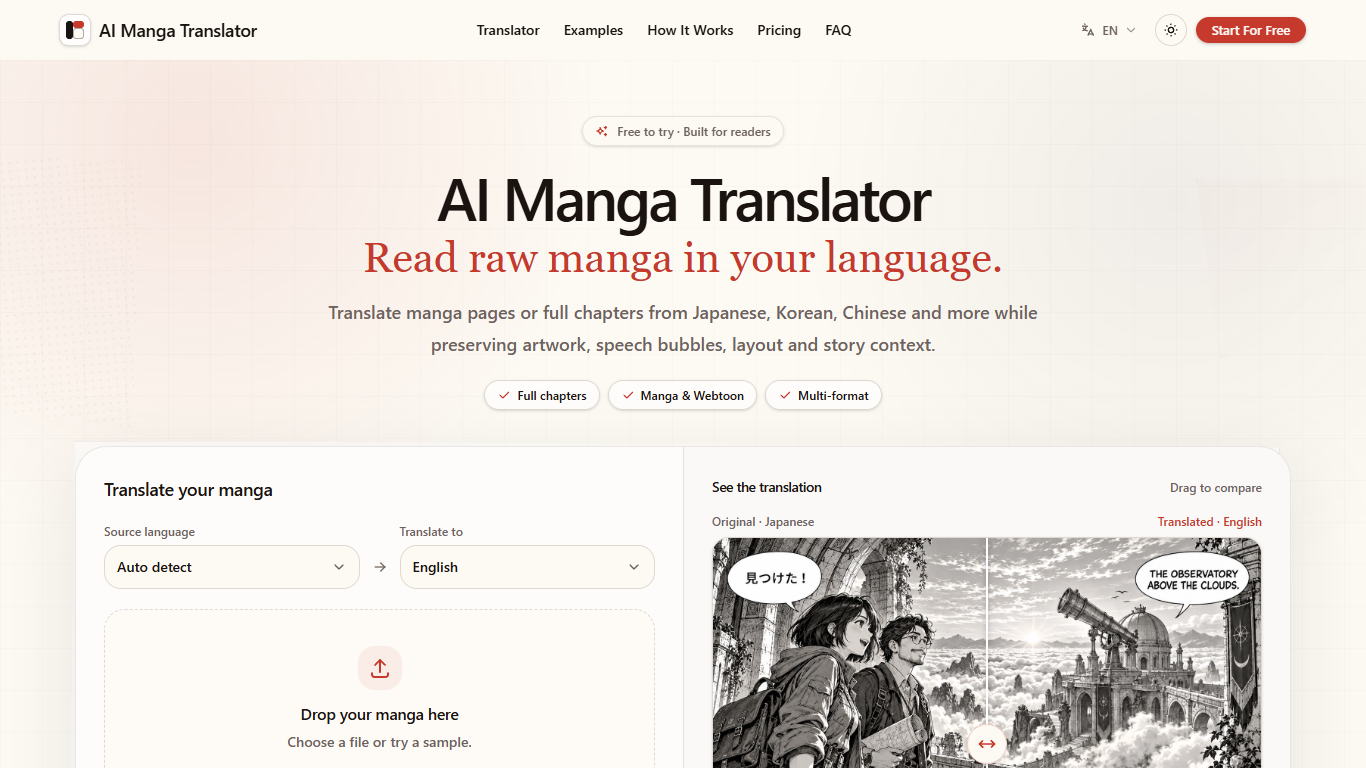
AI Manga Translator AI turns raw comic pages into something you can actually read without leaving the artwork behind. You upload manga, manhwa, manhua, or webtoon files, pick a target language, and get dialogue rendered back inside the original panels and speech bubbles. It is built for readers who are tired of copying lines into a separate text translator and rebuilding the page layout by hand.
Most comic translation tools stop at plain text or a single image export. This one treats a full chapter as one job: you can batch pages, keep reading order intact, and finish inside a built-in reader that stores original and translated pages together. Chapter context also feeds a glossary so recurring character names and terms stay consistent from page to page, which matters more on long series than on a one-off screenshot.
Occasional readers can burn through the five starter credits and buy one-time packs, while weekly chapter catch-up maps cleanly to the Hobby through Max subscriptions. The site also previews an in-browser extension for translating on supported reader sites, but that piece is still marked as coming next rather than live today.
Accepts JPG, PNG, WEBP, ZIP, CBZ, PDF, and EPUB uploads up to 100 pages
Charges one credit per translated manga page in the default upload flow
Processes whole chapters in order and opens them in a continuous manga reader
Chapter glossary keeps recurring names like Ren Kurokawa consistent across pages
Drag-to-compare view flips between the original Japanese page and the English render
Replaces dialogue inside the original page instead of handing you disconnected plain text.
ZIP, CBZ, PDF, and EPUB support means you can upload a whole chapter archive up to 100 pages.
The built-in reader keeps originals and translations together with a drag-to-compare view.
Chapter glossaries help keep character names and recurring terms aligned across long series.
One-time credit packs let you pay without locking into a monthly subscription.
New accounts only receive 5 starter credits once, so heavy samples burn through the free tier quickly.
The promised browser extension is still listed as coming next, not available in the product today.
Credit limits on lower tiers can add up fast if you marathon several long chapters in one sitting.
Does AI Manga Translator AI have a free plan?
Yes. AI Manga Translator AI grants 5 starter credits once per new account, enough to translate up to 5 images before you buy a subscription or credit pack.
What file formats does AI Manga Translator AI support?
AI Manga Translator AI accepts JPG, PNG, WEBP, ZIP, CBZ, PDF, and EPUB files. Upload jobs can include up to 100 pages, so you can submit a full chapter archive instead of one image at a time.
How many credits does AI Manga Translator AI use per page?
AI Manga Translator AI uses one credit per translated manga page in the standard workflow shown on the homepage translator. Paid plans and packs list matching image limits, such as 500 credits for up to 500 images on the Basic tier.
Can AI Manga Translator AI translate manhwa and webtoons?
Yes. AI Manga Translator AI explicitly supports Japanese manga, Korean manhwa, Chinese manhua, and vertical webtoons, including color pages and tall webtoon layouts shown in the on-site examples.
How much does AI Manga Translator AI cost?
AI Manga Translator AI lists monthly subscriptions from $9.90 for the Hobby plan with 200 credits through $99.90 for Max with 5,000 credits. One-time credit packs start at $5.90 for 100 credits if you prefer not to subscribe.
Are uploads private on AI Manga Translator AI?
AI Manga Translator AI states on the homepage translator that your uploads stay private. You still need an account to receive the 5 starter credits and to save translated chapters in your personal library.