
Last updated 07-27-2026
Category:
Reviews:
Join thousands of AI enthusiasts in the World of AI!
AIagency
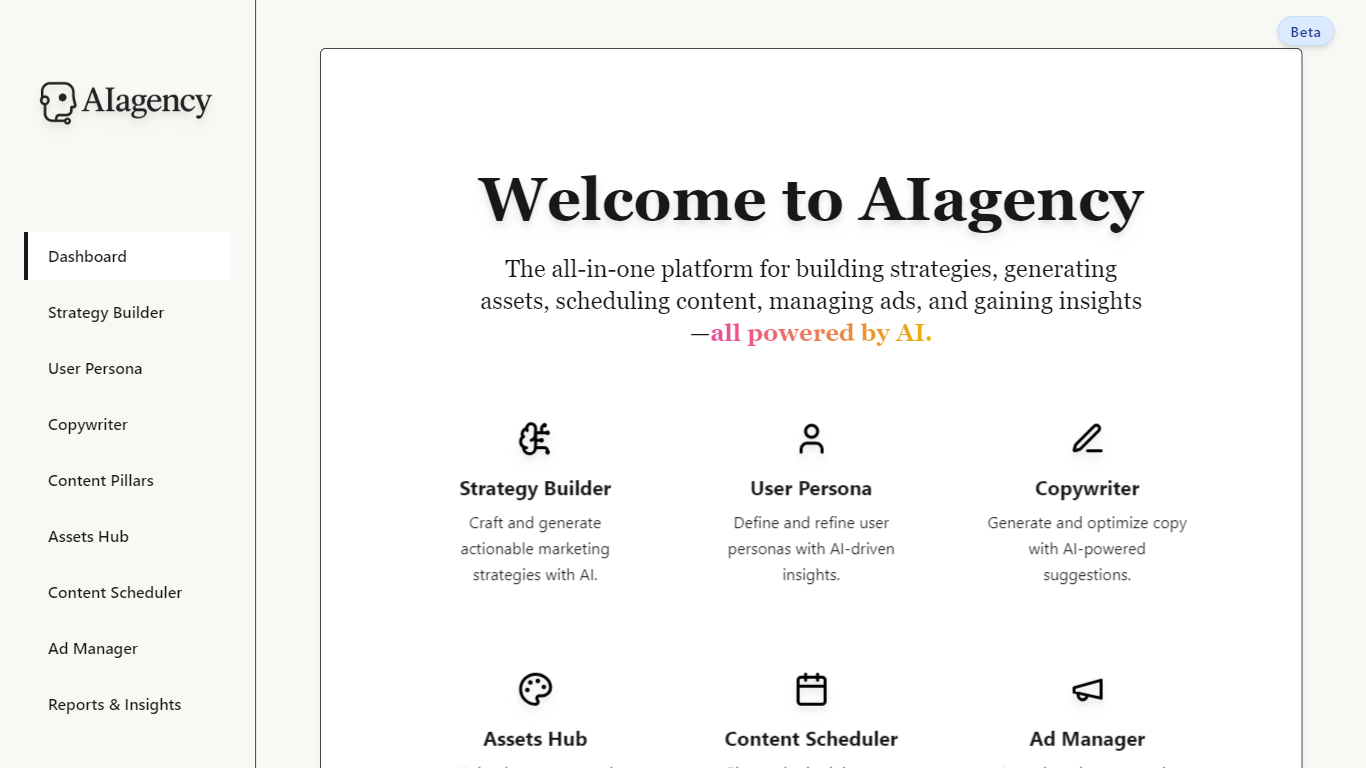
AIagency bundles strategy planning, content creation, ad management, and analytics into one browser-based marketing workspace. It runs as a beta web app on Netlify and asks you to sign in with Google or email before you can open any module. The homepage lists nine named workspaces, from Strategy Builder through Reports and Insights, each aimed at a specific step in a campaign pipeline rather than a single copy or ads task.
Most marketing AI tools pick one job, like headline generation or audience research. AIagency instead wires those jobs together: you can move from persona research to content pillars, calendar scheduling, asset storage, and ad launch without leaving the same navigation sidebar. That makes it a fit for solo marketers or small teams who want one login for planning and execution, not a deep specialist tool for one channel.
The platform targets marketers and founders who need to draft strategies, write copy, plan calendars, and review performance without juggling separate apps. Clerk handles authentication, and the product is labeled Beta on every page, which signals active development. Support runs through email at [email protected], with social updates on LinkedIn and X under @thisaiagency.
Nine homepage modules span Strategy Builder, Copywriter, Content Calendar, Ad Manager, and Reports and Insights
Sidebar navigation lists ten routes, including AI Agent Whisperer alongside core planning and ad tools
Sign in with Google or email through Clerk before any module opens
Assets Hub combines upload, generation, and storage for creative files in one workspace
Audience Optimizer turns persona insights into platform-specific targeting recommendations
Hosted at theaiagency.netlify.app with a Beta label shown on every public page
Bundles nine marketing workflows in one sidebar instead of separate point tools.
Covers strategy through reporting, not just copy generation or ad dashboards alone.
Google and email sign-in through Clerk keeps account setup short.
Every module route requires sign-in, so there is no public preview of tool interiors.
No published pricing page; theaiagency.netlify.app/pricing returns a 404.
Beta label on all pages means features and access rules may still change.
What is AIagency?
AIagency is a marketing workflow platform that connects strategy, content, ads, and analytics modules in one Netlify-hosted workspace. The homepage lists nine tools, including Strategy Builder, Copywriter, Content Calendar, and Ad Manager, each focused on a different campaign step.
Is AIagency free to use?
AIagency does not publish pricing on its site. Registration is open during the public beta, and the sign-up form shows Google and email options with no payment step listed.
What modules does AIagency include?
AIagency includes Strategy Builder, User Persona, Copywriter, Content Pillars, Content Calendar, Assets Hub, Audience Optimizer, AI Agent Whisperer, Ad Manager, and Reports and Insights. The homepage highlights nine of these modules on the main dashboard cards.
Do I need an account to use AIagency?
Yes. AIagency routes like Strategy Builder and Audience Optimizer redirect to a Clerk sign-in page before any module content loads. You can register with Google or email on the sign-up page.
Does AIagency have a pricing page?
No. AIagency returns a 404 for theaiagency.netlify.app/pricing, so plan names and dollar amounts are not published on the public site during the beta period.
How do I contact AIagency support?
AIagency lists support and feedback at [email protected] in the site footer. The team also posts updates on LinkedIn at linkedin.com/company/thisaiagency and on X at @thisaiagency.
What sign-in options does AIagency support?
AIagency uses Clerk for authentication. The sign-in page offers Continue with Google plus email and password fields, and the sign-up page links back for new accounts.