
Last updated 07-20-2026
Category:
Reviews:
Join thousands of AI enthusiasts in the World of AI!
Assindo
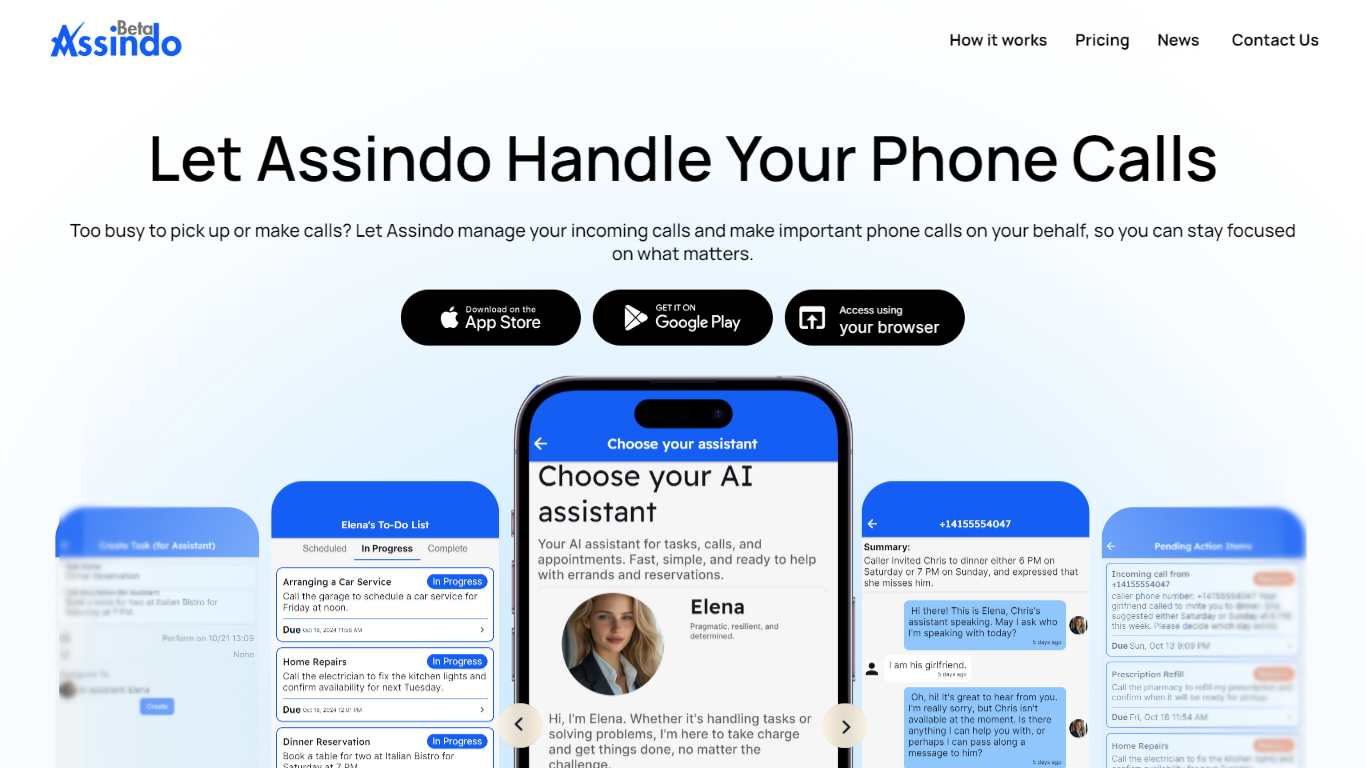
Assindo is a personal AI agent you control from a mobile or web app. It places and screens phone calls, searches the web, posts to social accounts, and schedules future tasks so routine errands do not eat your day.
Unlike self-hosted agent setups that require hardware, Docker, and ongoing maintenance, Assindo runs on Assindo-managed cloud infrastructure. You download the app, describe what you need, and the agent carries out multi-step work such as booking appointments, navigating phone menus, or waiting on hold.
It is built for people who want a hands-off assistant for real-world phone and scheduling tasks, not developers wiring APIs in a terminal.
Answers and screens incoming calls, taking messages when you are busy
Places outgoing calls for appointments, customer service, and business inquiries
Navigates IVR phone menus and waits on hold until someone picks up
Posts to Twitter and LinkedIn after you review drafts in chat
Schedules calls, posts, and other tasks for a future date and time
Searches the web and finds local businesses, with optional calling on your behalf
Handles real phone calls, including hold queues and IVR menus
Mobile, web, and cloud-hosted setup with no self-hosted server required
Screens incoming calls and turns conversations into follow-up tasks
Covers calls, web research, social posting, and scheduled automation in one agent
Paid plans start at $20 per month after the trial, with monthly caps on messages and call minutes
Social posting is limited to Twitter and LinkedIn
Enterprise pricing and API access require contacting sales directly
Does Assindo offer a free trial?
Yes. Essential, Professional, and Advanced plans include a 7-day free trial before the paid subscription starts.
What platforms does Assindo support?
Assindo offers iOS and Android apps plus a browser version at web.assindo.com.
What can Assindo do on phone calls?
Assindo can screen incoming calls, place outgoing calls, navigate phone menus, wait on hold, and turn call details into follow-up tasks.
Which social networks can Assindo post to?
Assindo can draft and publish posts to Twitter and LinkedIn from the app.
How do I contact Assindo support?
You can email [email protected]. Enterprise customers can use the Contact Sales option on the pricing page.