
Last updated 10-29-2026
Category:
Reviews:
Join thousands of AI enthusiasts in the World of AI!
CloneCut
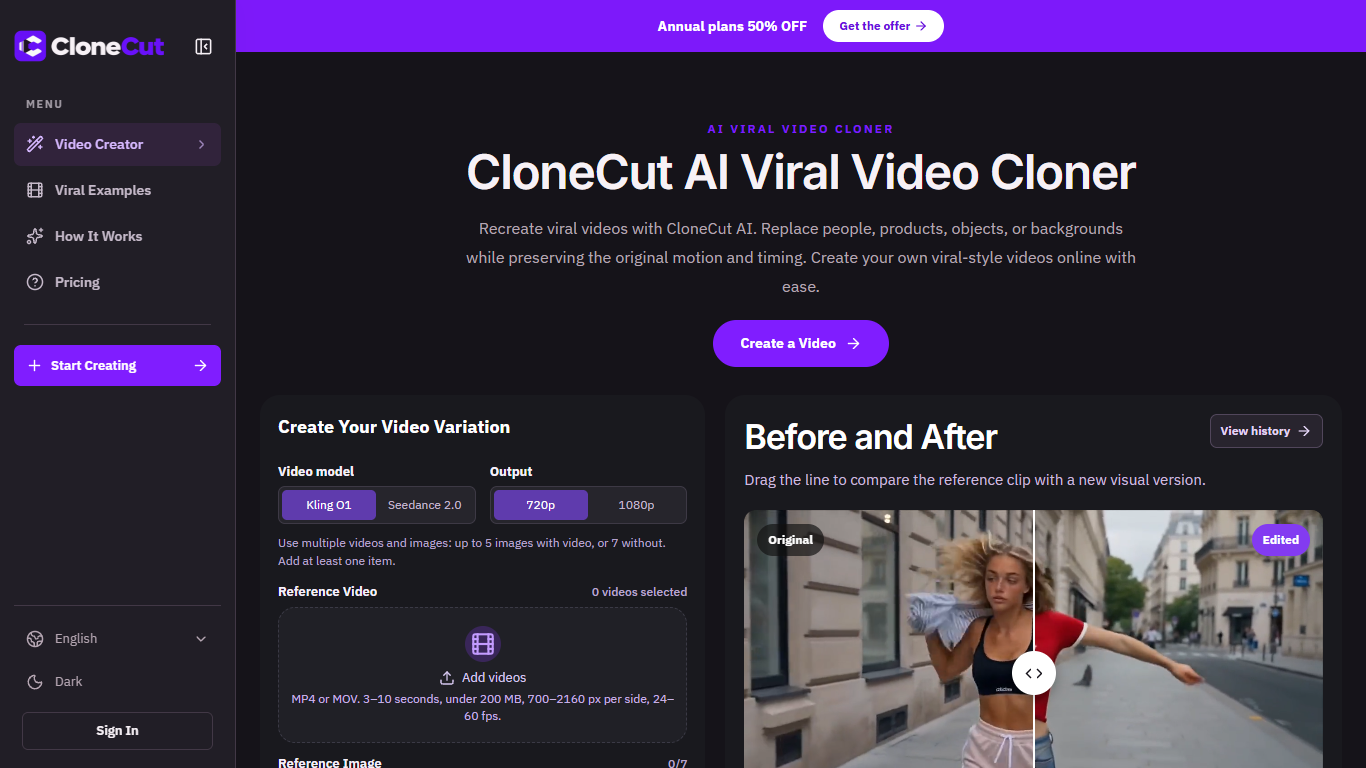
CloneCut turns a short reference clip into a new-looking video while keeping the original motion and timing. You upload MP4 or MOV footage, attach up to seven reference images, and describe one swap such as a new product, person, object, or background. The in-browser editor quotes credits at 10 per second before you generate, and free accounts start with 50 credits and a five-second cap.
Most AI video tools begin with a text prompt and invent the action from scratch. CloneCut anchors everything to footage you already have, which suits creators who want a trending structure without reshooting the performance. The workflow nudges you toward one visible change per pass rather than asking the model to rewrite every pixel at once.
Social marketers remixing viral formats, e-commerce teams adapting a proven product-reveal clip, and creators with licensed B-roll but a new on-screen subject are the obvious fits. You can browse example clips before signing in, but uploading and rendering requires an account.
The site is upfront that output is not frame-perfect: fast motion, occlusion, and hard cuts can drift from the reference, so you should review each variation before publishing.
Reference uploads accept MP4 or MOV clips from 3 to 10 seconds, up to 200 MB
Attach up to 7 images, or 5 when you also supply a reference video
Pick Kling O1 or Seedance 2.0, then export at 720p or 1080p
The editor shows an estimated credit cost at 10 credits per second before you generate
Paid subscriptions raise the per-clip limit to 15 seconds versus 5 on free accounts
Shows a credit quote before you confirm generation, so cost surprises are rare.
Supports targeted swaps for people, products, objects, or backgrounds from one reference clip.
Returns credits on confirmed failures according to the pricing copy.
Offers two model choices plus 720p and 1080p output in the same editor.
Free accounts are limited to 5-second clips, which rules out longer trending formats.
Output can drift on fast motion, occlusion, or frequent cuts, so every render needs review.
Annual subscription cards were visible in research; monthly and credit-pack prices were not captured in static page text.
Does CloneCut have a free plan?
Yes. CloneCut gives new free accounts 50 credits and limits each generated clip to 5 seconds. You can browse examples without paying, but uploading footage and generating video requires signing in.
How much does CloneCut charge per video?
CloneCut bills generation at 10 credits per second at every resolution, and the editor shows an estimated total before you confirm. A five-second 720p or 1080p render quotes 50 credits on the homepage workflow.
Which video models does CloneCut support?
CloneCut lets you choose between Kling O1 and Seedance 2.0 in the video creator. You select the model before setting duration, aspect ratio, and whether to include audio.
Can CloneCut replace only a product in a clip?
Yes. CloneCut is built for single-element swaps, and the FAQ suggests describing the product as the only replacement while keeping hand movement and camera angle. You still need to review the render because AI output can miss fine details.
What file formats does CloneCut accept?
CloneCut accepts MP4 or MOV reference videos between 3 and 10 seconds, 24 to 60 fps, and 700 to 2160 pixels per side under 200 MB. Reference images can be JPG, JPEG, or PNG under 50 MB with aspect ratios between 1:2.5 and 2.5:1.
Does CloneCut refund credits when a job fails?
CloneCut states that site credits are returned on confirmed generation failures. If a task is still processing, check its status before assuming the credits are lost.
How long can CloneCut videos be on paid plans?
CloneCut caps free renders at 5 seconds per video. Lite, Pro, and Ultra subscription plans listed on the pricing section allow up to 15 seconds per video alongside larger yearly credit pools.