
Last updated 10-23-2025
Category:
Reviews:
Join thousands of AI enthusiasts in the World of AI!
Code Converter
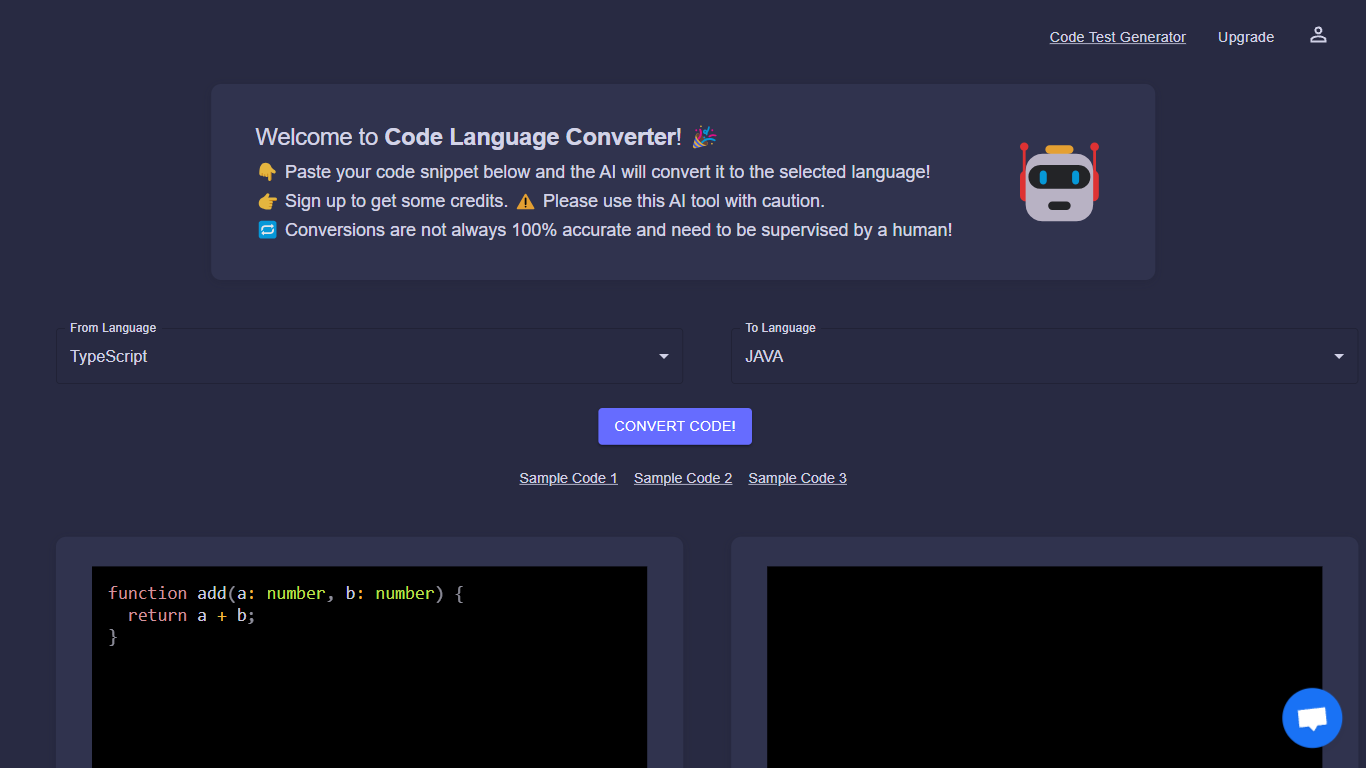
The Code Language Converter is a sophisticated online tool designed to ease the process of converting code snippets from one programming language to another. Leveraging the latest advancements in artificial intelligence, it offers users a quick and effortless conversion experience. The tool is perfect for developers who work with multiple programming languages and need to translate code efficiently. By simply pasting your code snippet into the interface, the AI analyzes and converts it to the selected language in seconds. It is crucial to bear in mind that while AI provides a substantial level of accuracy, the results may not always be perfect, and human oversight is advised to ensure the converted code meets the necessary standards.
Quick Conversion: Utilize AI to convert code snippets rapidly between programming languages.
User-Friendly Interface: Paste your code and select languages effortlessly with a simple and intuitive design.
AI-Powered: Rely on advanced artificial intelligence for accurate code translations.
Multi-Language Support: The AI can translate across various programming languages accommodating diverse development needs.
Sign Up for Credits: Users can sign up to receive credits for conversions adding value to regular users.
What is the Code Language Converter?
The Code Language Converter is an online tool that uses AI to convert code snippets from one programming language to another.
How do I use the Code Language Converter?
Simply paste your code snippet into the tool and select the language you want to convert it to.
What programming languages are supported by the Code Language Converter?
The tool supports various programming languages commonly used by developers. The exact list of languages can be found on the tool's website or within the conversion interface.
Can I get credits for using the Code Language Converter?
Yes, there is a sign-up option that allows you to receive credits for code conversions. These credits can be used to convert longer snippets or for multiple conversions.
Are the AI conversions from the Code Language Converter always accurate?
While the AI strives for accuracy, conversions might not be 100% accurate and should be checked by a human to ensure they meet your standards.