
Last updated 08-15-2026
Category:
Reviews:
Join thousands of AI enthusiasts in the World of AI!
CodeOrbital
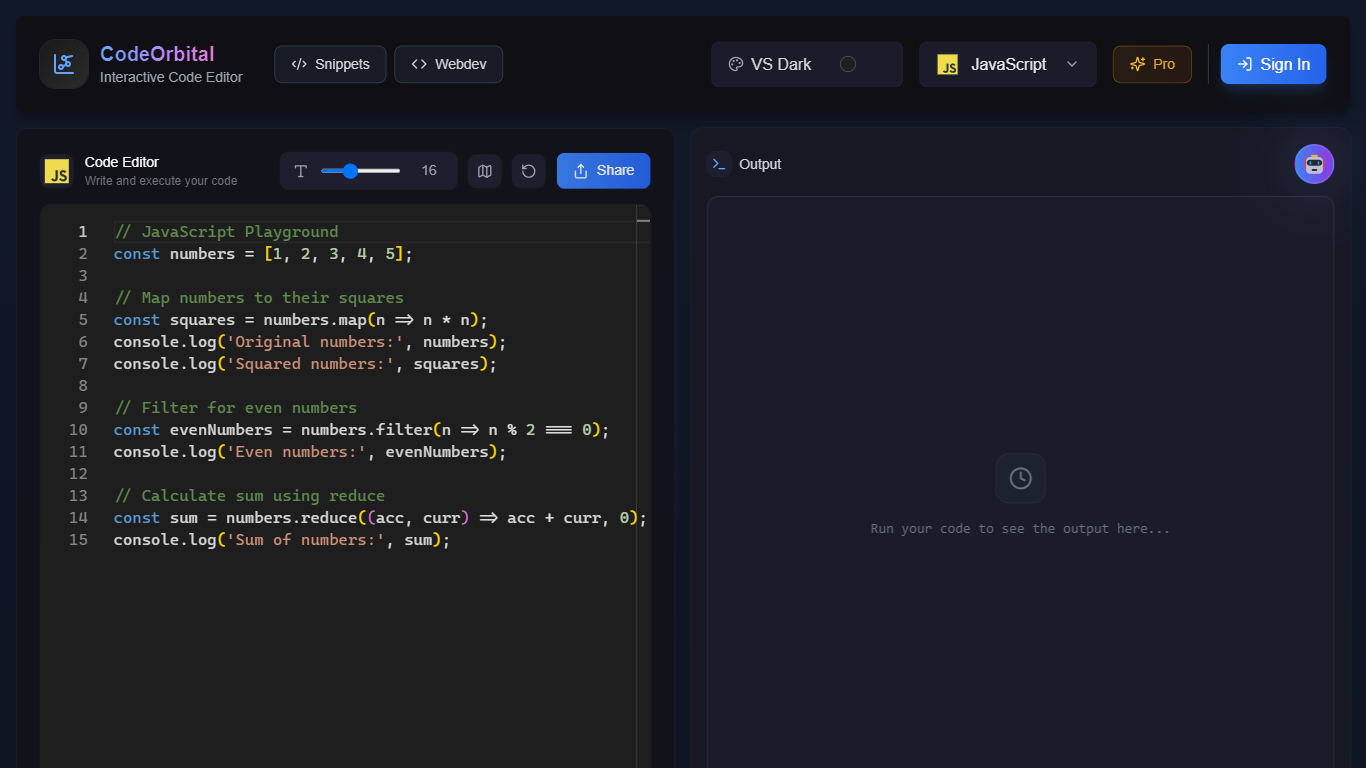
CodeOrbital is a browser-based developer workspace where you run code, share snippets, and learn from AI tutors. The main editor supports JavaScript with in-browser execution, while a separate web dev mode gives you live HTML, CSS, and JavaScript previews side by side.
Most online playgrounds stop at a single-language REPL. CodeOrbital pairs that editor with a snippet library you can sort by language or category, plus an AI Teachers section that walks you through JavaScript, TypeScript, Python, Java, and Rust in conversational lessons with project-based practice.
Students picking up a first language, hobbyists testing quick scripts, and web developers who want instant preview feedback will find the most value here. Sign-in is available through Clerk, and a Pro tier is marked coming soon on the homepage.
Run JavaScript in a browser playground with console output on the same page
Edit HTML, CSS, and JavaScript together with a live preview panel
Share code snippets and browse community posts sorted by language or category
Ask AI for help directly inside the web development editor
Learn JavaScript, TypeScript, Python, Java, and Rust through AI Teacher conversations
Combines a code playground, snippet sharing, and AI tutors in one browser app.
Live HTML, CSS, and JavaScript preview removes the need for a local dev setup.
AI Teachers cover five languages with project-based learning paths.
Snippet library supports sorting by language and curated categories.
Pro tier is listed as coming soon with no published pricing or launch date.
Terms, Privacy, and Contact links on the homepage point to placeholder anchors.
Snippet and webdev subpages returned minimal content during research.
Is CodeOrbital free to use?
Yes, CodeOrbital is free today. The homepage shows a Pro plan marked coming soon, but no paid pricing page or checkout is listed on the site.
Which languages does CodeOrbital support?
CodeOrbital's main editor runs JavaScript with in-browser execution. The web dev mode covers HTML, CSS, and JavaScript, and the AI Teachers section lists JavaScript, TypeScript, Python, Java, and Rust.
Can I share code snippets on CodeOrbital?
Yes, CodeOrbital has a Snippets section where you can share your code and browse posts from other users. Snippets can be sorted by programming language or explored through curated categories like Web Development.
Does CodeOrbital offer live preview for web code?
Yes, CodeOrbital includes a dedicated web development editor where you write HTML, CSS, and JavaScript and see the rendered output update in real time inside the browser.
Does CodeOrbital have AI coding help?
Yes, CodeOrbital includes an Ask AI button in the web editor and an AI Teachers area with conversational tutors for five languages. The AI Mentor guides learners through interactive lessons and project-based practice.
Do I need an account for CodeOrbital?
You can explore the editors without signing in, but CodeOrbital offers a Sign In option powered by Clerk for users who want to save work or access community features.