AI Cowriter vs Bearly AI
Explore the showdown between AI Cowriter vs Bearly AI and find out which AI Writing Assistant tool wins. We analyze upvotes, features, reviews, pricing, alternatives, and more.
When comparing AI Cowriter and Bearly AI, which one rises above the other?
When we contrast AI Cowriter with Bearly AI, both of which are exceptional AI-operated writing assistant tools, and place them side by side, we can spot several crucial similarities and divergences. In the race for upvotes, Bearly AI takes the trophy. Bearly AI has attracted 130 upvotes from aitools.fyi users, and AI Cowriter has attracted 7 upvotes.
Disagree with the result? Upvote your favorite tool and help it win!
AI Cowriter
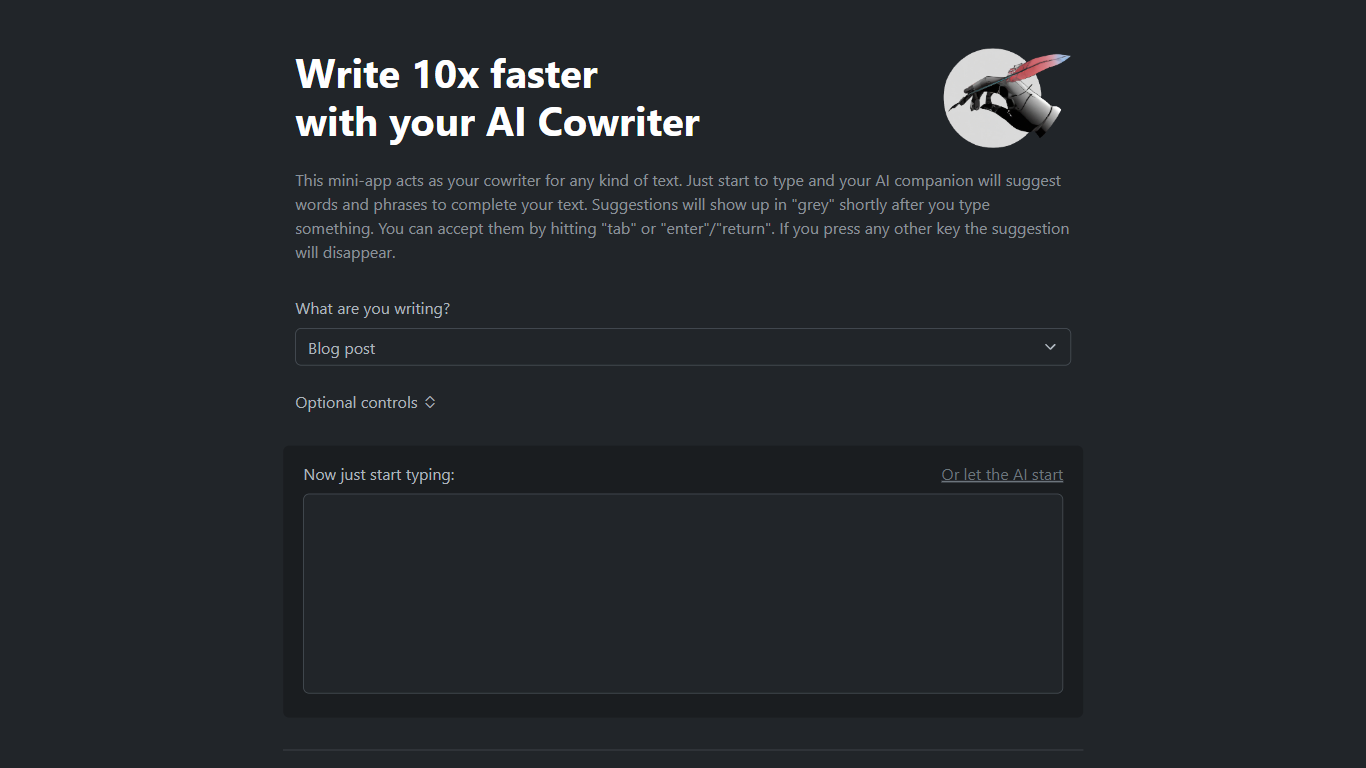

What is AI Cowriter?
AI Cowriter is a browser-based writing assistant that suggests the next words and phrases as you type. Pick a format like a blog post, LinkedIn update, tweet, or email, add optional topic and audience notes, then start writing. Suggestions appear in grey text and you accept them with Tab or Enter.
Unlike a full document editor with side panels, AI Cowriter keeps the flow inline, closer to autocomplete in a code editor than a chat box. You can also click to let the AI draft the opening lines. The project is open source on GitHub under kinosal/cowriter, so you can inspect how prompts are built before they hit the OpenAI API.
It suits bloggers drafting posts, marketers writing LinkedIn updates, and anyone who wants GPT-style completions without switching to a separate chat window. Automated scrapers often get HTTP 403 from the host, but the web app loads fine in a normal browser session.
Bearly AI

What is Bearly AI?
Bearly AI is a private AI workspace that puts chat models, agents, research tools, code interpreters, and media generators behind one login. You can switch between Claude, GPT, Gemini, Grok, GLM, Kimi, and Minimax, run deep research or document Q&A, and build artifacts without opening separate apps. Desktop, mobile, browser extension, web, and CLI clients share the same account.
Most multi-model tools cap messages per hour or slow you down at peak times. Bearly sells paid plans as dollar-for-dollar AI credits at cost and does not throttle usage once you have credits. Every chat and uploaded file is individually encrypted, and Bearly states it does not train on your data or show ads.
It suits writers, researchers, founders, and engineers who want one encrypted workspace for writing, analysis, coding, and meetings instead of juggling separate AI subscriptions. Team admins can assign seats from one billing account, and enterprise customers can add SSO, SAML, and spend controls.
AI Cowriter Upvotes
Bearly AI Upvotes
AI Cowriter Top Features
Grey autocomplete suggestions accepted with Tab or Enter keys
Preset formats for blog posts, LinkedIn posts, tweets, and emails
Optional topic, writing style, audience, and notes fields before you type
Let the AI start button to generate opening text for you
Open-source codebase at github.com/kinosal/cowriter with 43 GitHub stars
Uses OpenAI GPT models for next-token prediction per the project README
Bearly AI Top Features
Switch between Claude, GPT, Gemini, Grok, GLM, Kimi, and Minimax inside one workspace
Pro plan at $20 per month converts to $20 in credits at cost with no rate limits or cooldowns
Desktop v5.0.8 builds for Mac, Windows, and Linux, plus iOS and a Chrome extension
Skills store and Routines let you install workflows and schedule saved prompts on desktop
Every chat and file is individually encrypted with no ads or training on your data
Built-in Browser, People Search, meeting transcription, and SEO research in the same chat
AI Cowriter Category
- Writing Assistant
Bearly AI Category
- Writing Assistant
AI Cowriter Pricing Type
- Free
Bearly AI Pricing Type
- Freemium