ChatGPT for Outlook vs Email Bind
In the contest of ChatGPT for Outlook vs Email Bind, which AI Email Assistant tool is the champion? We evaluate pricing, alternatives, upvotes, features, reviews, and more.
If you had to choose between ChatGPT for Outlook and Email Bind, which one would you go for?
When we examine ChatGPT for Outlook and Email Bind, both of which are AI-enabled email assistant tools, what unique characteristics do we discover? Email Bind is the clear winner in terms of upvotes. The upvote count for Email Bind is 7, and for ChatGPT for Outlook it's 6.
Does the result make you go "hmm"? Cast your vote and turn that frown upside down!
ChatGPT for Outlook

What is ChatGPT for Outlook?
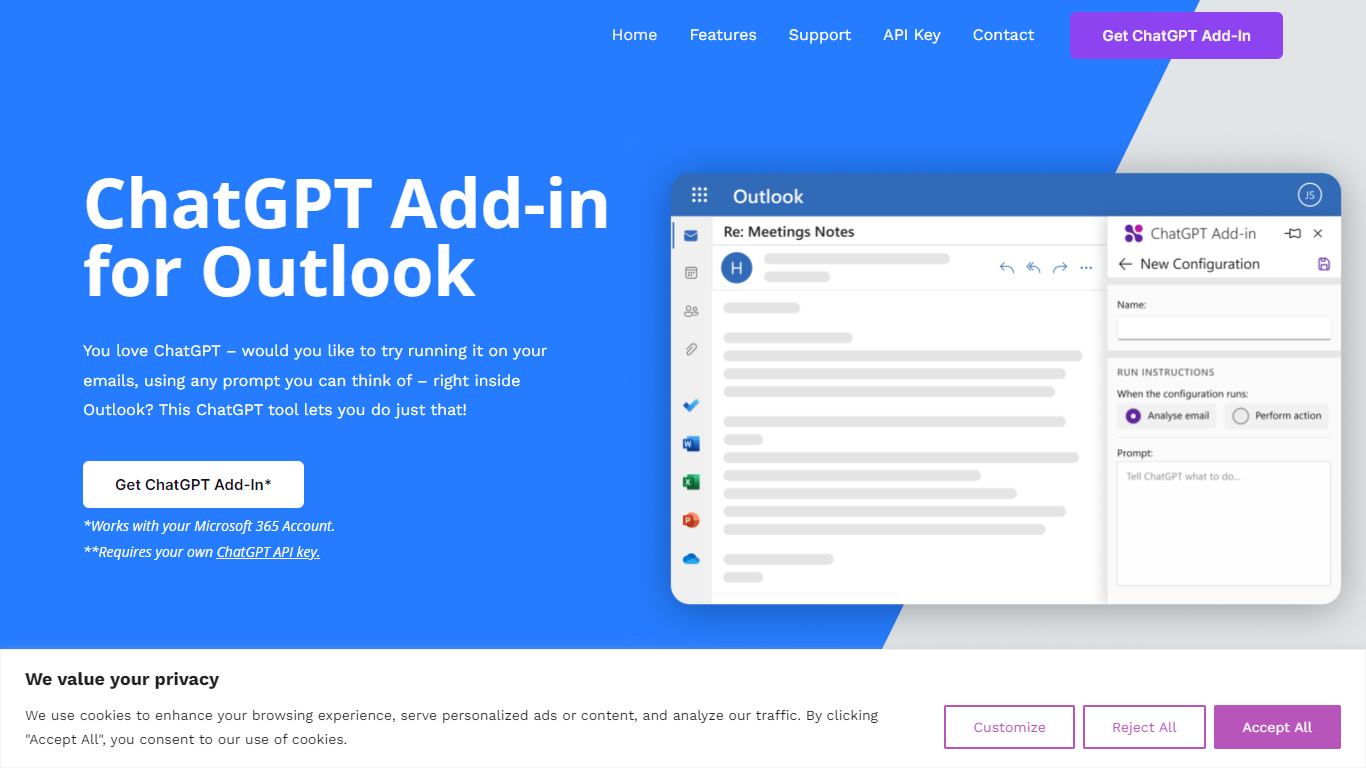
ChatGPT for Outlook is a free Outlook add-in from Blueberry Consultants that runs OpenAI's ChatGPT on messages in your inbox or while you compose new mail. You install it with a manifest URL, connect your own ChatGPT API key, and write custom prompts to summarize threads, pull out key details, or reshape email text without leaving Outlook.
The add-in is built for people who already rely on ChatGPT and want that workflow inside email. You can process a full message or narrow the scope to the body, subject, or attachments, then view results in a separate window or replace the original content. Multiple prompt configurations let you match different inbox scenarios.
Blueberry also offers custom branded versions for teams and resellers, with prompts and API keys tailored to a Microsoft 365 domain. The product is not affiliated with OpenAI or Microsoft, though Blueberry is a Microsoft Partner.
Email Bind
What is Email Bind?
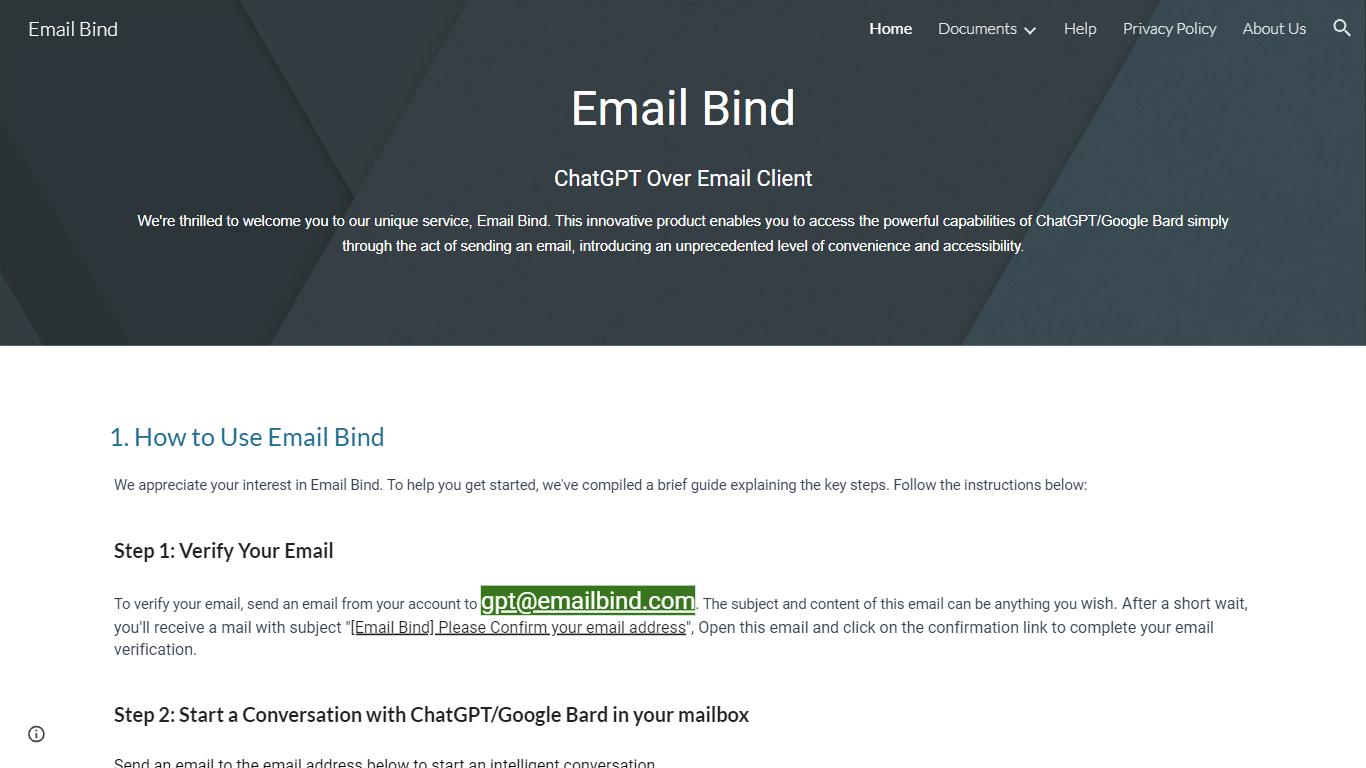
Email Bind is an email assistant that lets you chat with ChatGPT or Google Bard by sending normal emails from any inbox. Verify your address by mailing [email protected], then email prompts to [email protected] for GPT-3.5/4 replies or [email protected] for web-connected answers. Replies land back in your mailbox, including multi-turn threads when you hit reply.
Most AI chat tools expect a browser login and a stable internet path to OpenAI or Google. Email Bind routes prompts through email instead, which helps users on restricted networks or anyone who already lives in Gmail, Outlook, or QQ Mail. Bard replies can pull newer web information, and the service documents Chinese-language support on the Bard path.
Professionals, students, and non-technical teams use Email Bind for drafts, translations, meeting summaries, and coding help without opening a separate chat UI. Early Access includes 100,000 tokens per month, caps single conversations at 2,000 words, and deletes message content from servers within minutes. The iPhone app unlocks prompt templates, GPT-4, token limits, and temperature controls through a Pro upgrade.
ChatGPT for Outlook Upvotes
Email Bind Upvotes
ChatGPT for Outlook Top Features
Install via a manifest URL and connect your own ChatGPT API key in minutes
Write custom prompts to summarize emails, highlight details, or rewrite message text
Process the full email or filter by body, subject, or attachments only
Show ChatGPT output in a separate window or replace the original email body
Flag or mark importance automatically based on generated output
Save multiple prompt configurations for different email types or workflows
Email Bind Top Features
Email [email protected] to use ChatGPT GPT-3.5 and GPT-4 models by mail
Email [email protected] for Google Bard replies with internet access
Early Access includes 100,000 tokens per month at no listed cost
Multi-turn conversations work by replying to Email Bind response messages
iPhone app adds prompt templates, GPT-4 toggles, max tokens, and temperature controls
Message content is deleted from servers within 1 to 10 minutes after processing
ChatGPT for Outlook Category
- Email Assistant
Email Bind Category
- Email Assistant
ChatGPT for Outlook Pricing Type
- Freemium
Email Bind Pricing Type
- Freemium