
Last updated 07-18-2026
Category:
Reviews:
Join thousands of AI enthusiasts in the World of AI!
ChatGPT for Outlook
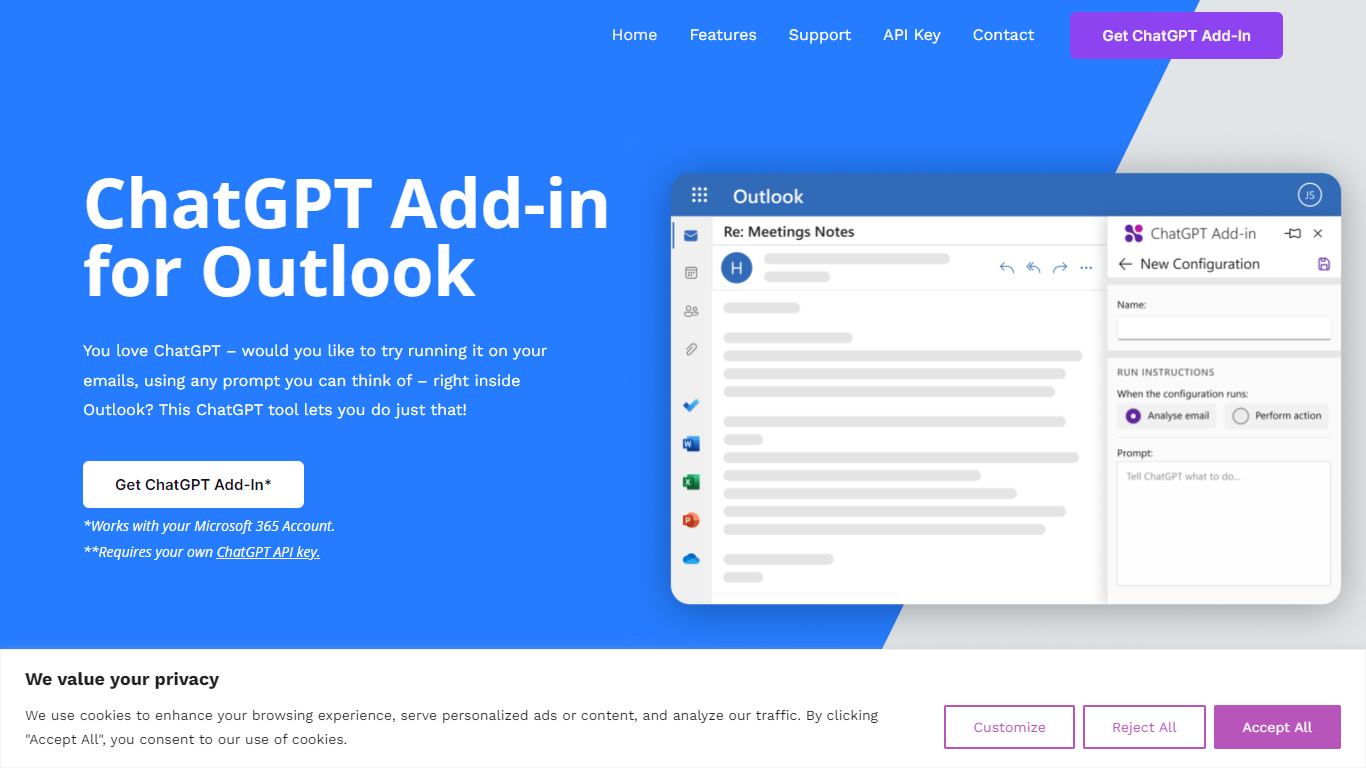
ChatGPT for Outlook is a free Outlook add-in from Blueberry Consultants that runs OpenAI's ChatGPT on messages in your inbox or while you compose new mail. You install it with a manifest URL, connect your own ChatGPT API key, and write custom prompts to summarize threads, pull out key details, or reshape email text without leaving Outlook.
The add-in is built for people who already rely on ChatGPT and want that workflow inside email. You can process a full message or narrow the scope to the body, subject, or attachments, then view results in a separate window or replace the original content. Multiple prompt configurations let you match different inbox scenarios.
Blueberry also offers custom branded versions for teams and resellers, with prompts and API keys tailored to a Microsoft 365 domain. The product is not affiliated with OpenAI or Microsoft, though Blueberry is a Microsoft Partner.
Install via a manifest URL and connect your own ChatGPT API key in minutes
Write custom prompts to summarize emails, highlight details, or rewrite message text
Process the full email or filter by body, subject, or attachments only
Show ChatGPT output in a separate window or replace the original email body
Flag or mark importance automatically based on generated output
Save multiple prompt configurations for different email types or workflows
Free add-in with flexible custom prompts for inbox and compose workflows.
Lets you target specific email parts instead of processing every message whole.
Blueberry offers team and reseller custom builds for Microsoft 365 environments.
Requires your own ChatGPT API key, so OpenAI usage costs are separate.
No longer listed in the Microsoft Store; setup uses a custom manifest URL.
Custom business versions require contacting Blueberry for pricing and delivery.
Is ChatGPT for Outlook free to use?
Yes. ChatGPT for Outlook is offered as a free add-in. You need your own OpenAI ChatGPT API key, and usage costs depend on your OpenAI account billing.
Does ChatGPT for Outlook require a ChatGPT API key?
Yes. ChatGPT for Outlook requires your own ChatGPT API key. You enter it during setup after adding the manifest URL as a custom Outlook add-in.
How do I install ChatGPT for Outlook?
Copy the manifest URL into Outlook's custom add-in link, then enter your ChatGPT API key. Blueberry's features page describes this as a simple setup process inside Outlook.
Can I get a custom ChatGPT for Outlook version for my team?
Yes. Blueberry Consultants can build a custom version with your prompts and API key for your Microsoft 365 domain. Team and reseller options are listed on the homepage and features page.
Is ChatGPT for Outlook available in the Microsoft Store?
No. Blueberry's features page states the add-in is no longer available from the Microsoft Store. Installation uses the manifest URL as a custom Outlook add-in instead.
Who makes ChatGPT for Outlook?
ChatGPT for Outlook is built by Blueberry Consultants, a UK custom software company and Microsoft Partner. The site notes it is not affiliated with OpenAI or Microsoft.