Clipchamp vs Gemoo
In the face-off between Clipchamp vs Gemoo, which AI Video Editing tool takes the crown? We scrutinize features, alternatives, upvotes, reviews, pricing, and more.
In a face-off between Clipchamp and Gemoo, which one takes the crown?
If we were to analyze Clipchamp and Gemoo, both of which are AI-powered video editing tools, what would we find? Interestingly, both tools have managed to secure the same number of upvotes. You can help us determine the winner by casting your vote and tipping the scales in favor of one of the tools.
Don't agree with the result? Cast your vote and be a part of the decision-making process!
Clipchamp


What is Clipchamp?
Clipchamp enables users to record, edit, and share high-definition videos directly from their web browser or Windows app. It offers tools for creating videos with webcam, screen, and voice recordings, combined with AI-powered editing features like noise suppression and automatic subtitle generation.
What distinguishes Clipchamp from other video editors is its integration of advanced AI tools such as a natural voiceover generator with over 400 voices and an AI silence remover that automatically cuts long pauses. It also provides customizable color and gradient backgrounds and supports exporting videos up to 4K resolution without watermarks for premium users.
Clipchamp's content library includes royalty-free stock videos, images, music, and templates tailored for social media, education, and business use. Its privacy-first approach ensures all recordings remain on the user's device unless shared, making it a secure choice for video creation.
With features like multi-item editing, grouping, and a flexible video resizer supporting multiple aspect ratios, Clipchamp offers a comprehensive editing experience suitable for creators of all skill levels. It works seamlessly in Microsoft Edge and Google Chrome browsers, with an optional Windows app available for enhanced performance.
Gemoo
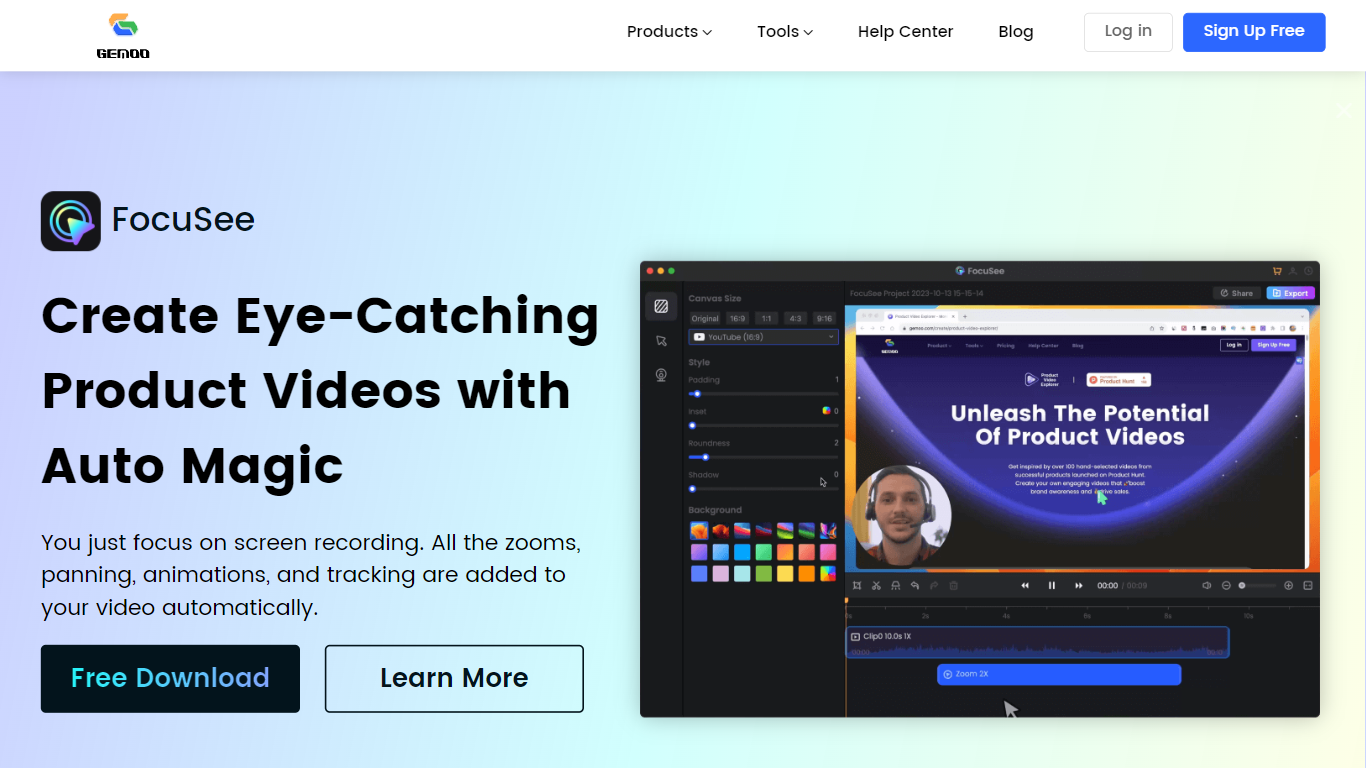
What is Gemoo?
Gemoo bundles screen recording, video editing, and sharing tools for product demos and tutorials. Its recorder captures screen, webcam, and microphone together, then adds zooms, panning, and motion highlights automatically so you are not rebuilding edits frame by frame. Clippa is the browser-based editor for trimming and exporting without watermarks.
Compared with a general screen recorder, Gemoo targets polished product walkthroughs rather than raw captures. TalkEze adds speaker notes for recorded presentations, and the site also lists utilities like a YouTube transcript tool. The workflow assumes you record once and publish a link rather than handing files through multiple apps.
Marketing teams, customer success reps, and founders use it for launch videos, onboarding clips, and sales demos. Educators recording software lessons fit the same pattern. During the July 2026 enrichment check, the public homepage showed a scheduled maintenance notice, so plan details below come from the last stored product description rather than a live pricing page.
Clipchamp Upvotes
Gemoo Upvotes
Clipchamp Top Features
🎤 Natural AI voiceover generator with 400+ voices and adjustable pitch and pace
📝 AI subtitle generator creating accurate captions in 80+ languages with editable styles
📹 Screen and webcam recorder with unlimited retakes and no watermarks
🔇 AI silence remover to automatically cut long pauses and silences from videos
🎨 Custom color and gradient video backgrounds with HSV and HEX color picker
📺 Video exports up to 4K resolution available with premium subscription
🎬 Multi-item editing and grouping tools for efficient workflow
Gemoo Top Features
Gemoo Recorder captures screen, webcam, and microphone in one session
Auto zoom, pan, and motion tracking applied to screen recordings without manual keyframing
Clippa browser editor exports videos without watermarks
TalkEze supports talking-head recordings with on-screen speaker notes
Instant share links for recorded clips plus local download option
Clipchamp Category
- Video Editing
Gemoo Category
- Video Editing
Clipchamp Pricing Type
- Freemium
Gemoo Pricing Type
- Freemium