FlowSavvy vs Bash
Explore the showdown between FlowSavvy vs Bash and find out which AI Productivity tool wins. We analyze upvotes, features, reviews, pricing, alternatives, and more.
In a face-off between FlowSavvy and Bash, which one takes the crown?
When we contrast FlowSavvy with Bash, both of which are exceptional AI-operated productivity tools, and place them side by side, we can spot several crucial similarities and divergences. There's no clear winner in terms of upvotes, as both tools have received the same number. Your vote matters! Help us decide the winner among aitools.fyi users by casting your vote.
Don't agree with the result? Cast your vote and be a part of the decision-making process!
FlowSavvy

What is FlowSavvy ?
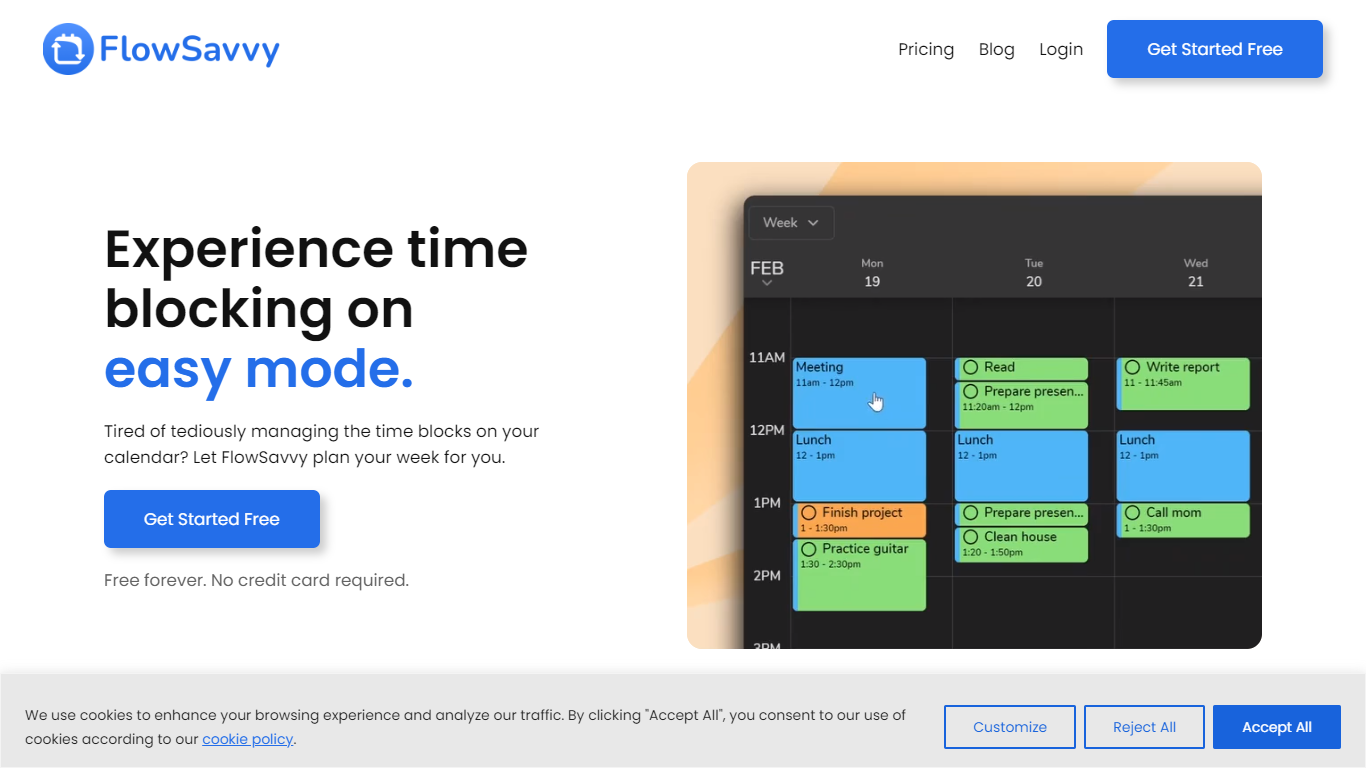
FlowSavvy offers a fresh take on time management by automating time blocking and task scheduling to reduce stress and manual effort. It acts like a digital assistant that creates weekly plans and adjusts them automatically when your schedule changes, so you don’t have to constantly rearrange tasks yourself. The platform supports habit building by letting you set recurring tasks that fit your lifestyle and work hours, helping you maintain a healthy work-life balance. It integrates smoothly with popular calendars like Google, iCloud, and Outlook, keeping all your appointments and tasks in one place. The interface is clean and easy to use, with color-coded tasks that give you a quick view of your workload. FlowSavvy is accessible on all devices and lets you start for free without needing a credit card. This makes it a practical tool for anyone looking to organize their time more effectively without the hassle of manual scheduling. Whether you’re a busy professional, a student, or managing a household, FlowSavvy adapts to your needs and helps you stay on track effortlessly.
Bash

What is Bash?
Bash is a productivity workspace that turns meetings, documents, and web sources into finished work. You can record video calls or in-person meetings, upload files, paste URLs, and feed that material into an AI editor with 75+ templates for meeting minutes, PRDs, battle cards, and status updates.
Where standalone note apps stop at capture and dedicated writers stop at blank pages, Bash ties transcription, source gathering, and templated drafting into one flow. Credits meter each action, so heavy meeting transcription and long-form drafting share one budget instead of separate subscriptions.
Product, marketing, sales, and operations teams use Bash to follow up after calls, draft project docs from mixed sources, and track competitor or industry updates in a shared feed. The Chrome extension records browser meetings, and mobile apps handle in-person audio on iOS and Android.
FlowSavvy Upvotes
Bash Upvotes
FlowSavvy Top Features
🗓️ Automatic weekly planning that adjusts as your schedule changes
🔄 Smart recurring tasks to build and maintain good habits
📅 Syncs with Google, iCloud, and Outlook calendars for unified scheduling
🎨 Color-coded tasks for quick workload visualization
📱 Available on all devices with no credit card required to start
Bash Top Features
75+ built-in templates for meeting minutes, PRDs, battle cards, and status updates
Chrome extension records browser meetings; mobile apps capture in-person audio on iOS and Android
Free plan includes 100 credits per month; a 30-minute meeting transcript to minutes uses about 45 credits
Paid Boost plan supports up to 2000 documents, 50 hours of audio, and 500 actions per month
Topics group text, URLs, documents, and audio so teams can summarize sources and publish shared feeds
Supports 13 output languages including French, German, Spanish, Dutch, and Polish
FlowSavvy Category
- Productivity
Bash Category
- Productivity
FlowSavvy Pricing Type
- Freemium
Bash Pricing Type
- Freemium