Gempix 2 vs Photo Editor
Dive into the comparison of Gempix 2 vs Photo Editor and discover which AI Photo Editing tool stands out. We examine alternatives, upvotes, features, reviews, pricing, and beyond.
When comparing Gempix 2 and Photo Editor, which one rises above the other?
When we compare Gempix 2 and Photo Editor, two exceptional photo editing tools powered by artificial intelligence, and place them side by side, several key similarities and differences come to light. The users have made their preference clear, Gempix 2 leads in upvotes. Gempix 2 has received 7 upvotes from aitools.fyi users, while Photo Editor has received 6 upvotes.
Don't agree with the result? Cast your vote and be a part of the decision-making process!
Gempix 2


What is Gempix 2?
Gempix 2 runs a browser-based photo editing workspace where you upload an image, write a prompt up to 2,000 characters, and spend credits on AI edits or generations. The homepage lists Image Edit, Text to Image, Text to Video, Image to Video, Video Edit, and Wan Animate tabs powered by NanoBanana 2 and SeeDream V4.
Most online editors charge flat subscriptions before you test output quality. Gempix 2 starts with free credits, then sells monthly credit buckets on plans that include commercial licensing, 1080p output, batch generation, and no watermarks when you upgrade.
It targets creators who want quick prompt-driven retouching without installing desktop software. The site advertises no registration required on the homepage and routes paid users through monthly, annual, or one-time billing options on its pricing page.
Photo Editor
What is Photo Editor?
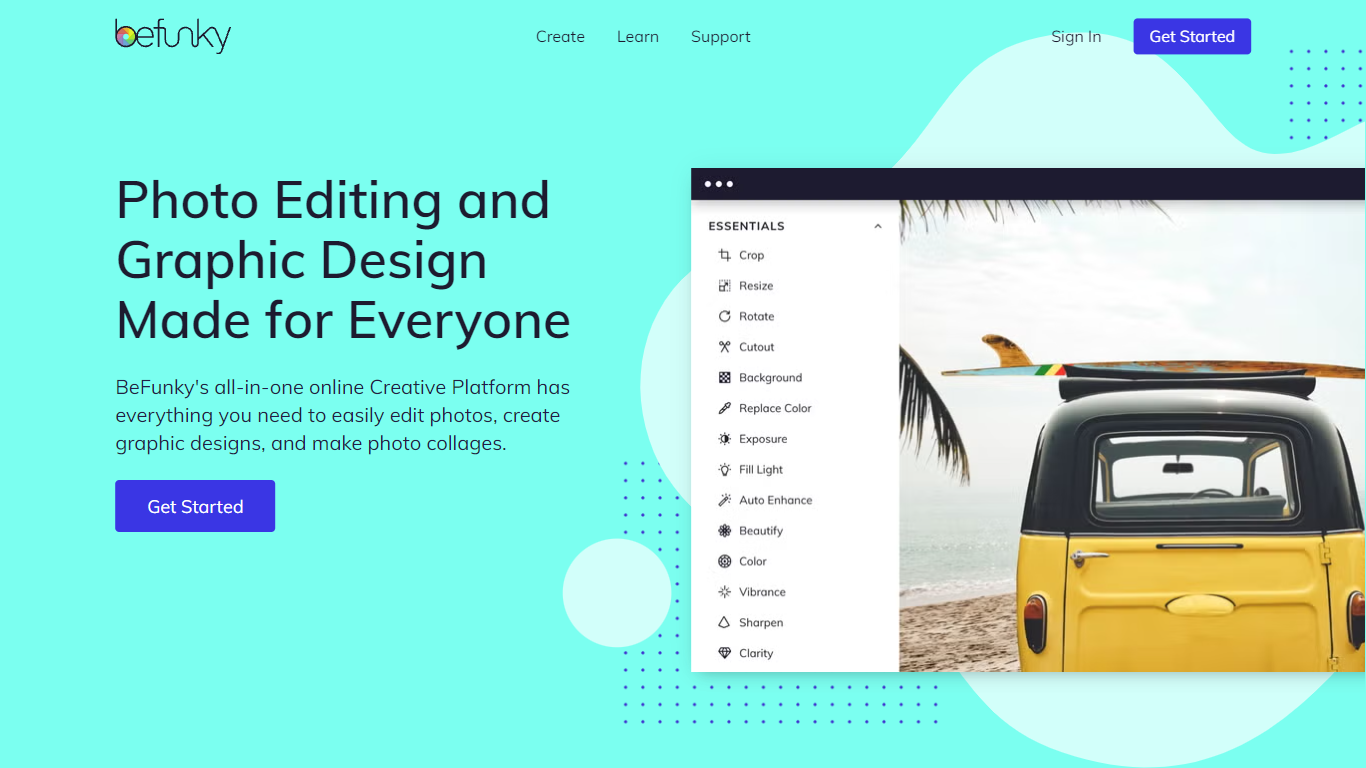
Combine photo editing, graphic design, and collage making into a single web-based workspace. This software removes the need for separate apps by letting users edit photos, create custom graphics, and assemble collages without switching tools.
Unlike traditional complex desktop applications, this tool is built for accessibility across skill levels. Beginners get simple one-click options like background removal, while professionals can access AI-powered batch editing and advanced artsy effects.
Photo editing features include cropping, resizing, exposure adjustment, and hundreds of effects. AI features like background removal, object eraser, and portrait enhancer automate complex tasks for quick results.
Graphic design and collage making are streamlined with drag-and-drop simplicity and automated wizards. Users can choose from thousands of templates for social media posts, banners, and invitations.
Gempix 2 Upvotes
Photo Editor Upvotes
Gempix 2 Top Features
Homepage image edit flow shows a Generate button costing 20 credits
Prompt field accepts up to 2,000 characters with dimension and advanced settings
Pricing Basic plan includes 1,500 credits per month and 1080p HD output
Plus plan raises the allowance to 7,500 credits per month on the pricing page
Enterprise adds API access and dedicated support with a 2 hour response target
Batch generation and commercial licensing appear on all paid pricing tiers
Photo Editor Top Features
🎨 AI-Powered Background Remover removes backgrounds in one click for product photos and portraits
✨ Collage Wizard automatically generates layout options from uploaded photos
🖼️ Batch AI Editing processes hundreds of images at once with AI enhancements
📐 Smart Image Upscaler increases low-resolution image size up to 4x
🖌️ Graphic Design Templates provide thousands of options for social media and banners
💎 Pricing plans include Free tier, Plus at $6.99 per month, and Pro at $12.49 per month
Gempix 2 Category
- Photo Editing
Photo Editor Category
- Photo Editing
Gempix 2 Pricing Type
- Freemium
Photo Editor Pricing Type
- Freemium