Magic Brush AI vs PromptFolder
When comparing Magic Brush AI vs PromptFolder, which AI Design tool shines brighter? We look at pricing, alternatives, upvotes, features, reviews, and more.
In a comparison between Magic Brush AI and PromptFolder, which one comes out on top?
When we put Magic Brush AI and PromptFolder side by side, both being AI-powered design tools, In the race for upvotes, PromptFolder takes the trophy. PromptFolder has been upvoted 10 times by aitools.fyi users, and Magic Brush AI has been upvoted 6 times.
Does the result make you go "hmm"? Cast your vote and turn that frown upside down!
Magic Brush AI


What is Magic Brush AI?
Magic Brush AI introduces an innovative AI-powered plugin specifically designed for Figma users who wish to enhance their design process. The Magic Brush AI plugin seamlessly integrates with Figma, allowing designers to generate and edit images directly within the application. If you're looking to speed up your design workflow and leverage artificial intelligence in your projects, Magic Brush AI offers a simple yet powerful solution. With easy installation and a user-friendly interface, Magic Brush expands creative possibilities without ever leaving your favorite design platform. Additionally, the community aspect is emphasized with an invitation to join their Discord, suggesting a focus on user engagement and support. Designed by Elie Toubiana from sunshine-filled Los Angeles, CA, Magic Brush AI is poised to transform how creatives interact with Figma and image editing.
PromptFolder
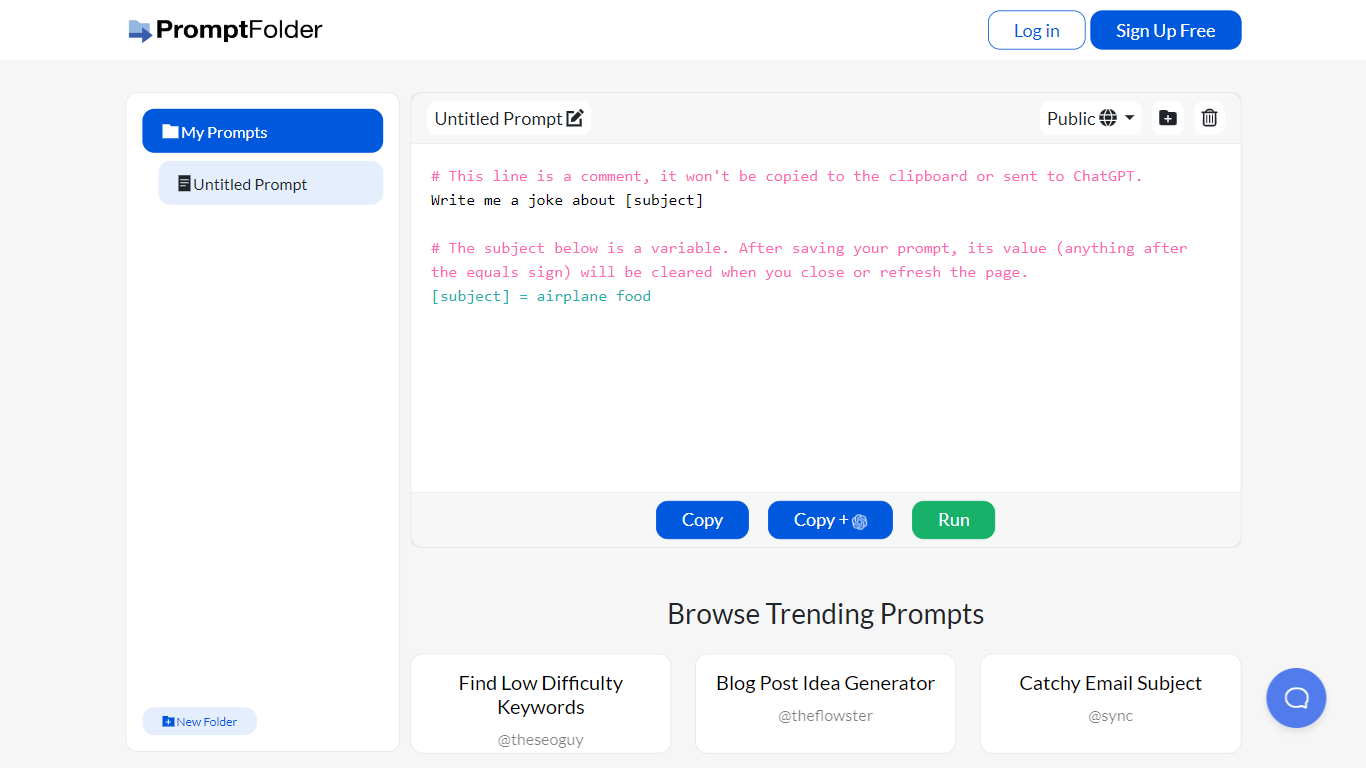
What is PromptFolder?
PromptFolder is a web prompt manager for ChatGPT, Midjourney, and other AI tools. You draft prompts with bracket placeholders like [subject], file them in folders, and launch them from the built-in editor. Free signup unlocks your personal library, and the homepage highlights trending prompts other users have shared.
Generic note apps store plain text. PromptFolder treats each entry as a reusable template with editable variables, an Advanced Editor that sets tone (Casual through Humorous) and length in Words or Sentences, and a Run button that sends the draft to ChatGPT. A Chrome extension mirrors the library inside ChatGPT so you stop copying the same blocks by hand.
Repeat ChatGPT workflows benefit most. Founder Cole South built it for his e-commerce store after retyping prompts daily, and the trending feed leans toward SEO titles, blog ideas, and keyword prompts. Midjourney users get a dedicated helper with aspect ratios, version picks up to v6 and niji, plus chaos, stylize, and seed fields laid out as form controls instead of memorized flags.
Magic Brush AI Upvotes
PromptFolder Upvotes
Magic Brush AI Top Features
AI Powered Plugin: A convenient Figma plugin that utilizes AI for image generation and editing.
Seamless Integration: Integrates with Figma for a streamlined design workflow.
Easy Installation: Simple process to install the plugin directly on Figma.
Community Support: Access to a Discord community for networking and support.
Frequent Updates: Continual improvements and feature additions to enhance user experience.
PromptFolder Top Features
Bracket variables like [subject] stay editable inside saved prompts so one template covers many topics
Chrome Web Store extension (pcollgbgdjbfmjkgkooifpbakhiaedmn) opens PromptFolder inside ChatGPT
Midjourney Prompt Helper lists aspect ratios from 1:1 through 16:9, versions 1 through 6 plus niji, and sliders for chaos and stylize
Advanced Editor sets tone across Casual, Professional, Serious, and Humorous with length counted in Words or Sentences
Browse Trending Prompts surfaces public saves such as SEO Meta Title Writer and Blog Post Idea Generator
Free on-site tools include a Midjourney Prompt Generator, ChatGPT Detector, and AI YouTube Summarizer
Magic Brush AI Category
- Design
PromptFolder Category
- Design
Magic Brush AI Pricing Type
- Freemium
PromptFolder Pricing Type
- Free